

Configuration of document templates per aircraft
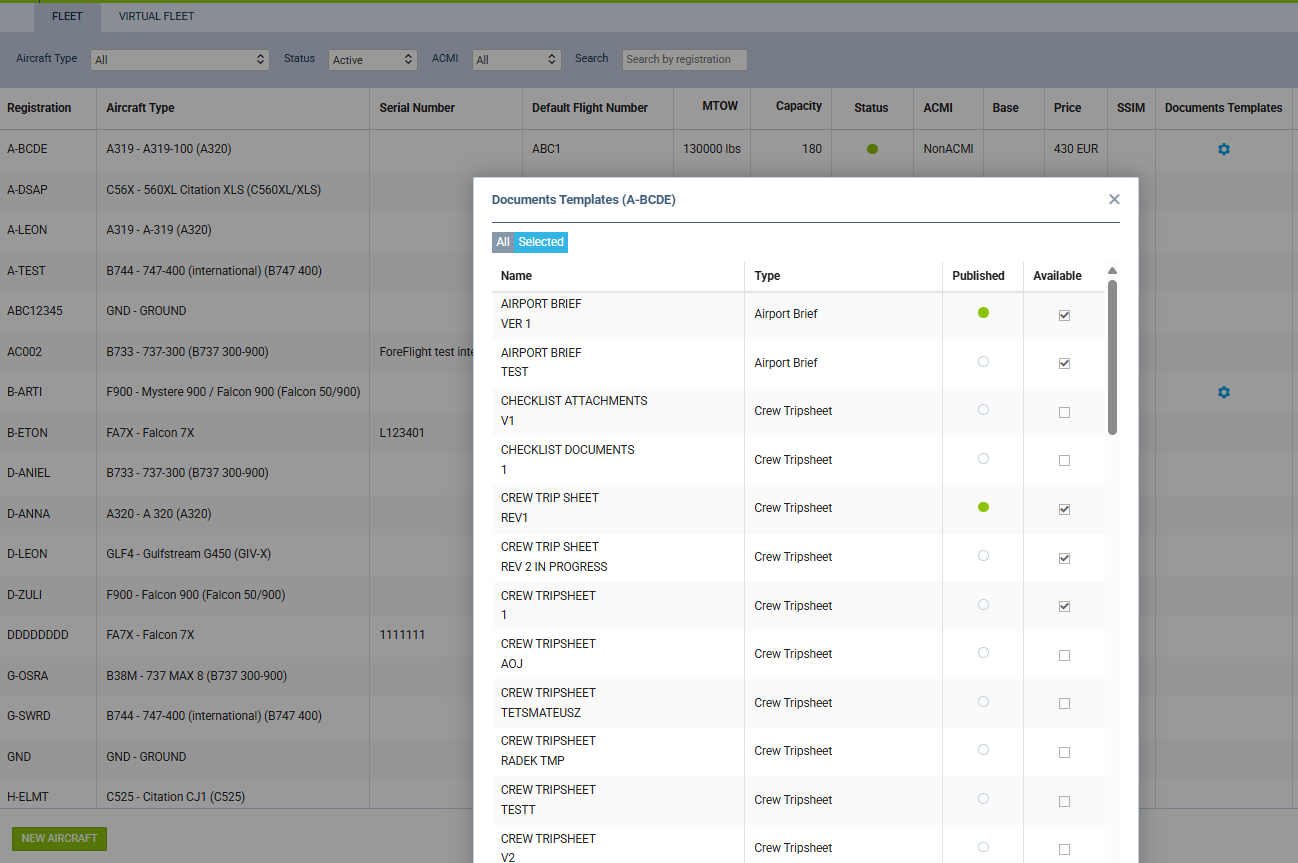
It is now possible to display only selected document templates for specific aircraft tails.
In Settings > Fleet, a new Document Templates column has been added. Selecting this option opens a pop-up with all documents created in the Document Manager. By switching the toggle to SELECTED in the top-left corner, you can choose documents from the Available column. Only the selected ones will be visible in OPS and the Crew App, instead of all published documents.
The Published column shows which documents have already been published in the Document Manager.