Assigned groups
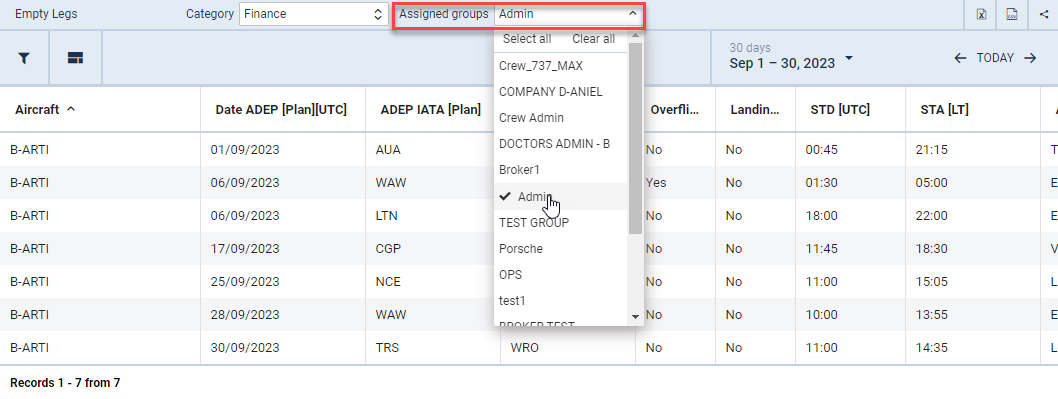
Making the report in the Report Wizard visible only to selected groups of privileges will be possible.
To apply the solution, a report must be edited and the privileges groups selected in the Assigned groups dropdown.
Created or existing reports will be available to all the groups of privileges by default.
The below conditions will need to be met for the functionality to work correctly:
-
groups of privileges with the ‘EDIT’ access to the Report Wizard will see the reports regardless of the groups selected within the report
-
groups of privileges with the ‘VIEW’ access to the Report Wizard will only see the reports available to the group
-
groups of privileges with the ‘DENY’ access to the Report Wizard will not be available in the ‘Assigned groups’ dropdown list
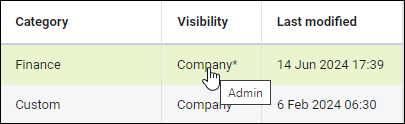
If the report is assigned to the specific groups of privileges, it will be indicated in the main view in the ‘Visibility’ column by the asterisk - Company*. Hovering the mouse over the ‘Company*’ label will display the assigned groups of the privileges in the tooltip.