

Displaying data by crew base timezone
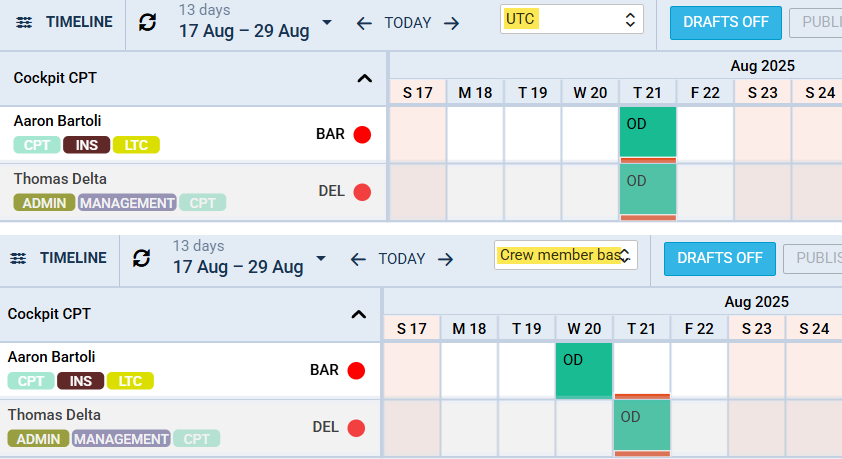
Displaying duties by crew base time zone is possible by switching to option Crew member base timezone. This functionality will make easier to view and plan duties in one view for crew members from different bases.
Example:
Crew BAR is assigned to base with timezone -09:00 UTC.
Crew DEL is assigned to base with timezone +02:00 UTC.
Duty OD has been added from 0600 to 1400 UTC.
On the screenshot it shows that crew BAR’s duty moved to the day before, due to timezone difference.