

Crew Currency
This section allows monitoring various crew currencies, with extensive customisation options available.
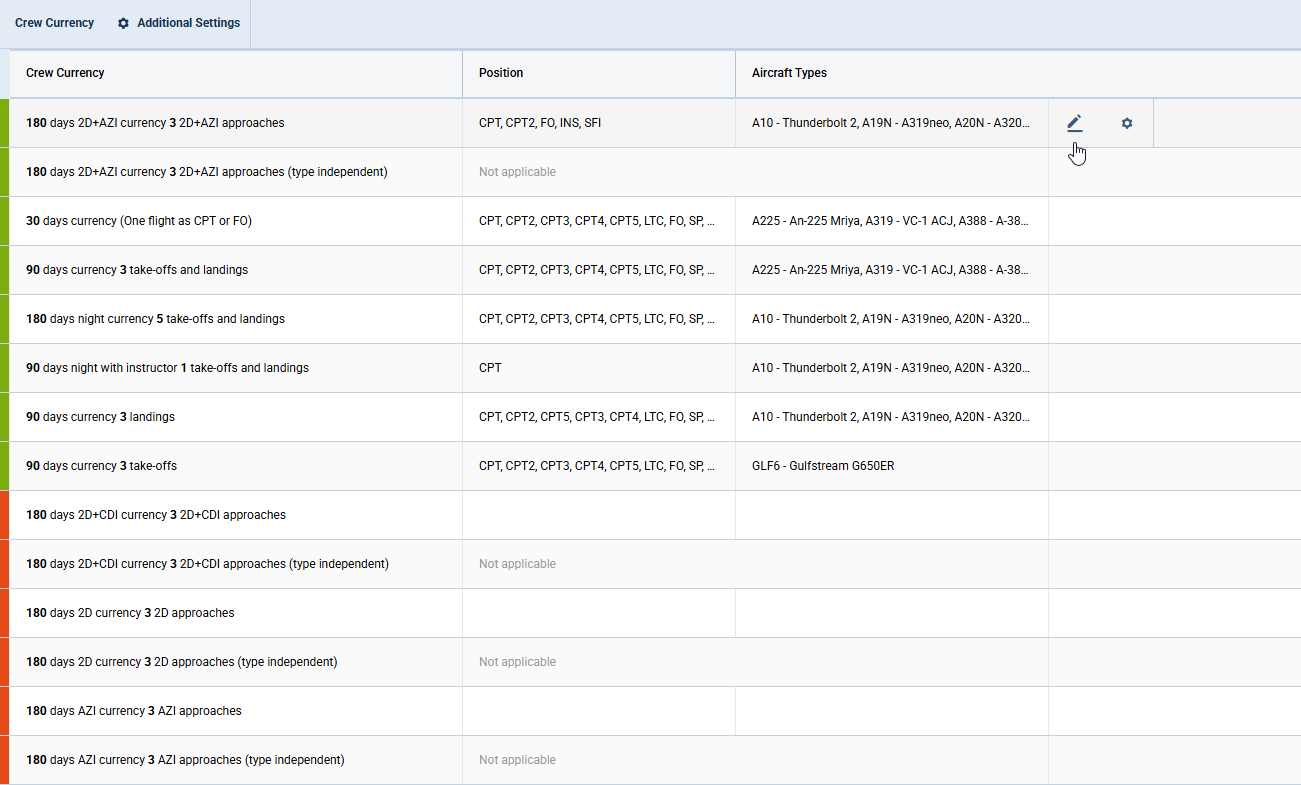
The main view contains the following columns:
-
Activation status - represented by a colour: green indicates activated currency and red indicates inactive currency
-
Crew Currency - list of available currencies
-
Position - list of positions included in the currency calculations. There are currencies which are type-independent, where the position cannot be selected
-
Aircraft types - list of aircraft types to which the currency applies
-
Action buttons
-

-

-