

This feature is still in beta. Please study these instructions carefully.
The Fleet Auto Planner is an advanced solution for automatic assignment of aircraft (tail) to a given schedule. Its core principle is very simple: the algorithm finds an assignment that minimizes the total repositioning time for all aircraft, while still ensuring that the schedule can be executed.
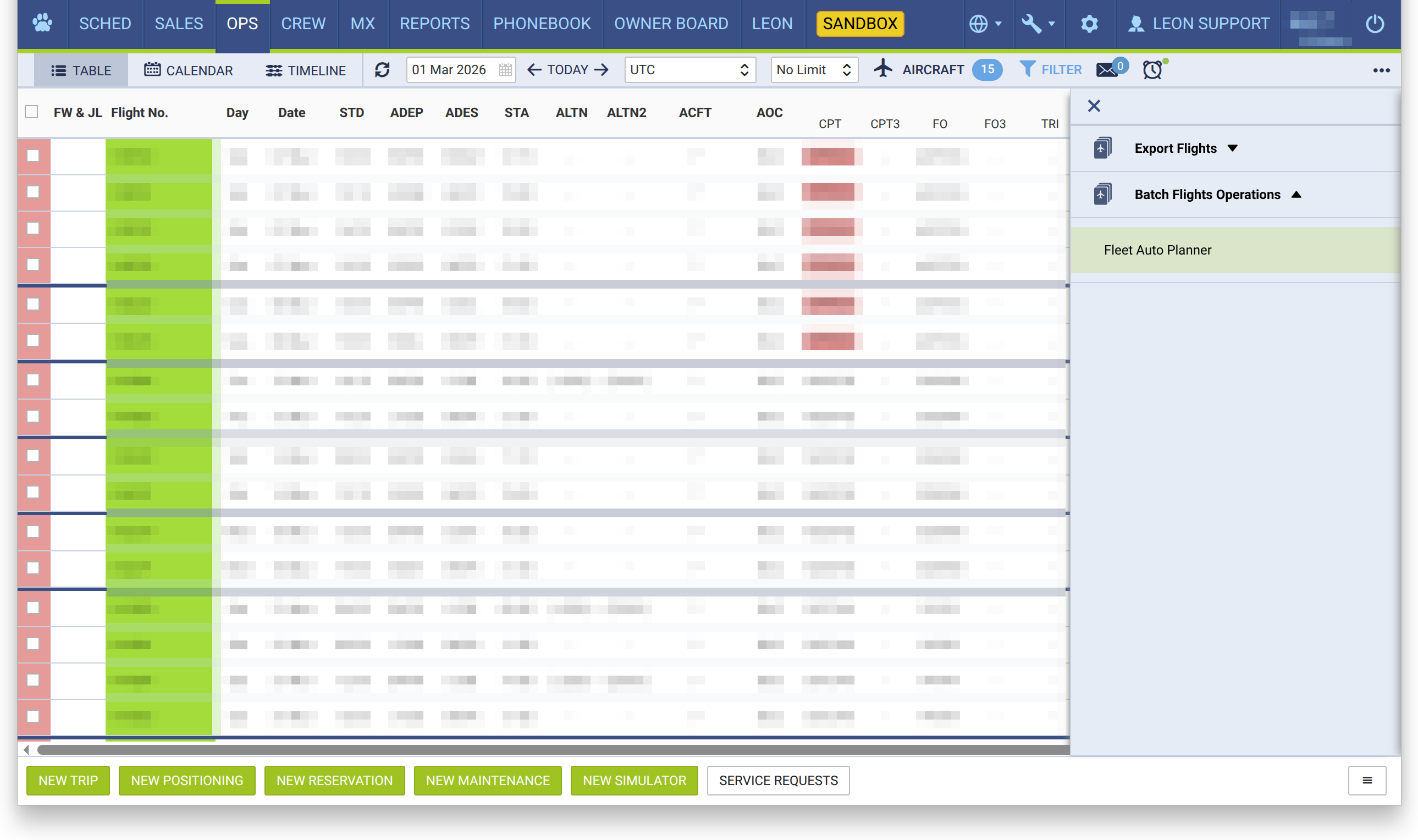
To use this feature, go in the OPS view and find the “three dash” menu in the lower right corner. Click on it to unfold, then under Batch Flight Operations select Fleet Auto Planner.
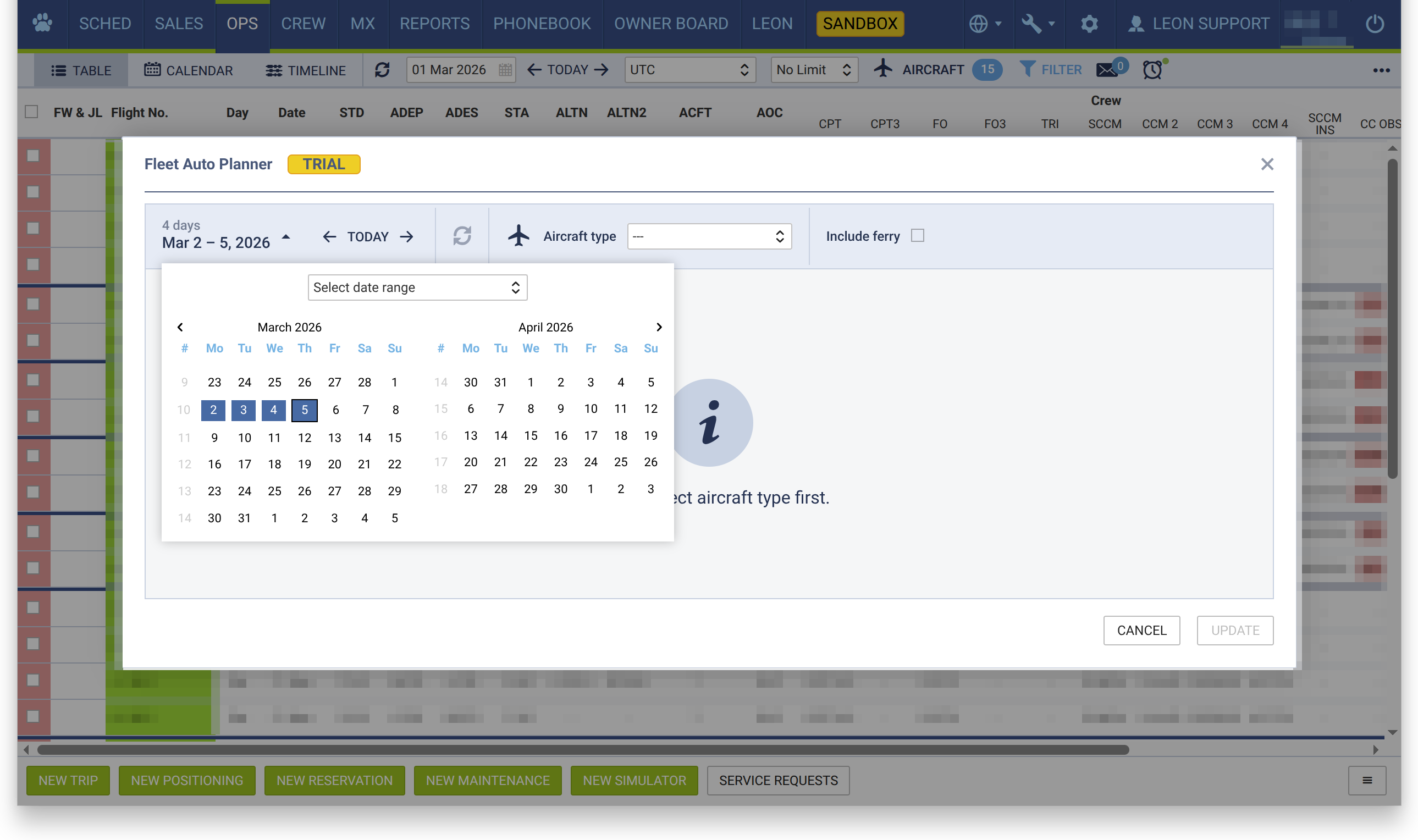
The pop-up window will appear. In this window, select the date interval and the aircraft type for which automatic planning is to be performed.
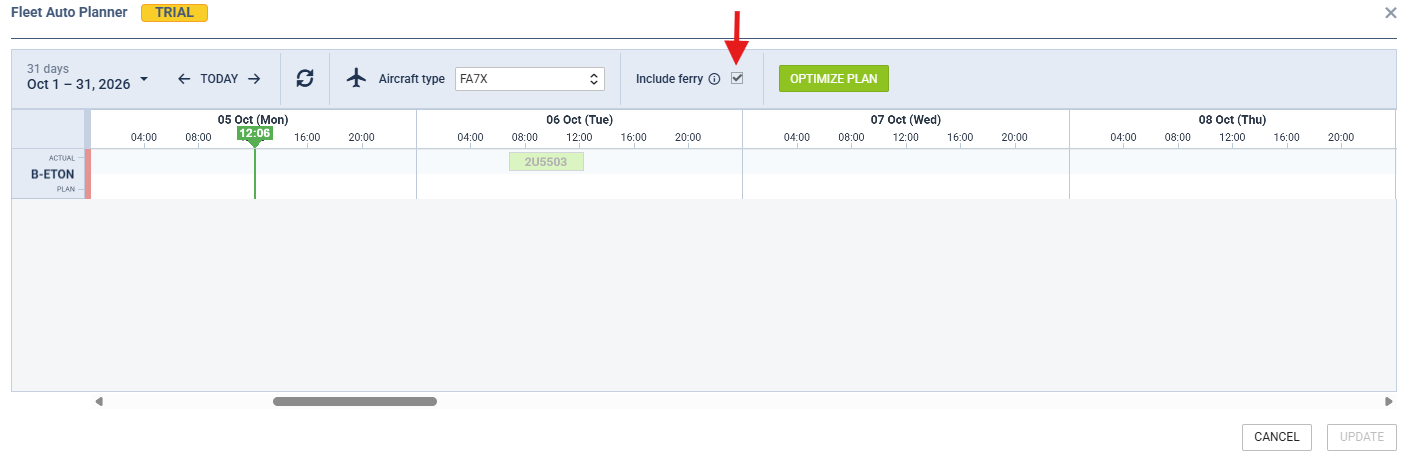
Include ferry - decides whether existing ferry flights are part of the optimization:
-
Selected - existing ferry flights that match the selected planning criteria (date interval and aircraft type) are included. The planner treats them like any other flight and tries to assign an aircraft to each one.
-
Not selected - ferry flights are excluded from the optimization and their current aircraft assignment is left unchanged.
After selecting the date interval and the aircraft type, all flights and reservation already assigned to aircraft of the selected type will appear. Note that all flights assigned to the given aircraft type, but not to a specific tail will not be visible here, but will be included in planning.
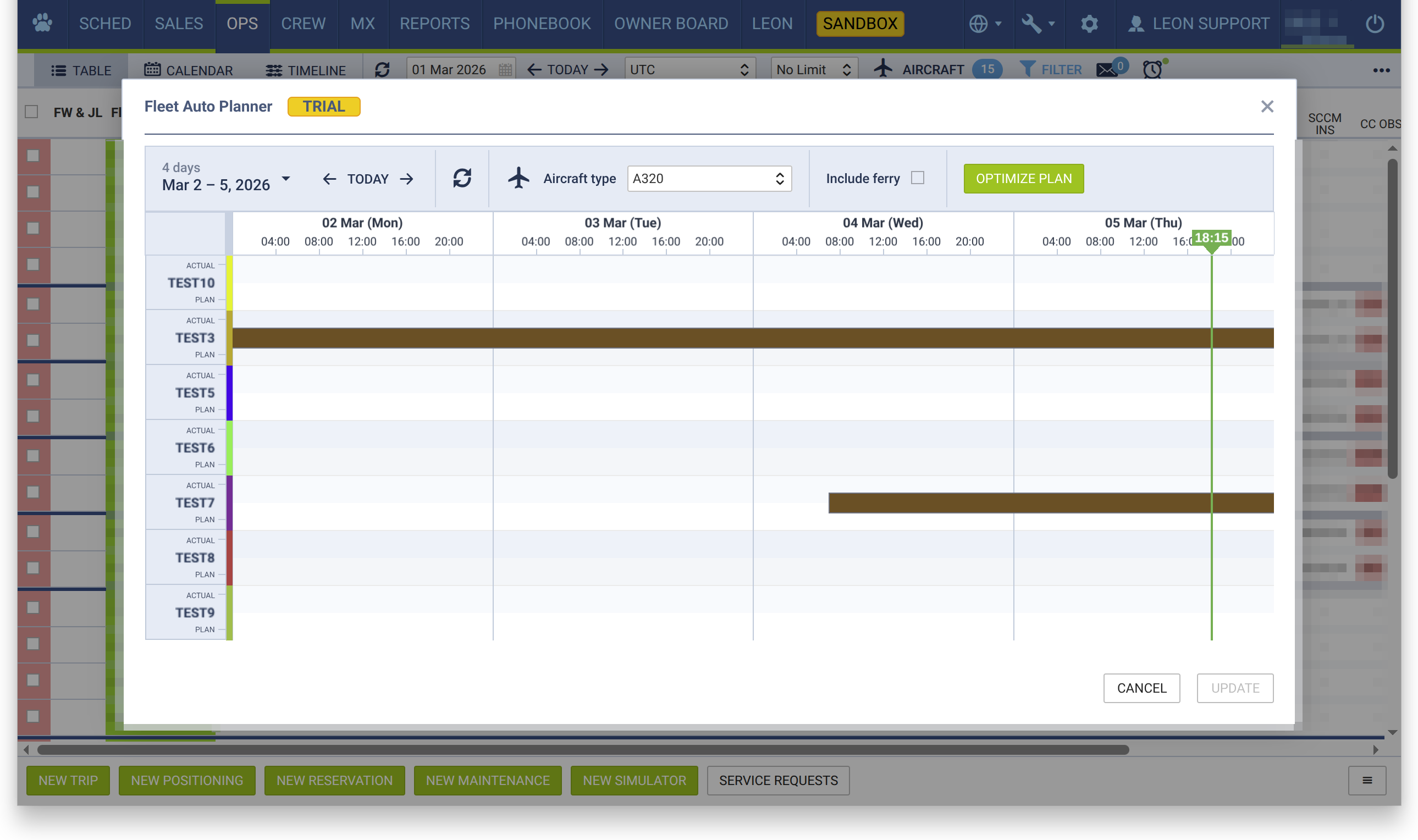
In this example, we have no flights assigned to aircraft so far, but we have two maintenance windows for two different aircraft: one extending all way through the selected date interval, and the other one covering it only partially. These will also be taken into account while finding an optimal assignment.
Only confirmed maintenances block the aircraft in the plan. Maintenances with the status Option are ignored by the planner, so an aircraft with an optional maintenance in the selected period is treated as available.
To start the calculations, click on Optimize Plan. Don’t worry—no actual assignment changes will be done at this point.
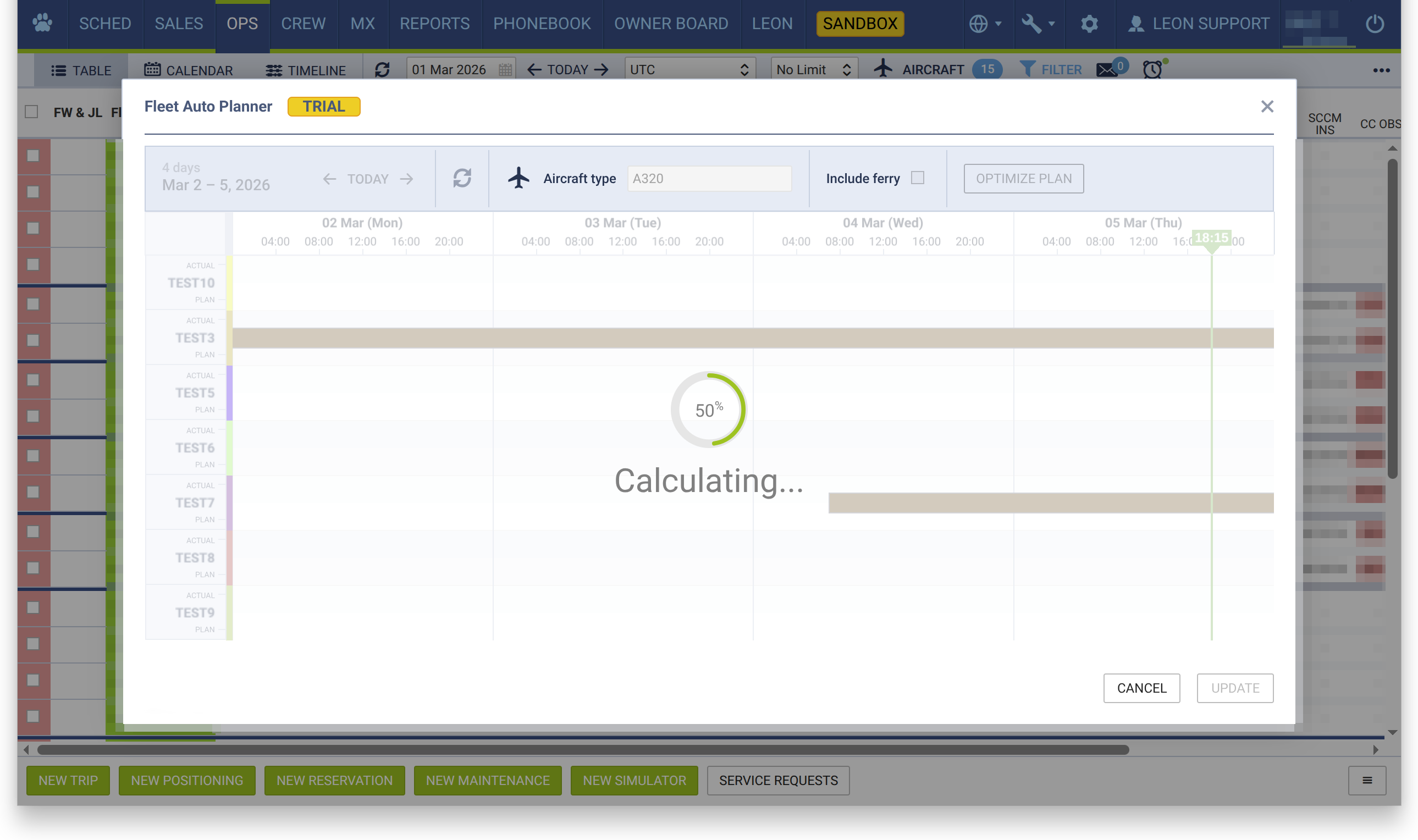
For a brief moment, the “Calculating…” screen will be visible, and after a while, the generated assignment should appear.
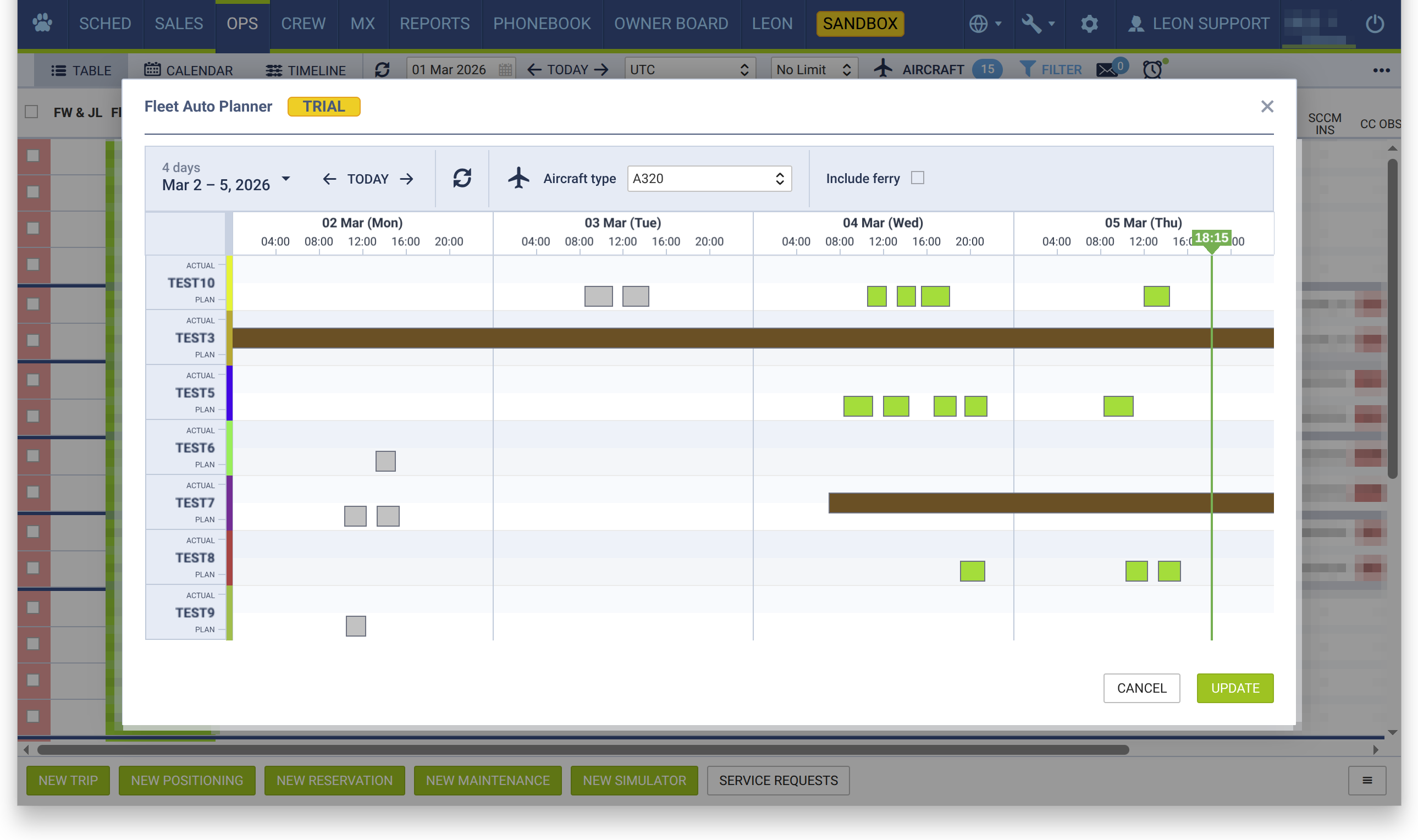
The flights assigned to the specific aircraft will be shown as rectangles. The algorithm tries to assign flights in a way that minimizes the need for additional repositioning. However, any such repositioning — in case it’s needed — is not added automatically, allowing you to add it manually later on, considering multiple additional factors (e.g. slot availability). The ferry flights you will need to add are marked in the generated plan, as described below.
Each aircraft is shown in two rows: ACTUAL, with the flights currently assigned to it in the schedule, and PLAN, with the assignment proposed by the planner. The PLAN assignment is applied to the schedule only after you click UPDATE.
When two consecutive flights in the PLAN row do not connect — the next flight departs from a different airport than the one where the previous flight landed — Leon shows a grey marker between them for the ferry flight that will need to be added. Hover over it to see the route and the estimated flight time:
-
Possible ferry flight HESH - EPWR 04:20 — there is enough time for the ferry flight between the two flights.
-
Not enough time for ferry flight UZTT - EPWA 05:30 — the time between the two flights is shorter than the estimated ferry flight time.
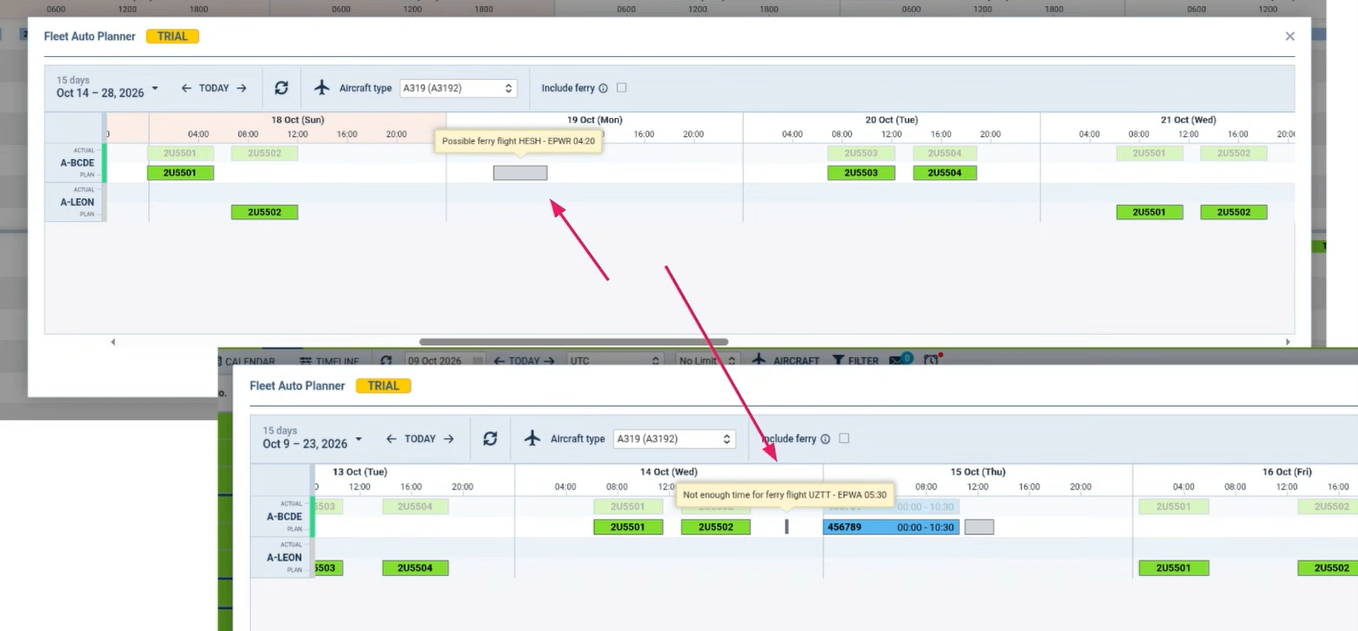
If the marker is wide enough, the airport codes are also shown directly on it. The estimated ferry flight time is calculated from the aircraft's performance model, including winds. These ferry flights are only indicated in the plan — they are not created when you click UPDATE, so add them manually in OPS.
If you are satisfied with the results, you can click the green UPDATE button in the bottom right corner to update your flights with the generated assignment. It will replace all existing aircraft assignments for the flights in the selected period and cannot be undone.
Otherwise, you can click CANCEL or close the pop-up window and no changes will be persisted.