

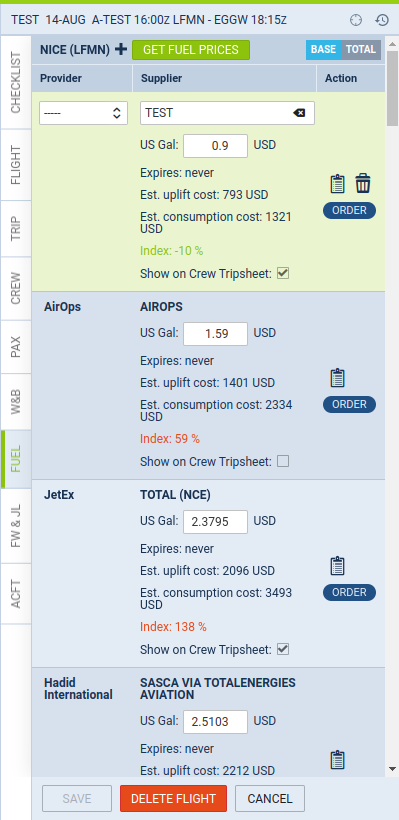
New way of working with fuel prices in the ‘Fuel’ tab in OPS
The change will be released one week after the main release of Leon 140. You should get it by June 16th, 2023.
-
By default, the ‘Fuel’ tab is empty. Click

-
Clicking
-
The prices have to be saved on the flight, to be kept. Click

-
Saved prices freeze. New files with prices uploaded OPS -> Fuel prices do not update the prices on the flight
-
To update the prices, click
-
The price which has been changed manually and saved, will not be changed after clicking
-
If the price is marked as ‘Show on Trip Sheet’ and saved, it will be shown in the Crew Tripsheet
-
If the fuel file is deleted in OPS -> Fuel Prices, the price will be kept on the flight
-
The prices, after they are saved, will not disappear from past flights