

History of contact changes
History of contact changes will be introduced in the ‘Phonebook’.
The history of contact changes can be accessed by clicking on 
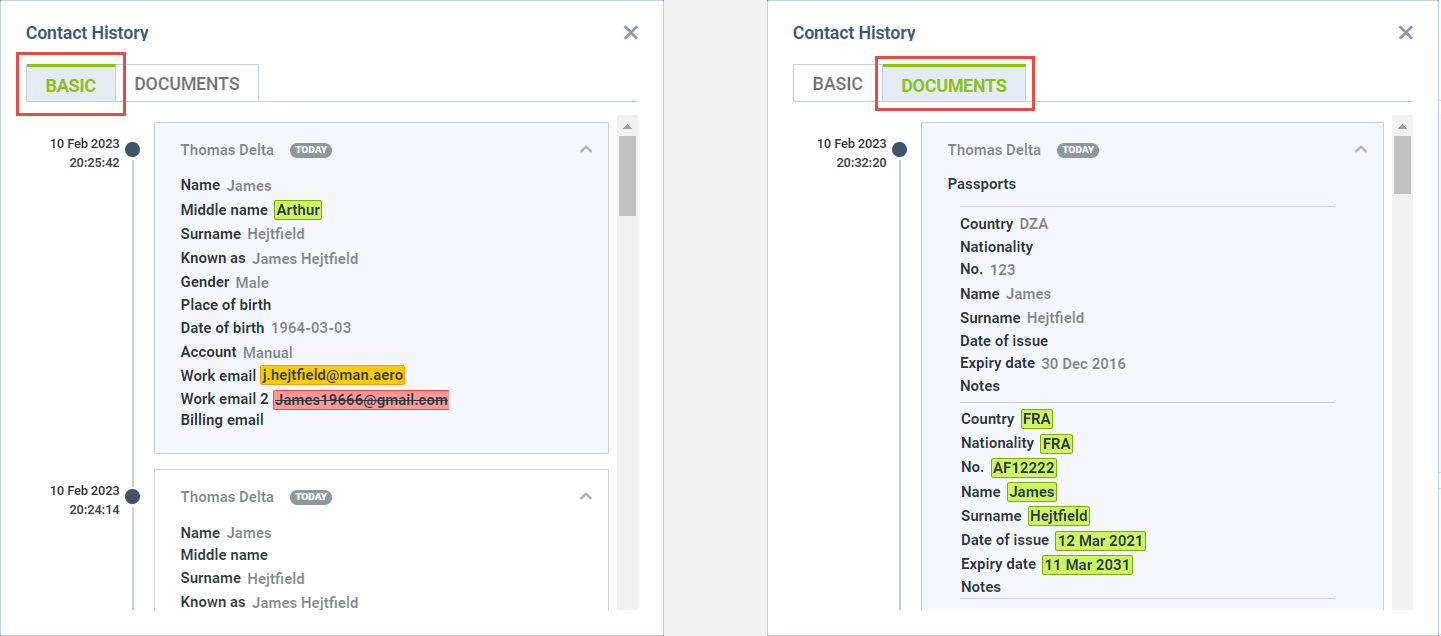
In the case of Person type contacts, the history pop-up window is divided into two tabs, as per the screenshot on the right:
-
Basic - containing basic contact information such as Name, Gender, Place of Birth, Date of Birth, and emails
-
Documents - changes to Contact documents details
In case of Company type contacts, there is only one Basic tab, containing basic company information.
The Changes history window displays the date and time of change in UTC as well as the name of the User that changed the details.
The changes are represented by colours:
-

-

-

-
