

In addition to CARI-6, Leon now also supports a newer, more advanced version of the same system - CARI-7. Both versions remain compatible with Leon.
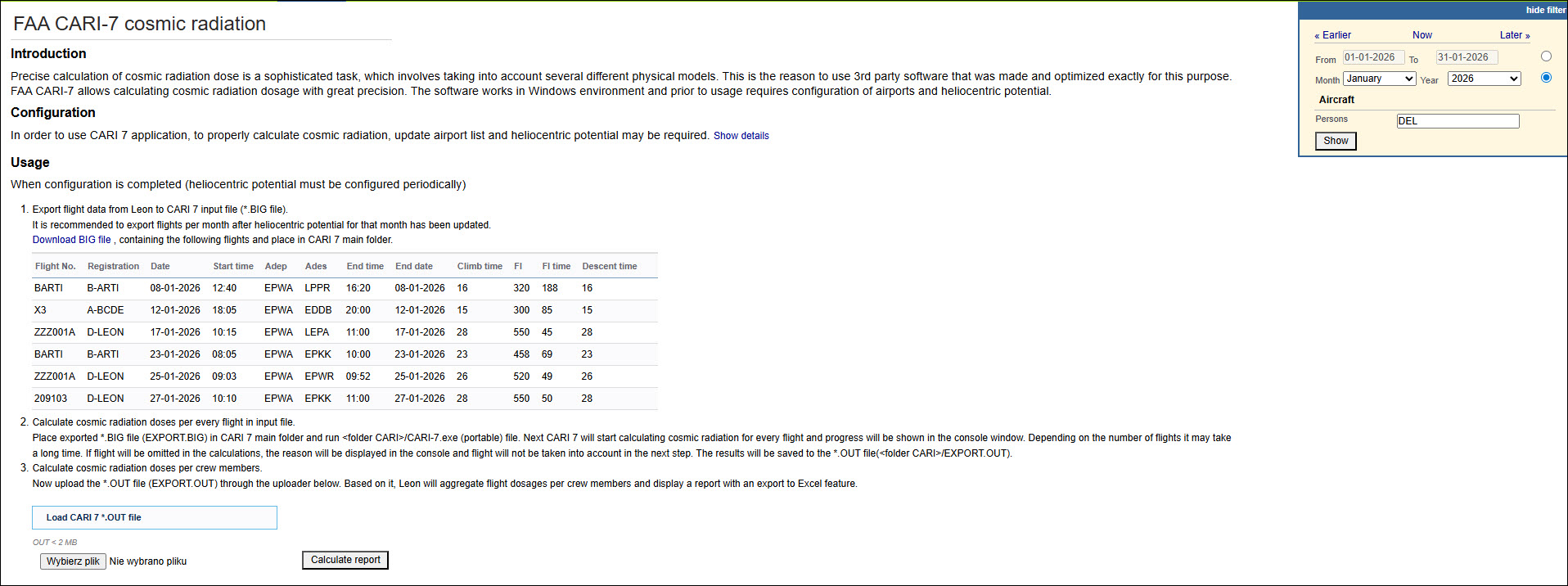
Detailed instructions on how to work with CARI-7 can be found under the menu REPORTS > Reports for Authorities > Export to CARI-7.
CARI-7 download and information can be found here.
To calculate cosmic radiation dose for Leon flights, export them from this page and use it as a CARI input file.
Be aware that for precise calculation, CARI needs the actual heliocentric potential that can be obtained here
The heliocentric potential enables the program to adjust for changes in galactic radiation levels that occur with changes in solar activity.
This functionality is for Windows users only
FAA CARI-7 - Step-by-step process
Below is the explanation of the full process, from how to install it to achieving the final results.
-
REPORTS > Reports for Authorities > FAA CARI 7 cosmic radiation. In the Configuration section, click Show details to unfold the list of configuration steps

-
Download CARI 7 program. For this purpose, you can create a separate folder and download the cari_7exe.zip file into this folder
-
Extract the cari_7exe.zip file within the folder
-
Download NEWPORTS.DAT – this is an airport data file generated in Leon. You can download it to the same folder as cari_7exe.zip file. At this stage, there should be 3 files in the folder: cari_7exe, cari_7exe zipped file, and NEWPORTS.DAT

-
Copy the downloaded NEWSPORT.DAT file - right-click on the file and select the ‘Copy’ option
-
In the extracted cari_7exe folder, you should find another folder called CARI_7_DVD. Open it, go to the AIRPORTS folder, and replace the existing NEWPORT.DAT file with the downloaded one
-
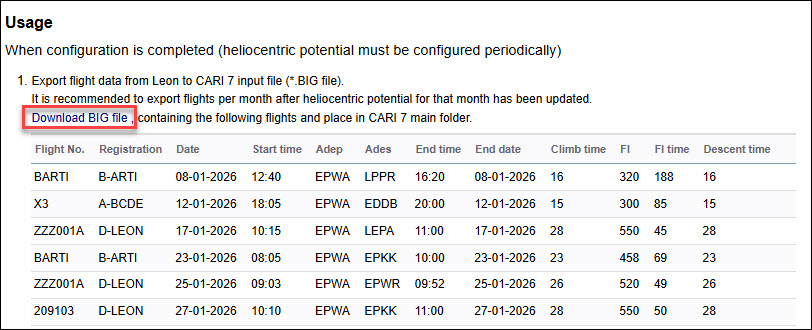
Download BIG file located under the ‘Usage’ section, point 1 in the ‘FAA CARI-7 cosmic radiation’ report. This file should be downloaded to the main CARI_7_DVD folder, or moved to the CARI_7_DVD folder, if downloaded elsewhere. This file contains all the flights displayed in the report. The table displays the flights based on the settings selected in the filter. At this point, the EXAMPLE.BIG file can be removed from the CARI_7_DVD folder
-
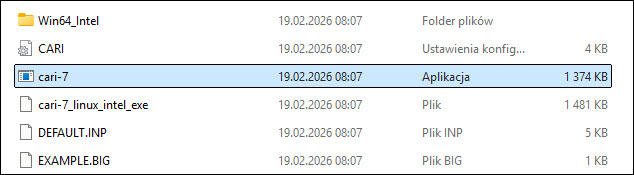
In the CARI_7_DVD folder, open the CARI-7 program (double-click on cari-7 file).
-
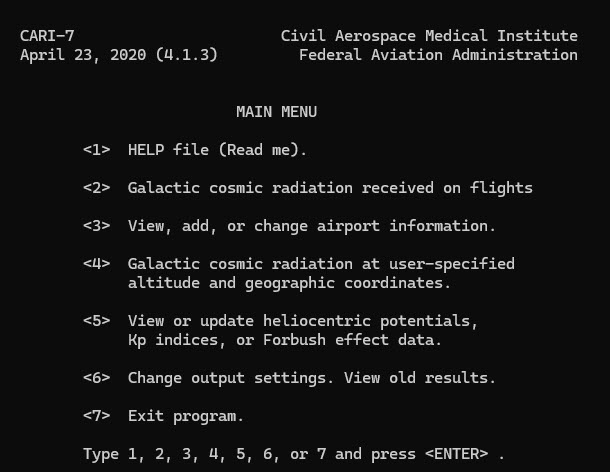
It will open the following window:
-
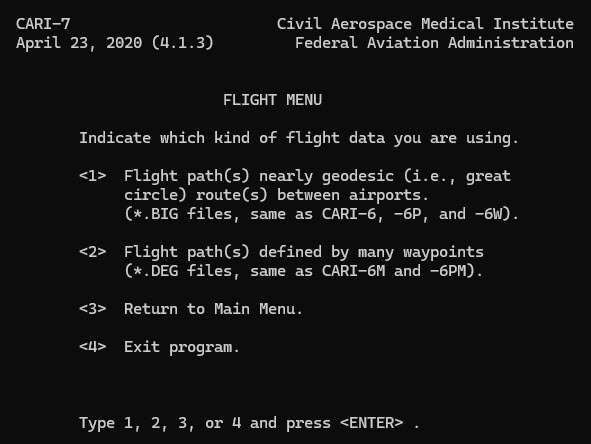
Select option 2 and press ENTER on your keyboard, which will bring you to the following screen:
-
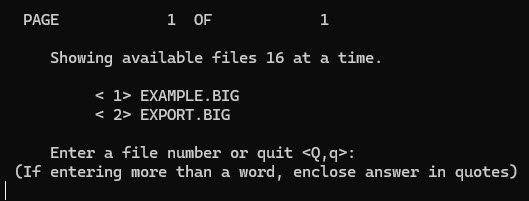
Select option 1 and press ENTER on your keyboard, which will bring you to the following screen:
-
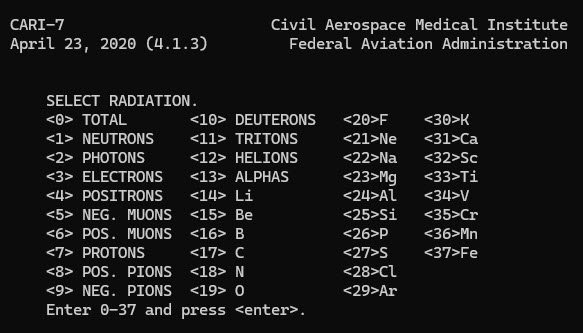
Select the EXPORT.BIG option, in our case it is option 2, and press ENTER on your keyboard, which will bring you to the following screen:
-
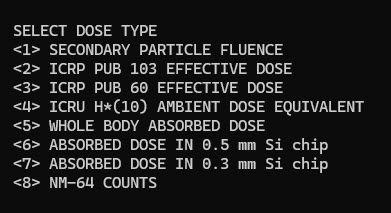
Depending on the required radiation type, select one of the options from 0 to 37. Here, 0 is selected for the Total Radiation. This will open the following:
-
Select the Dose Type and press ENTER. Here, 5 was selected for the WHOLE BODY ABSORBED DOSE
-
Select Y in the next step - USE DATES FROM FLIGHT DATA FILE <Y,N> ?

-
CARI-7 will start processing the flights and calculating the dose. Once processed, it will bring you back to the main menu. At this stage, you can exit the program
-
Go back to the folder and find the file called CARI (or CARI.INI) – it’s a configuration file. Change MENUS = YES to MENUS = NO! as marked on the screenshot below. Save changes in the file:

-
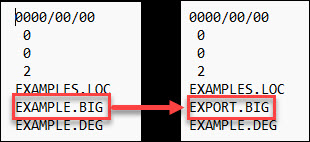
In the CARI_7_DVD folder, open the file DEFAULT (or DEFAULT.INP) – it’s a text file. Change EXAMPLE.BIG to EXPORT.BIG as shown on the screenshot below. Save changes in the file:
-
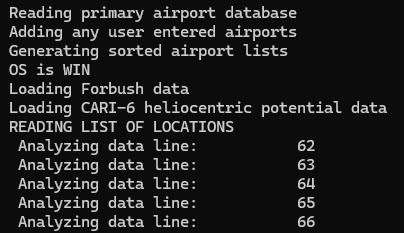
Re-open the cari-7 application. Calculating will start automatically. It might take a while – the more flights there are to be calculated, the longer the calculation will take. The program will close itself when done – the export to CARI-7 is completed.
-
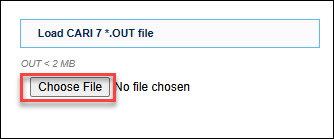
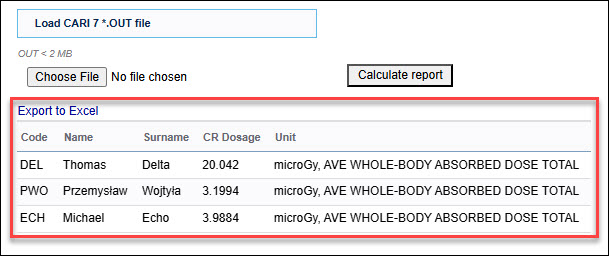
To import the data back to Leon, go to REPORTS > Reports for Authorities > FAA CARI 7 cosmic radiation > ‘Usage’ subsection > ‘Choose file’ button > select file EXPORT (or EXPORT.OUT file type OUT) in the CARI_7_DVD folder
-
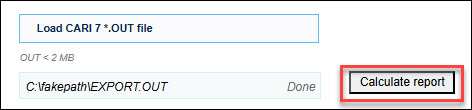
Select the ‘Calculate report’ option to obtain the results:
-
The results will be available underneath the action buttons. It is possible to export the results to the Excel file
IMPORTANT!
Please remember to remove the files EXPORT.BIG and EXPORT.OUT from the CARI_7_DVD folder after each use so that the next time the calculation is conducted, the files you download from Leon and import back to Leon are not copies of the files but original files.
Once the configuration is in place, the steps of the future calculations are reduced to:
-
Download BIG file.
-
Move EXPORT.BIG to the CARI_7_DVD folder
-
Open the cari-7 program in the CARI_7_DVD folder – calculation starts automatically
-
Browse the file for import – EXPORT.OUT from CARI_7_DVD folder
-
Calculate the report in Leon and, optionally, export to Excel