

Default Travel Documents by Departure/Arrival country
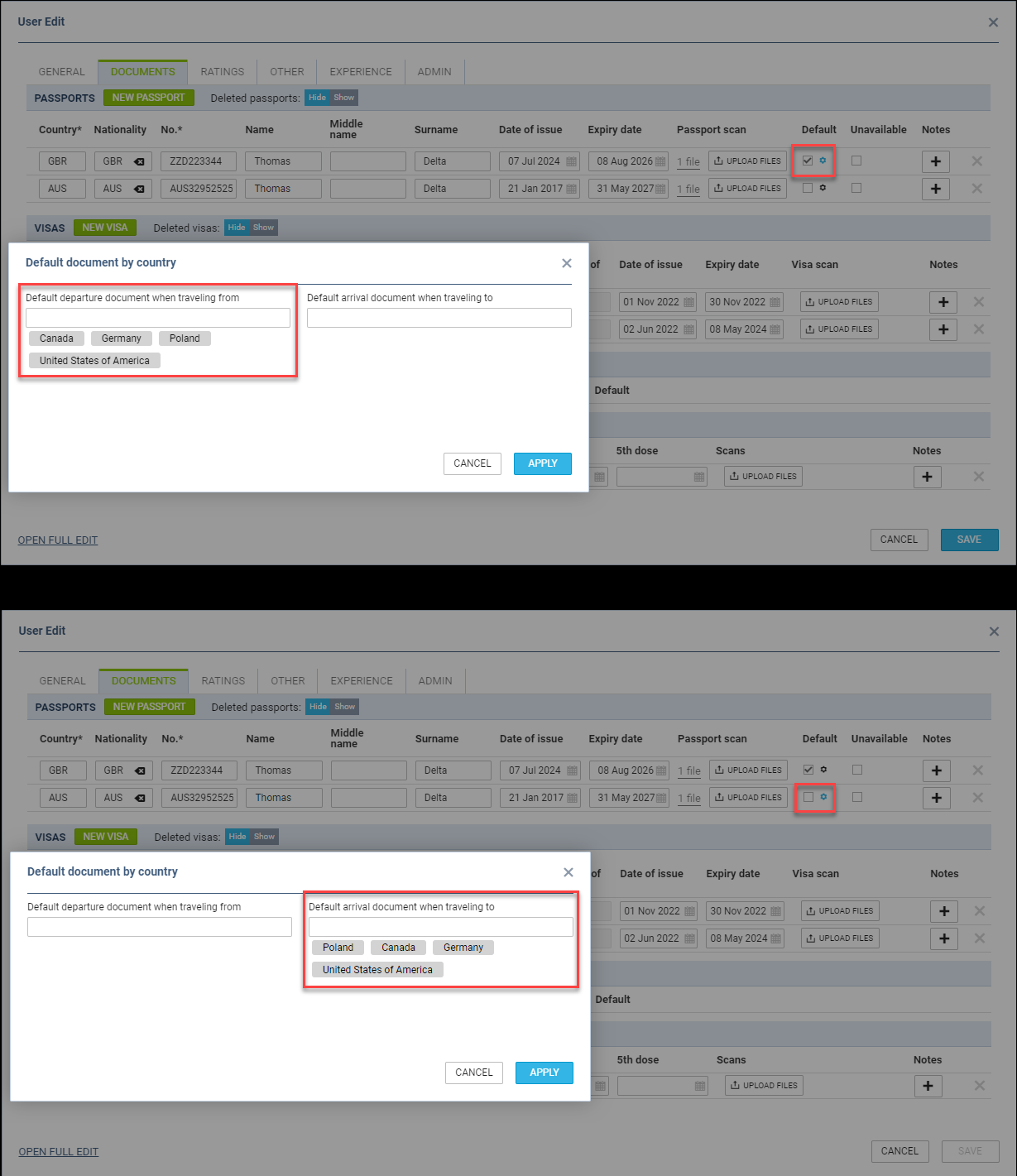
Assigning the default crew travel document based on the country of departure and arrival will be possible.
To define the conditions of assigning the travel document, the following steps are required:
-
Edit a User in the Admin Panel > ‘Users’ or in the ‘CREW’ tab in OPS section on a flight
-
Click on the

-
In the ‘Default document by country’ pop-up window, insert the countries for the default departure and arrival documents
-
Apply changes and save the updates
Once the changes are applied, the relevant document should assign to the CREW on the flights as per the example below.
EXAMPLE
The following passports are available with the following countries assigned:
-
Passport 1 - Number ‘ZZD223344’ - Passport marked as Default, and also set as the Default departure document when travelling from Canada, USA, Poland, and Germany
-
Passport 2 - Number ‘AUS32952525’ - Default arrival document when travelling to Canada, USA, Poland, and Germany
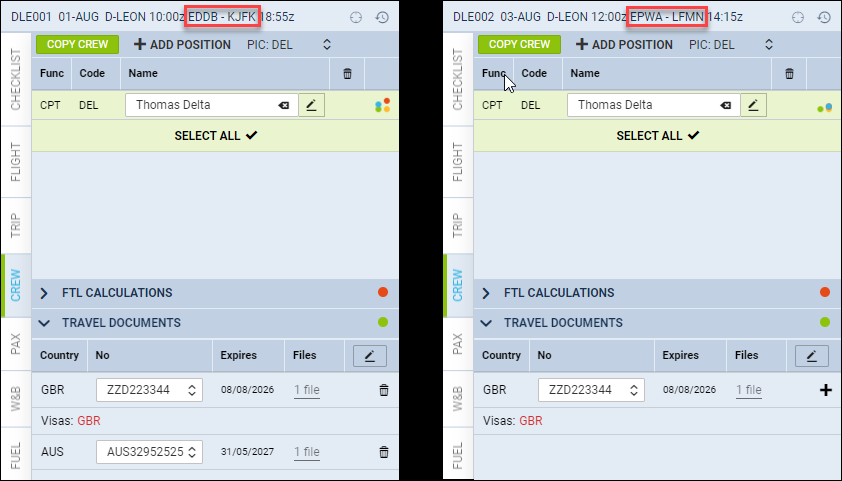
In the screenshot on the right there are 2 flights:
-
EDDB/BER - KJFK/JFK - in this case the following documents applied:
-
Departure passport - ‘Passport 1’ - this is the default departure passport when travelling from Germany
-
Arrival Passport - ‘Passport 2’ - this is the default arrival passport when travelling to the USA
-
-
EPWA/WAW - LFMN/NCE - in this case the following document applied:
-
Departure passport - ‘Passport 1’ - this is a default passport when travelling from Poland
-
Arrival passport - passport marked as ‘Default’ applied because France (LFMN/NCE) is not included on the ‘Default arrival document when travelling to’ list
-
The abovementioned functionality also includes National ID’s.
Country changes within the CREW details will not affect the documents manually selected on the flights.