

Audit Logs

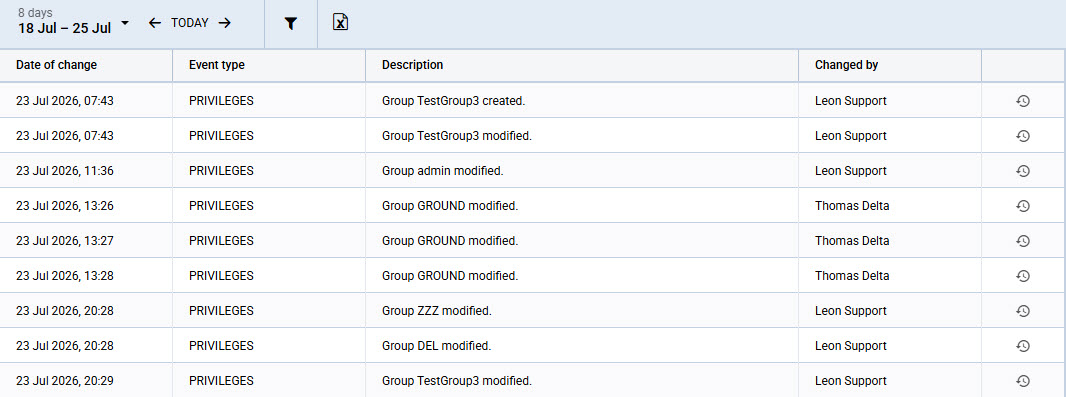
Audit Logs section contains the list of important events from a security and compliance perspective.
Use the date range selector in the top bar to choose the period for which events are displayed. Dates are in UTC.
Click the Excel icon to export the displayed events to a spreadsheet.
The view contains the following columns:
-
Date of change - date of event. The date is in UTC
-
Event type - event type to which the change was applied
-
Description - description of the applied change
-
Changed by - login of a User who made the change
-
Changes history - access to changes history of a particular event. For
Filter
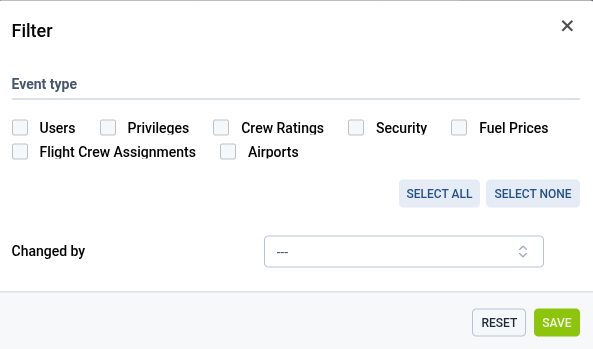
The list can be narrowed down using the following filters:
-
Date — shows events from a selected date. The date is in UTC.
-
Event type — shows only events of the selected type.
-
Changed by — shows only events made by one selected user. Pick the user from the dropdown.