

Country Database
Table of Contents
Country Database section contains 2 tabs:
-
OVERFLIGHT PERMITS - allows setting up overflight permit requirements per country depending on the set of different rules
-
MISC/OTHER - other settings
OVERFLIGHT PERMITS
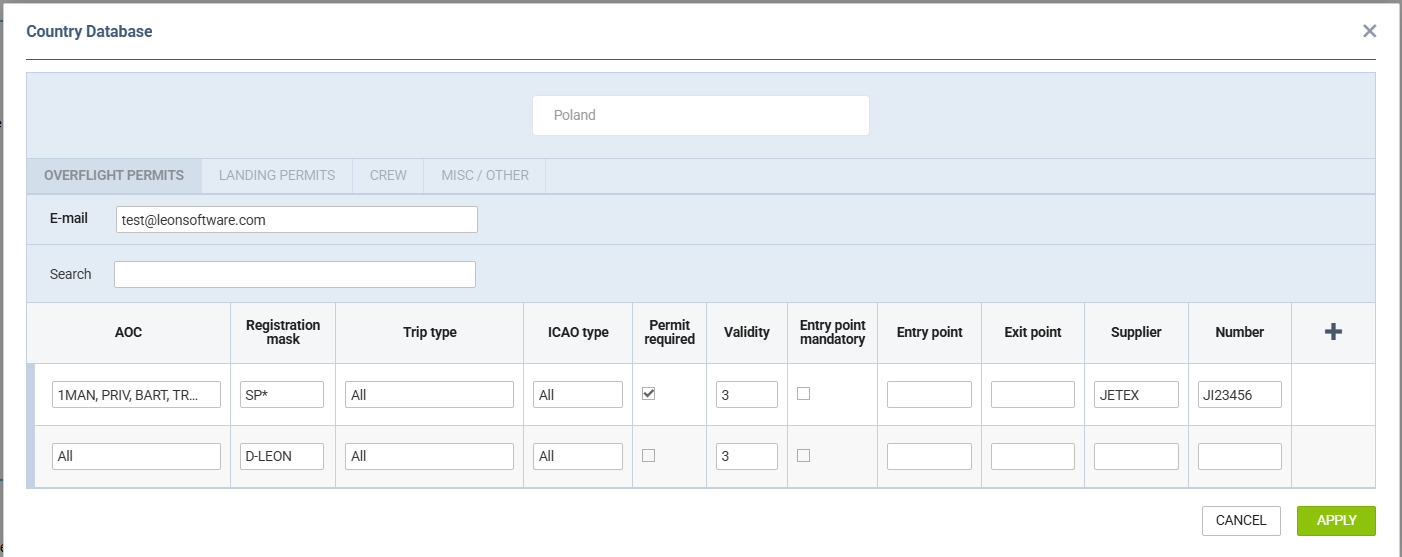
The OVERFLIGHT PERMITS tab allows setting up the rules per country depending on:
-
AOC - specific AOC can be selected
-
Registration mask - possibility to select specific aircraft registration or the aircraft registration mask, e.g. SP* in which case, the rule would apply to all the aircraft with the registration starting with SP
-
Validity - automatic value of the permit validity
-
Trip type - defining a specific trip type for an overflight permit
-
ICAO type - defining ICAO types for an overflight permit
-
Entry point mandatory - a setting that makes the 'Entry Point' a mandatory field when sending the overflight permit request in the OPS Checklist
-
Entry point - default 'Entry point' for the rule
-
Exit point - default 'Exit point' for the rule
-
Supplier - default 'Supplier' for the rule
-
Number - default permit number. Once inserted in the Country Database, it will apply to the relevant country in the 'Overflight Permits' checklist item in the OPS Checklist
-
Permit required - an indication of whether the permit is required. If it is, it willbe marked with Yes in the 'Required' column in the 'Overflight Permit' request window
-
+ - adding the next row to the list
It also allows assigning a default email address per airport.
Using the settings for overflight permits
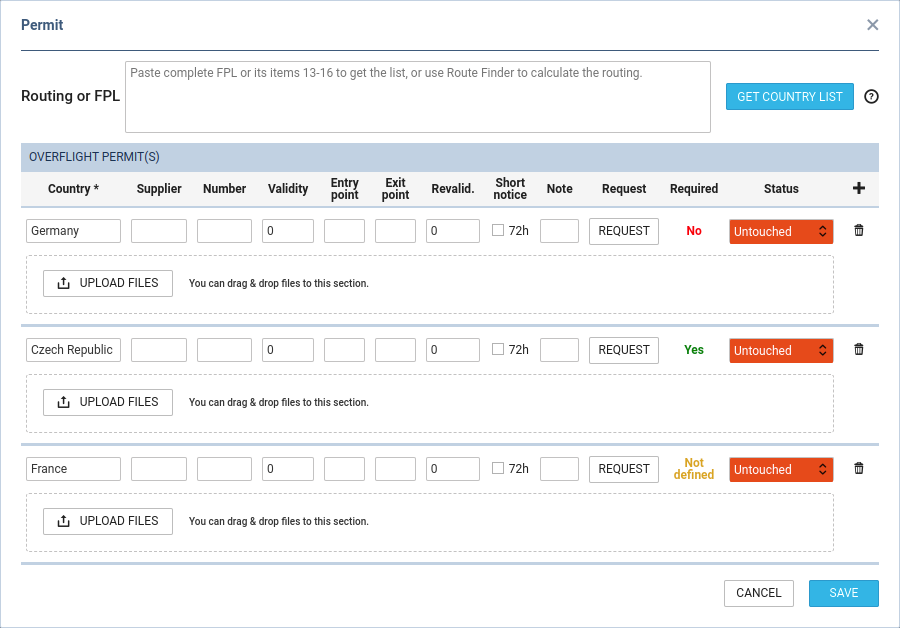
The settings from the Country Database are taken into account when creating a country list for overflight permits. The requirement is displayed in the 'Required' column of the 'Permit' pop-up window in OPS.
-
If no rule matches the flight, the country, and the trip type, 'Not defined' will be indicated.
-
If a rule matches the flight, the country, and the trip type and based on that rule the permit is required, 'Yes' will be indicated.
-
If a rule matches the flight, the country, and the trip type and based on that rule, the permit is not required, the flight will not be displayed on the list by default. However, if it's added manually, 'No' will be indicated in the 'Required' column.
LANDING PERMITS
The LANDING PERMITS option works in the same way as OVERFLIGHT PERMITS - it has the same items to be defined and in OPS it also works in the same way.
CREW
The CREW section allows inserting notes and files specifically intended for crew members to access through the Mobile Crew Application. In the mobile app, these items appear in the Flight section under both My Schedule and Schedule tabs.
MISC/OTHER
-
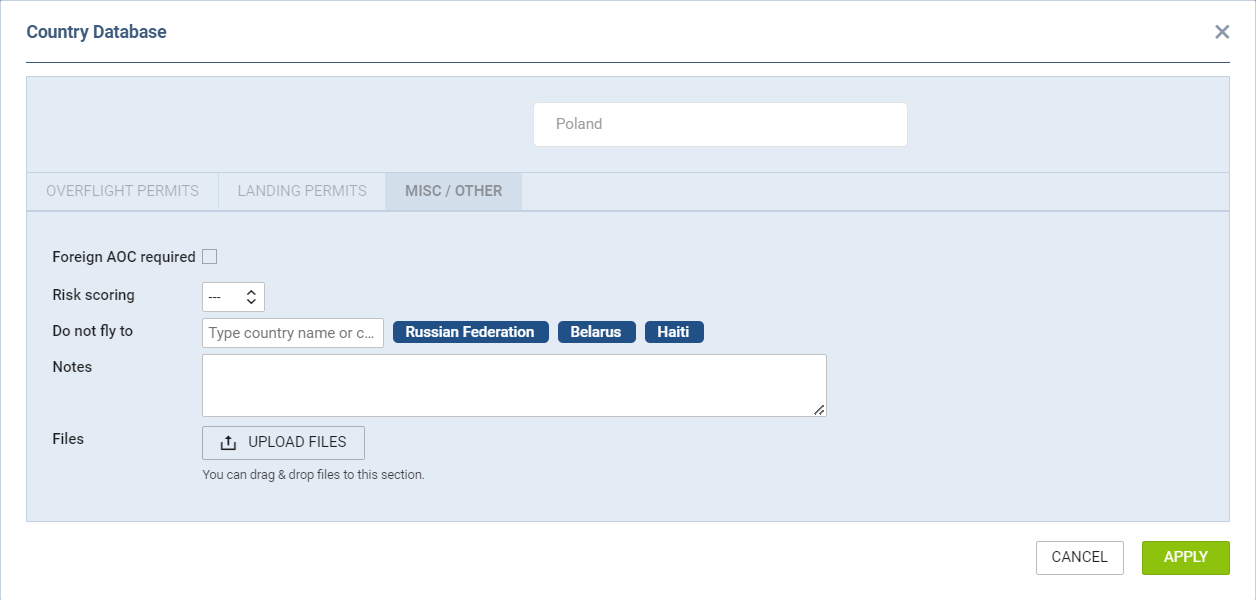
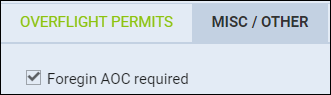
Foreign AOC required should be marked if the country that requires the Foreign AOC (FAOC) should trigger the 'Foreign AOC' element of the 'OPS checklist' the OPS section.
-
Do not fly to - allows to list the countries to which the aircraft should not be allowed flying
-
Risk scoring - option to select the risk scoring of a country and connect a checklist item that applies if the scoring is higher than selected value. This is subject to CQL used in the checklist item (conditions: 'departure_country_risk_scoring' and 'departure_country_risk_scoring')
-
Notes allows to add a free text note to the country.
-
Files allows to upload a file for a country.
Usage of FAOC
The usage of foreign AOC is as follows:
-
Indicate the countries for which the FAOC is required in the 'Country Database' - 'MISC/OTHER' tab
-
Indicate the FAOC required countries per aircraft in the OPS tab of the aircraft profile

Once the abovementioned is set up, any flight that is scheduled to fly to the country listed in the aircraft profile triggers the 'Foreign AOC' element in the OPS Checklist. This is subject to the CQL used within the checklist item configuration ('destination_country_foreign_aoc' field in CQL)
TRAVEL DOCUMENTS
The TRAVEL DOCUMENTS tab allows defining passport validity requirements on a per-country basis. When a passenger is scheduled on a flight to a given country, Leon checks whether their passport will still be valid for the required number of months beyond the date of entry, and highlights any issues accordingly.
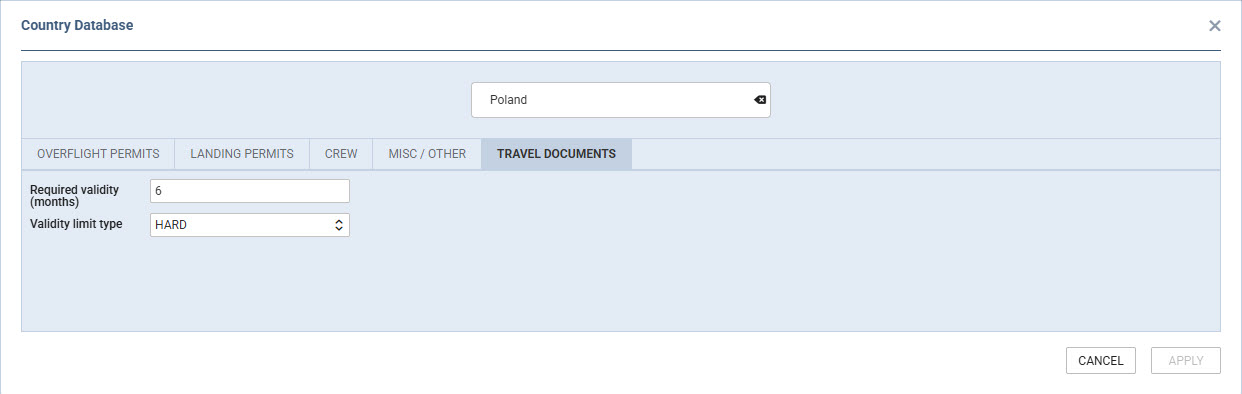
Available settings
-
Required validity (months) — the number of months a passport must remain valid beyond the day of entry into the country. Months are counted by calendar date, not by a fixed number of days. The default value is 3 months.
-
Validity limit type — defines how a validity breach is treated:
-
Soft (default) — a passport that does not meet the validity requirement triggers a yellow warning.
-
Hard — a passport that does not meet the validity requirement triggers a red alert.
-
How validation works
When validating passport validity, Leon compares three values: the passport expiry date, the configured validity limit for the destination country, and the flight's arrival date. If the passport expires within the required validity window before entry, the system flags the issue using the colour that corresponds to the configured limit type — yellow for Soft, red for Hard.
These settings apply to passenger travel documents. The validation takes the destination country of the flight into account.