

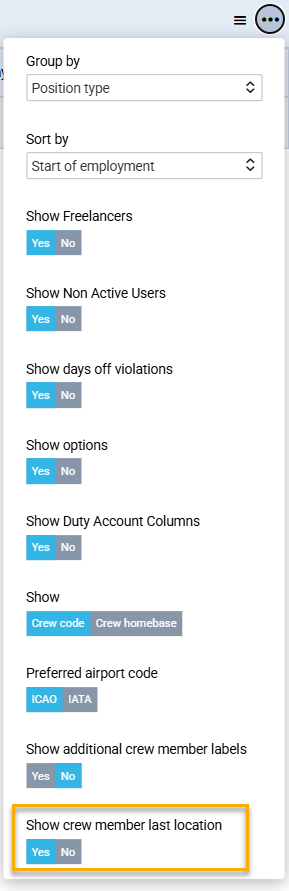
In the Crew Calendar you can now display the current location of a crew member when they have no scheduled activity for a given day. Instead of leaving the calendar cell empty, the system will show the airport code where the crew member is currently located. This allows users to quickly identify the whereabouts of their crews at a glance. You can enable or disable the feature using the Show crew member last location toggle, accessible via the three-dot menu (top-right corner).
In empty cells of the Crew Calendar (days with no assigned activity), the airport code of the crew member’s current location is displayed. The location shown is calculated based on the crew member’s position at the start of the day with no activity.
