

Default Travel Documents by Departure/Arrival country
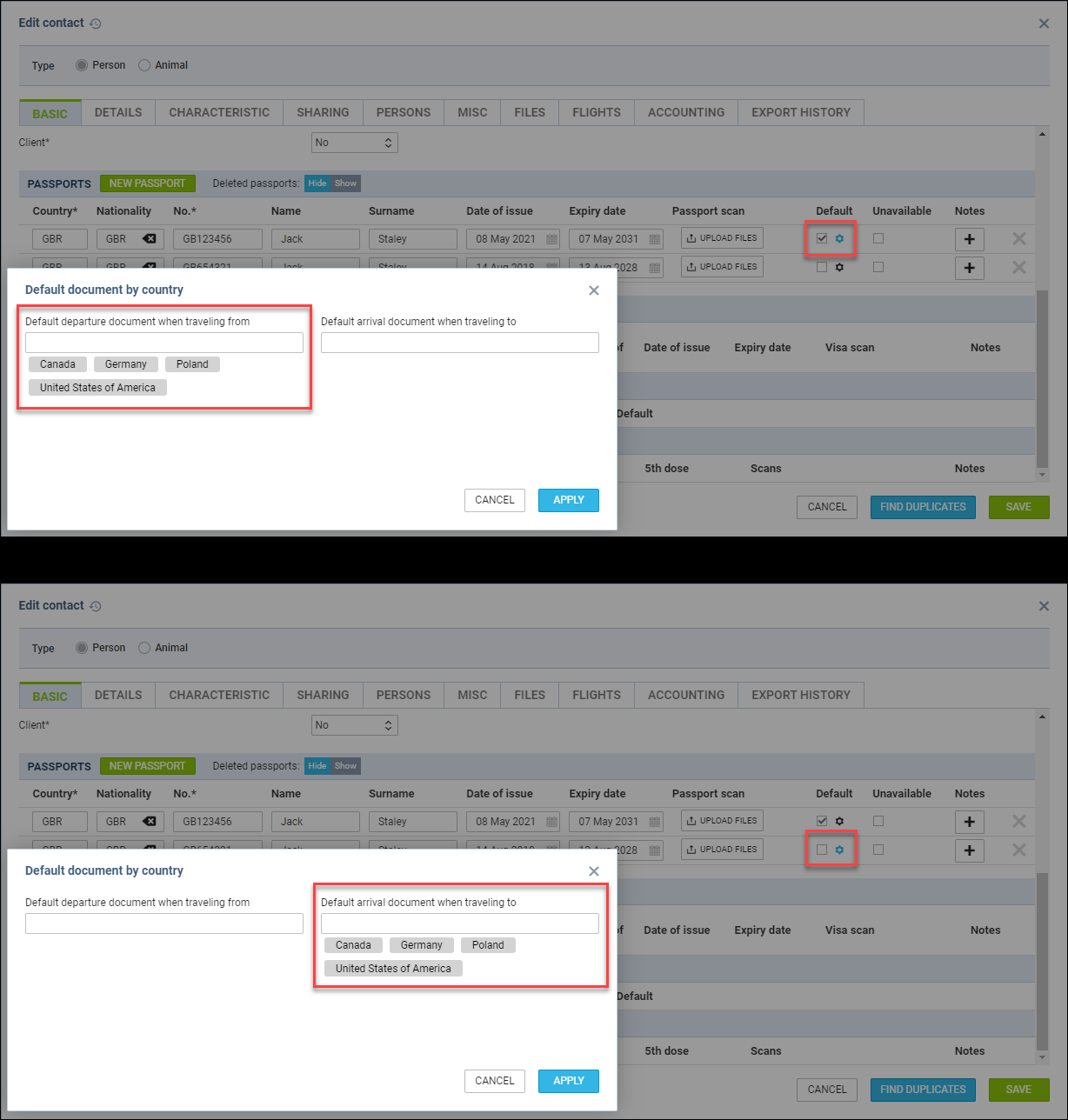
Assigning the default document based on the country of departure and arrival is possible.
To define the conditions of assigning the travel document, the following steps are required:
-
Edit a contact in the Phonebook or in the CREW/PAX tab in OPS or Sales sections
-
Click on the

icon available in the ‘Default’ column in the Travel Documents (Passport/National ID) subsections in the tab ‘BASIC’
-
In the ‘Default document by country’ pop-up window, insert the countries for the default departure and arrival documents
-
Apply changes and save the updates
Once the changes are applied, the relevant document should assign CREW/PAX on the flights as per the example below.
EXAMPLE
The following passports are available with the following countries assigned:
-
Passport 1 - Number ‘GB123456’ - Passport marked as Default, and also set as the Default departure document when travelling from Canada, USA, Poland, and Germany
-
Passport 2 - Number ‘GB654321’ - Default arrival document when travelling to Canada, USA, Poland, and Germany
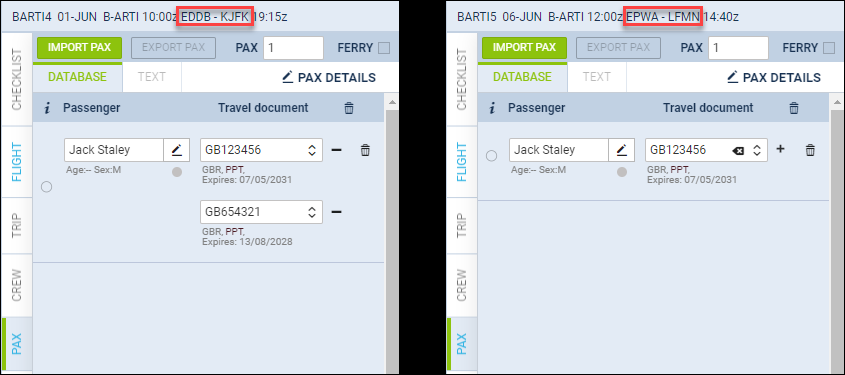
In the screenshot on the right there are 2 flights:
-
EDDB/BER - KJFK/JFK - in this case the following documents applied:
-
Departure passport - ‘Passport 1’ - this is the default departure passport when travelling from Germany
-
Arrival Passport - ‘Passport 2’ - this is the default arrival passport when travelling to the USA
-
-
EPWA/WAW - LFMN/NCE - in this case the following document applied:
-
Departure passport - ‘Passport 1’ - this is a default passport when travelling from Poland
-
Arrival passport - passport marked as ‘Default’ applied because France (LFMN/NCE) is not included on the ‘Default arrival document when travelling to’ list
-
The abovementioned functionality also includes National ID’s.
Country changes within the CREW/PAX details will not affect the documents manually selected on the flights.