

Certificates definitions
Leon can store the crew and staff documents such as licences, visas, medicals, trainings, etc. The general term we use for this whole area is “Certificates”.
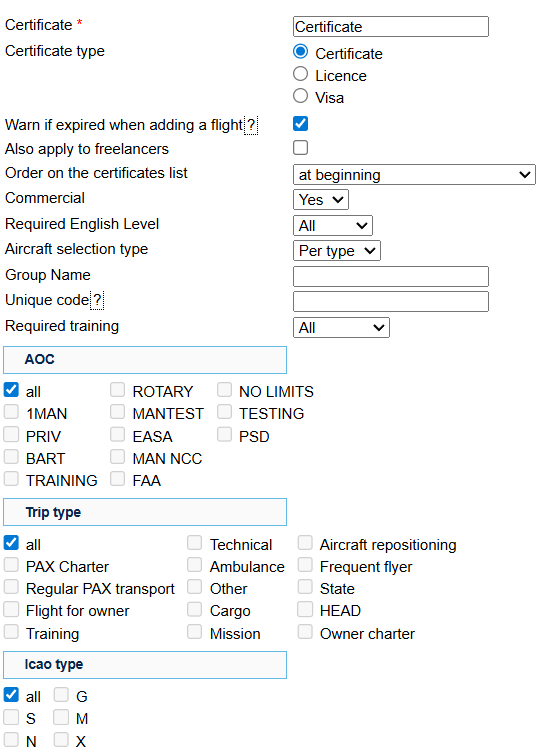
In order to be able to assign Certificates to groups, and then further manage them for specific users, they need to be defined (just like when you defined duties that can be later used in the roster).
To create a list of available endorsements go to Settings > Crew Certificates and click “New certificate”. A pop-up window will show where you can create a single certificate.
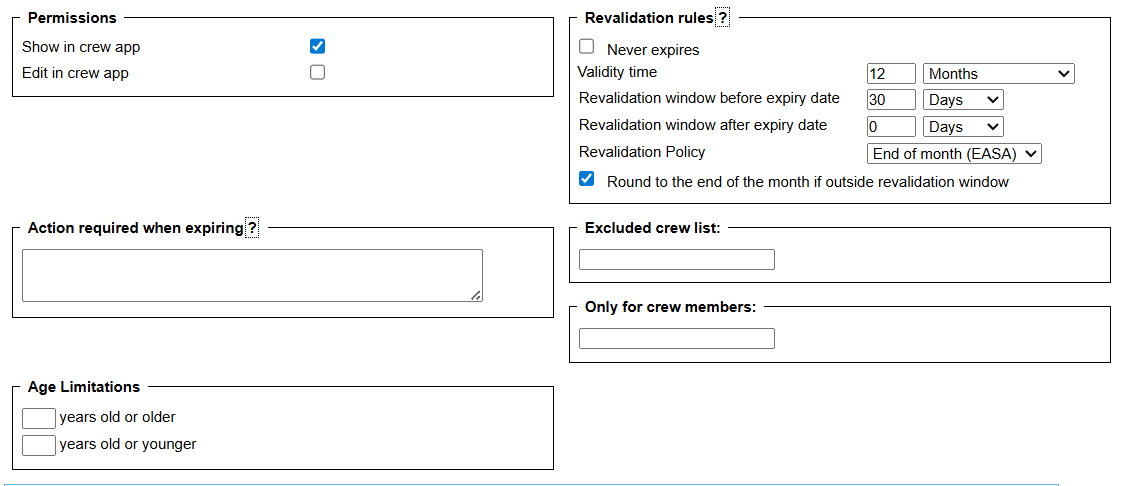
The basic requirements to add a certificate are:
-
Name of the certificate
-
Type
-
Additional settings (AOC, trip type, flight ICAO type, license type, age limitations, etc…)
-
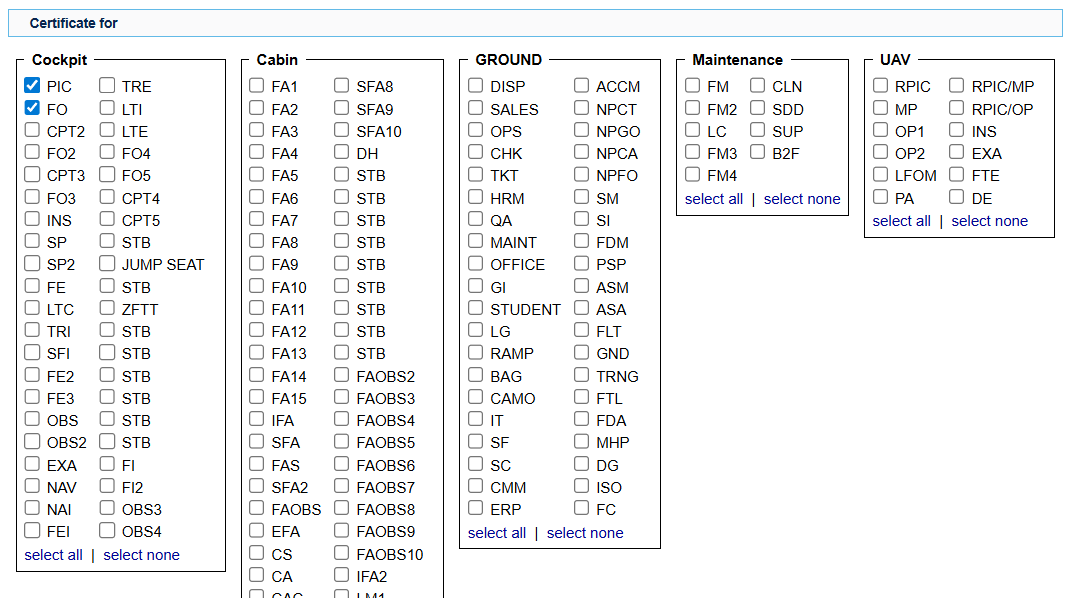
Function groups/positions
-
Aircraft type
So, ie. if you are adding a captain’s licence, the example setup would be:
-
Name - the name of the licence
-
Type – licence
-
Function groups/positions: CPT, CPT2, CPT3
-
Aircraft – the types the licence applies to.
Certificates notifications
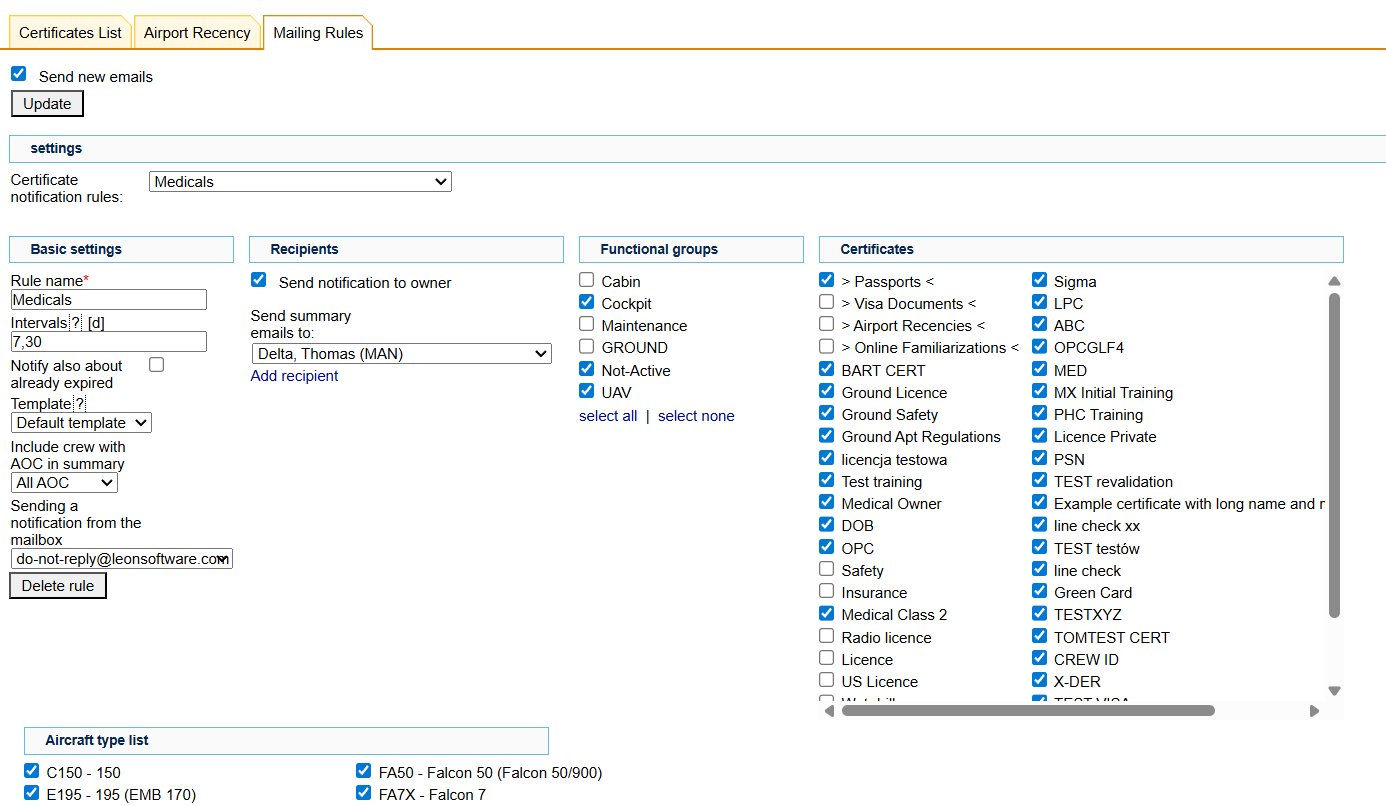
After the list of certificates for your company is ready, you can set up a notification system which will inform various users of the expiring certificates and that can be set up in the tab “Mailing Rules” of the same section.
Once the certificates are defined, you can go to each user’s “personal certificates” section in their profile and add details such as numbers, issue dates, expiry dates, scans, etc.
You can do the same in a section CREW > QUALIFICATIONS
Click below for a step by step video tutorial on how to create endorsement definitions as well as how to work with endorsements in the system: