

Fuel Prices
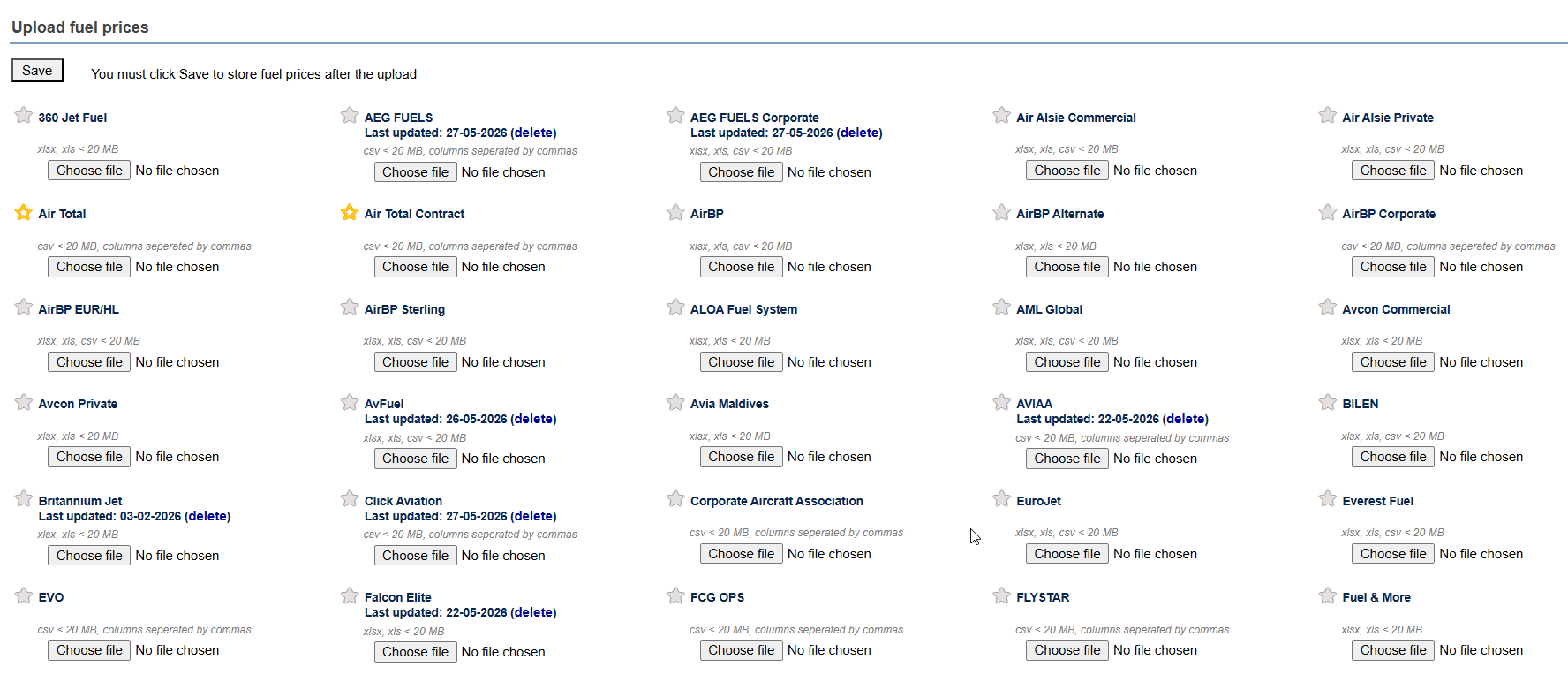
Leon allows uploading fuel prices from various fuel suppliers in your account. When a fuel supplier provides you with the cvs or xls file including the fuel prices, such file can be uploaded in Leon, in a section OPS > Fuel Prices. Find the supplier’s name and upload the file using the “Choose file” button.
When in OPS, click on a flight, and in the tab FUEL in the panel on the right, you will see a green button GET FUEL PRICES next to ADEP & ADES airport - click it and Leon will show fuel suppliers for which files have been uploaded. In green colour Leon shows the cheapest fuel price.
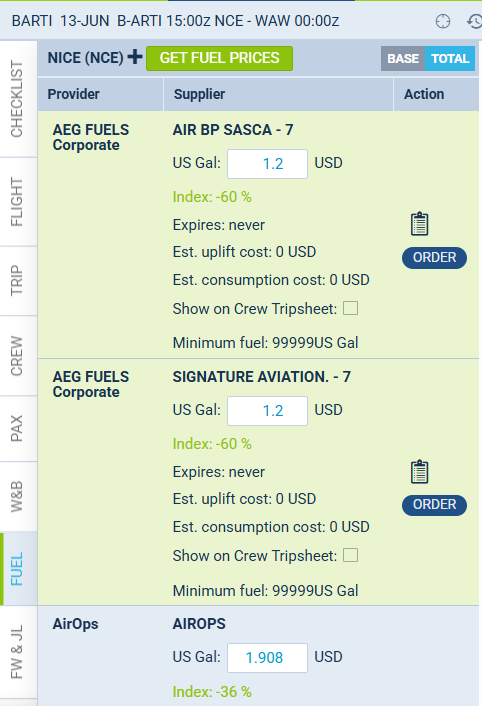
You can include the selected prices on the trip sheet by ticking the box “Show on tripsheet” and clicking SAVE.
In this section, it is also possible to add a custom supplier by clicking on the ”+” icon next to the airport code and filling in the necessary details.
It is also possible to send an email with the Fuel Order directly from Leon to suppliers, by using the OREDR button - a pop-up window will appear with default content where you only need to insert the ‘Reply to’ email.
You can also alter the text within the ‘Request’ and ‘Footer’ windows.
Click below for an overview of the fuel prices feature in Leon: