MVT Messages
The MVT configuration panel, found in Settings > Email Templates > MVT Messages, lets you set up a mechanism that automatically sends movement messages by email whenever a flight's Flight Watch is filled in — either manually or by Eurocontrol.
Click below for a detailed video tutorial on the above instructions:
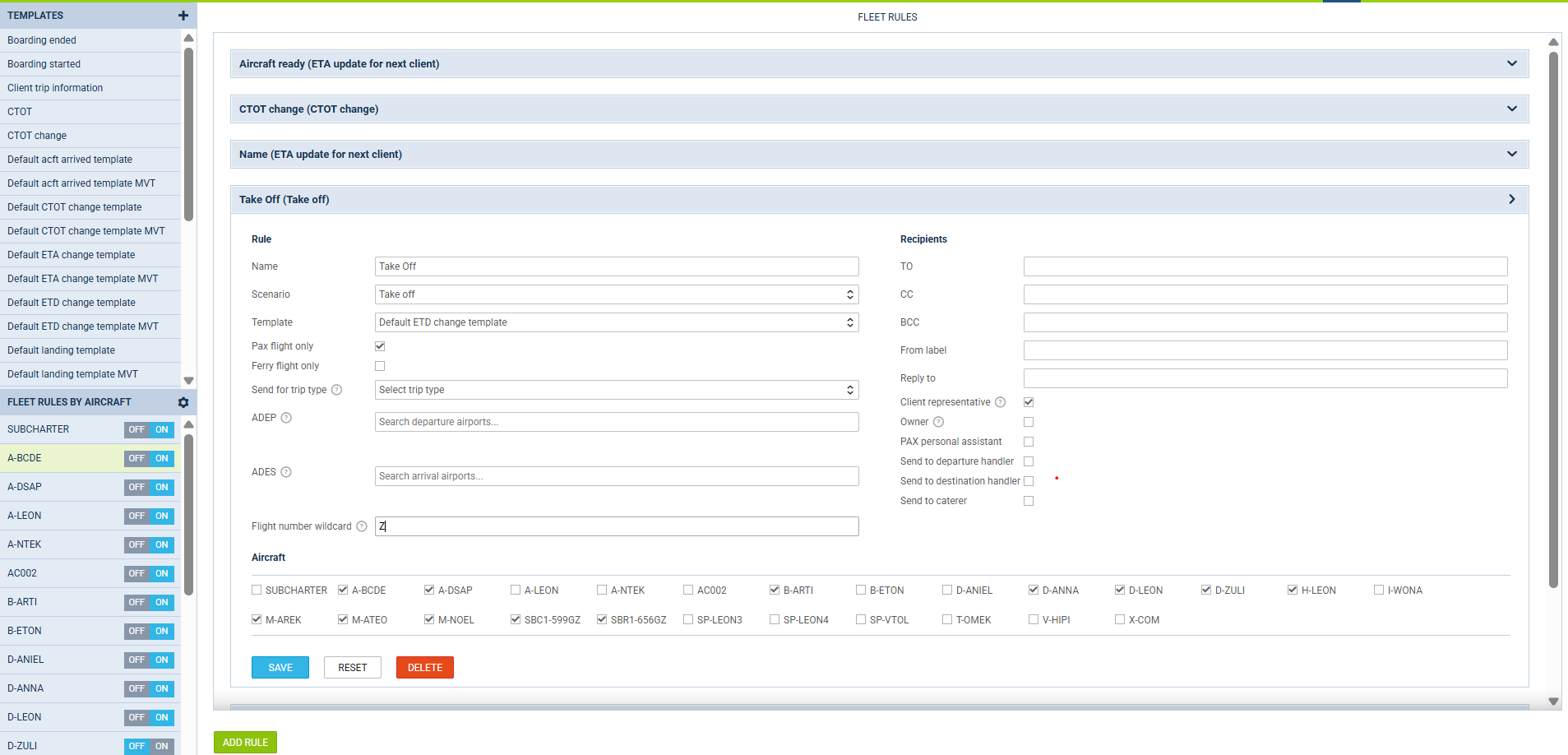
You can set up rules that determine when these emails are sent, what their content is, and who receives them. The following scenarios are available:
Take off
Notifies you when the flight's actual take-off time (ATD) has just been entered in Flight Watch — i.e. it changes from empty to a value — and the aircraft has not yet landed (ATA is still empty).
Landing
Notifies you when the flight's actual landing time (ATA) has just been entered, or corrected to a new non-empty value.
ETA change
Notifies you any time the flight's ETA changes in Flight Watch, including when it is:
-
entered for the first time,
-
updated,
-
cleared.
There is no additional condition on ATD or ATA.
ETD change
Notifies you any time the flight's ETD (Estimated Time of Departure) is:
-
entered for the first time,
-
updated to a new value.
Aircraft ready for next client
Notifies the organizers of the aircraft's next scheduled leg when the aircraft has just landed — using the same trigger as Landing — and one of the following conditions is met:
-
the next leg belongs to a different client than the one just completed,
-
the completed leg was a ferry flight.
The next leg is looked up within a 24-hour window following the current one.
This scenario does not apply to subcharter legs.
CTOT change
Notifies you when the Calculated Take-Off Time (CTOT):
-
is set for the first time,
-
changes to a different value,
-
changes status, for example when the slot is cancelled.
PAX boarding started
Notifies you when crew marks boarding as started in Leon's mobile crew app.
PAX boarding completed
Notifies you when crew marks boarding as completed in Leon's mobile crew app. This does not require every individual passenger to be checked in as "on board" first, if the passenger list tracks passengers individually and boarding is marked complete while someone isn't marked on board, you'll additionally get a separate notice that boarding was completed with not everyone on board.
Flight diverted
Notifies you whenever the diversion airport recorded against the flight changes, including when it is:
-
set for the first time,
-
changed to a different airport,
-
cleared.
Missing take-off
Notifies you when the actual take-off time has not been filled in by the time the flight is overdue for departure.
The reference time, and the delay after which Leon sends the message, are determined as follows:
-
ETD, if one has been entered - the message is sent 15 minutes after ETD,
-
otherwise CTOT, if a slot time has been entered - the message is sent 25 minutes after CTOT,
-
otherwise STD - the message is sent 15 minutes after STD.
CTOT is used only when no ETD has been entered. The longer delay leaves room for the tolerance window around the slot, so you are not notified while the aircraft is still within its CTOT.
The check only considers flights for which the message became due within the last 3 hours, which prevents notifications from being triggered for older, unrelated flights.
Each flight is notified only once.
Missing landing
Notifies you when the actual landing time has not been filled in 15 minutes after the expected arrival time. Leon only checks flights that have already departed. If the actual take-off time (ATD) has not been filled in in Flight Watch, the flight is never reported as a missing landing, so you no longer receive these messages for flights that have not taken off yet.
The expected arrival time is determined as follows:
-
ETA, if one has been entered,
-
otherwise STA.
The check only considers flights whose expected arrival time falls within the last 3 hours, meaning between:
-
15 minutes ago,
-
3 hours and 15 minutes ago.
This prevents notifications from being triggered for older, unrelated flights. Leon does not calculate a missing ETA from the take-off time and the estimated en-route time. When ETA is empty, the scheduled arrival time (STA) is used as the reference instead.
Return to ramp created or changed
Notifies you whenever a return-to-ramp entry is saved in the RETURN TO RAMP section of the flight's Flight Watch, including when it is:
-
added,
-
edited. Any change to the entry triggers the message, even if only the fuel or notes are updated.
Deleting a return-to-ramp entry does not send a message.
If a flight has more than one return-to-ramp entry, a separate message is sent for each entry that is added or edited.
The details of the entry (Off block and On block times, fuel and notes) are available in the message templates, so you can include them in the email.
In addition to specific email addresses assigned to a rule, a client representative, an owner, a PAX personal assistant, handlers, and all passengers on the flight can also receive these notifications.
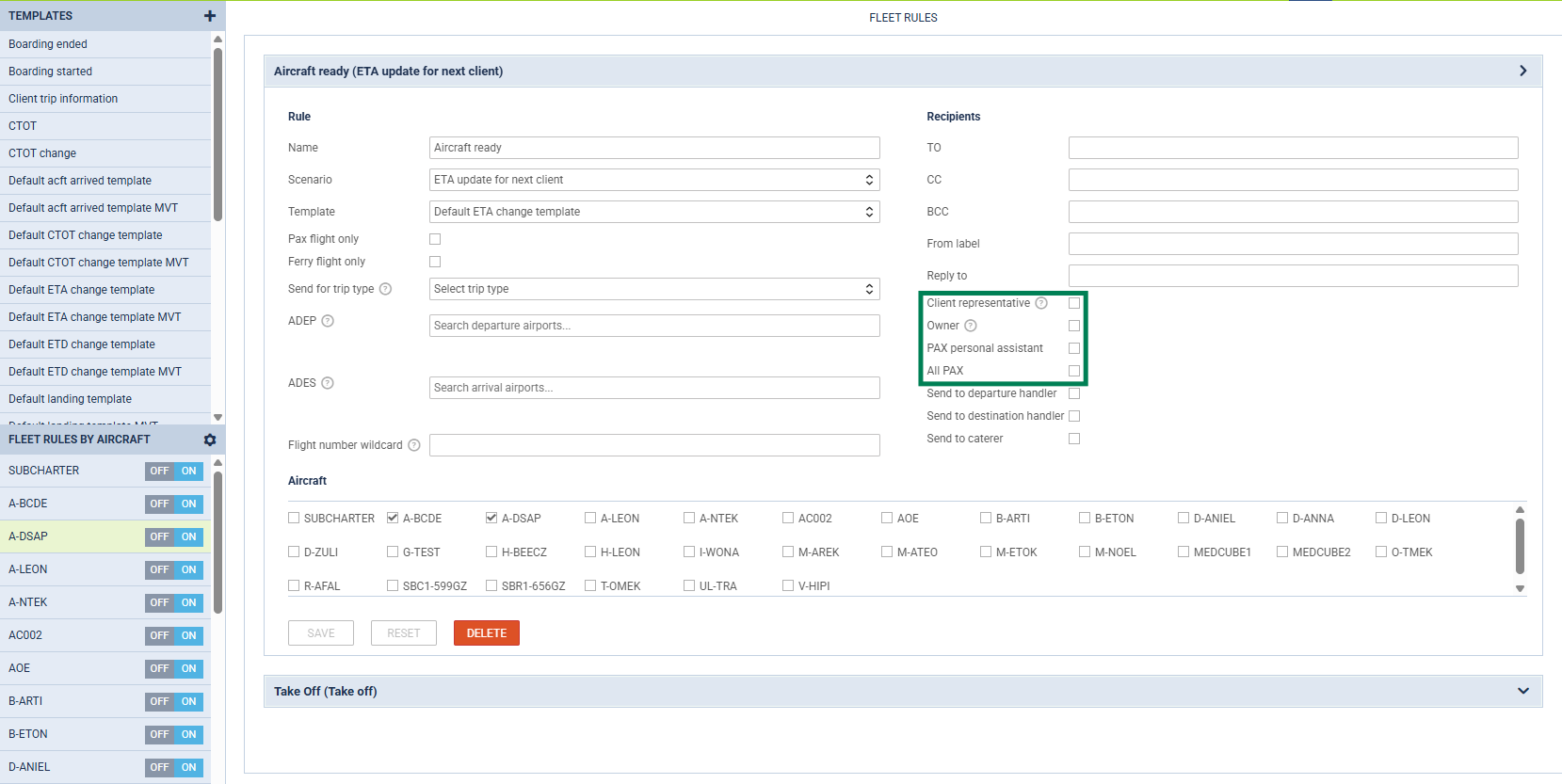
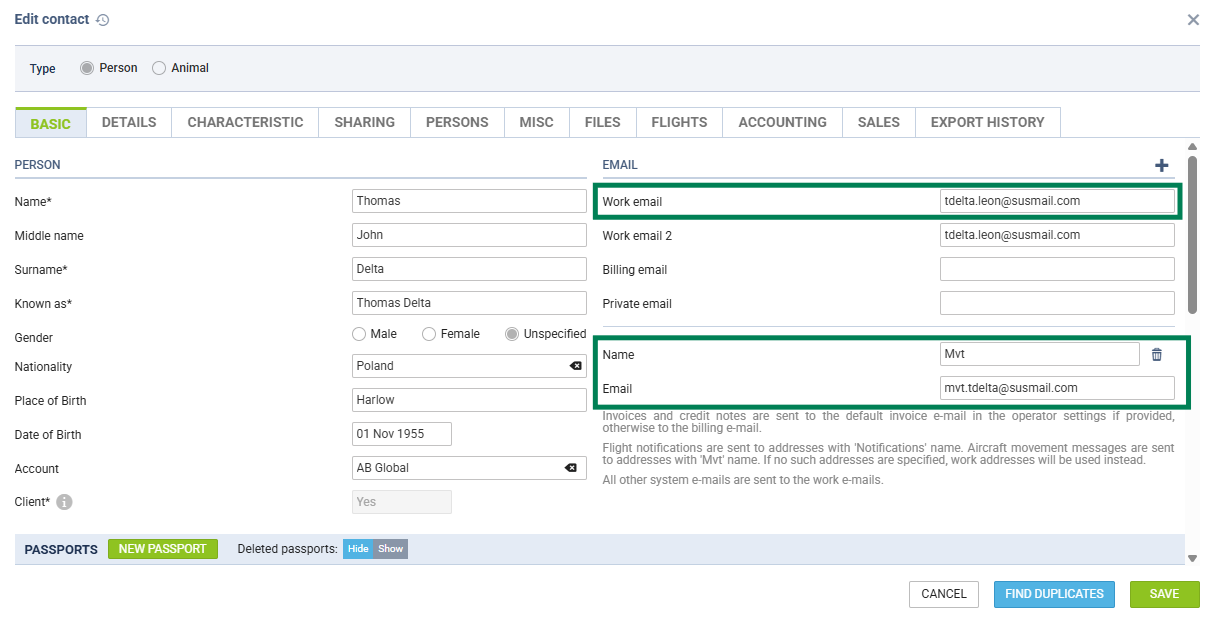
When all passengers are selected as recipients, each passenger receives a separate message, so passengers do not see each other's email addresses. Only passengers with an email address filled in their contact profile in Phonebook will receive the message. Priority is given to “MVT” type of email - if absent, it will be sent to “Work” email.
The content of the messages is defined by templates available in two formats: regular letter or MVT format. You can also add your own custom templates.
For details on template syntax, see MVT Message Templates and Dynamic Data Insertion Guidelines.
Sending MVT messages manually
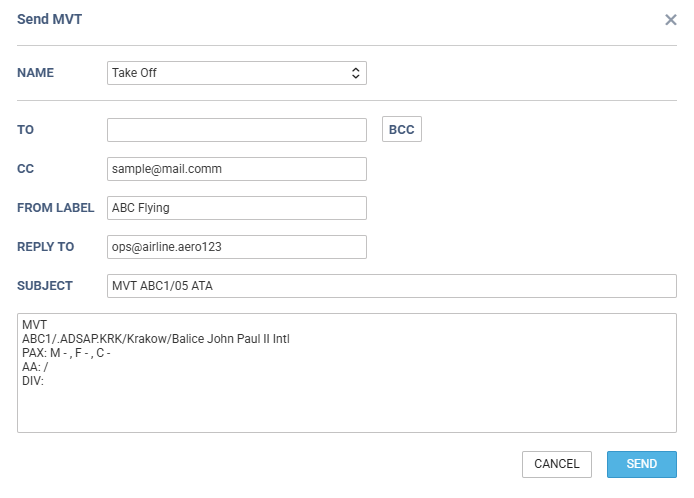
Besides the automatic configuration, you can also send MVT messages manually for a specific flight. See the detailed explanation of the process and the video tutorial below.
When sending an MVT message manually, the TO field can be left empty, as long as at least one recipient is entered in CC or BCC. This is useful when using templates in which recipients are defined in the CC field: