

SAFTE-FAST
Table of Contents
About SAFTE-FAST
SAFTE-FAST is the validated and widely used fatigue model used to assess fatigue for an entire workforce.
In aviation, it is the same model used by the US Federal Aviation Administration suitable for assessment of pairings, planned rosters, and as-flown rosters.
SAFTE-FAST provides an integrated and science-based process for analysis of fatigue risk in an entire workforce or in individual cases, identifying fatigue factors that inform mitigation decisions.
SAFTE-FAST provides the most trustworthy predictions of crew performance that maximizes the benefits of fatigue risk management, improves safety, minimizes errors and incidents, improves morale, and enhances productivity.
More information about SAFTE-FAST can be found here.
How to integrate Leon with SAFTE-FAST
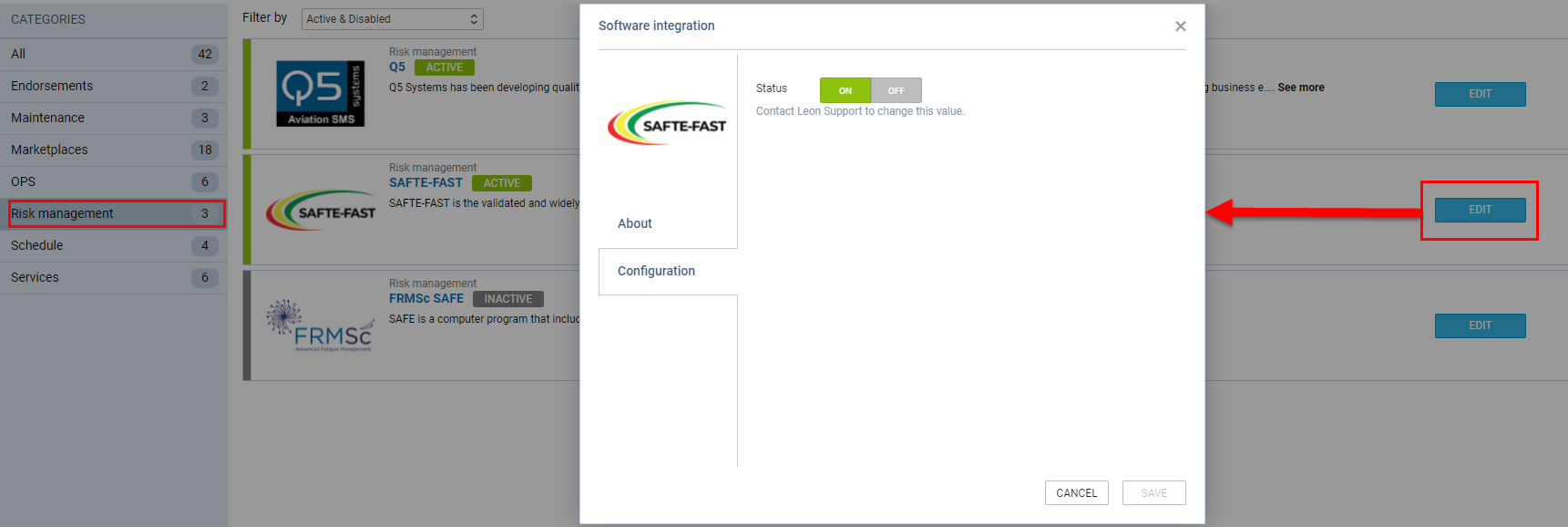
Integration with SAFTE-FAST is available in the 'Settings' > 'Add-ons' section > 'Risk Management' section.
In order to integrate with SAFTE-FAST you need to contact the company at info@saftefast.com and request integration with Leon. SAFTE-FAST then contacts Leon and Leon activates the integration.
How the integration works
Once the integration is activated, the SAFTE-FAST option will be available in the 'Crew Timeline' view.
There are 2 ways in which the crew data can be analyzed:
-
Per single crew member
-
For all crew members
Since the July 2026 release, SAFTE-FAST violations no longer affect the colour of the FTL bar (rest period line) on the Crew Timeline. Whenever an SF analysis exists for a flight, a separate SAFTE-FAST indicator (a green, yellow, or red dot) is shown next to the flight details instead.
The SAFTE-FAST analysis can be run with draft mode either enabled or disabled.
Analyzing data per single crew member
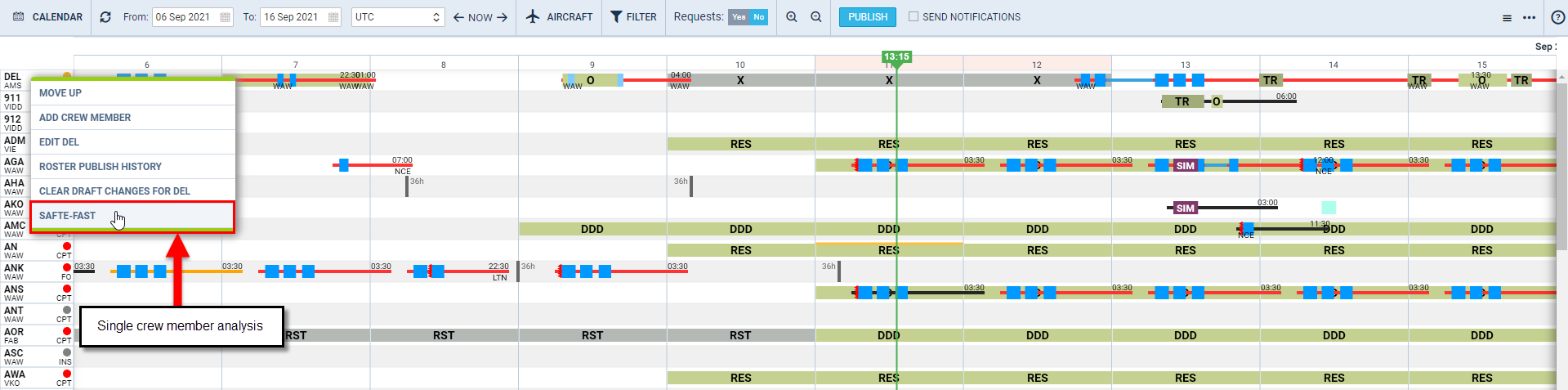
In order to receive a fatigue score for a single crew the below steps need to be followed:
-
Right-clicking the mouse on the crew code in the Crew Timeline
-
Select the 'SAFTE-FAST' option in the dropdown menu
Selecting the 'SAFTE-FAST' option for a particular crew member will result in SAFTE-FAST analyzing the crew fatigue in a pop-up window in Crew Timeline.
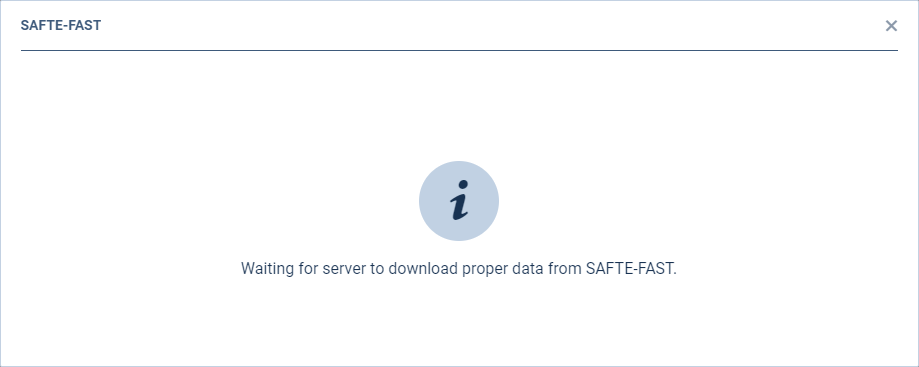
Initially, 'Waiting for server to download proper data from SAFTE-FAST message will appear.
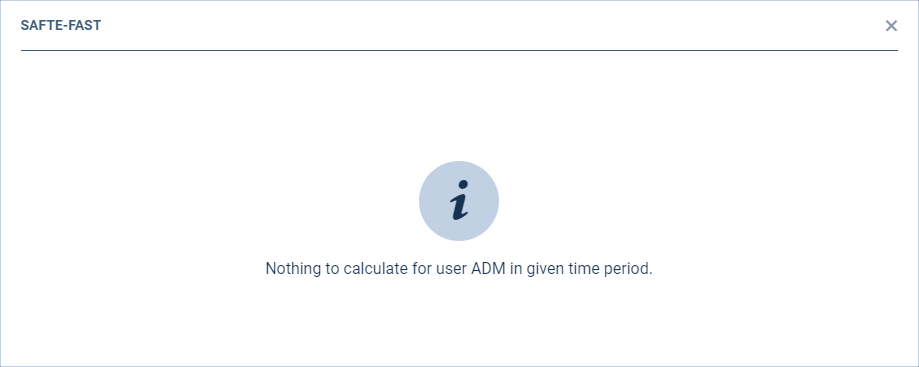
If there is no data ina given period, 'Nothing to calculate for user -USER CODE- in given time period' message will appear.
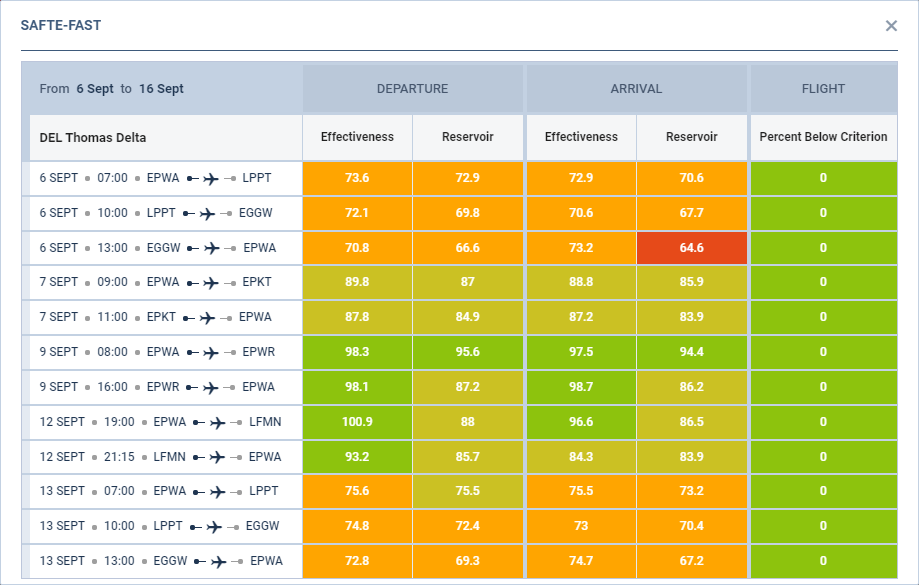
After few moments, Leon will display the results from 'SAFTE-FAST' in a form of a table including:
-
Effectiveness score on departure and arrival
-
Reservoir score on departure and arrival
-
Percent Below Criterion on a flight
Effectiveness
SAFTE-FAST is calibrated against actual changes in performance, the primary metric is effectiveness. Effectiveness represents speed of performance on the psychomotor vigilance test scaled as a percent of a fully rested person's normal best performance. Effectiveness corresponds to the speed of cognitive performance, is highly sensitive to fatigue and correlated with many other cognitive performance metrics. The higher the score, the lower the fatigue risk. Evaluation of schedules with an Effectiveness value below the 77% threshold during critical stages of flight is recommended.
Sleep Reservoir
Sleep Reservoir represents the available restorative capacity, expressed as a percentage of full capacity. A depleted Sleep Reservoir contributes to lower effectiveness, while a value of 75% indicates approximately eight hours of cumulative sleep debt.
Percent Below Criterion
Percent Below Criterion is used to highlight schedules and events with an excessive amount of time below the Criterion Level. For example, if the Percent Below Criterion threshold is set to 20% and the Criterion Level is 77, any schedule that has 20% or more of its duration below 77 will be highlighted.
The score brackets are as follow:
-
Effectiveness
-
- indicates 'Exceeded' and applies to the values ≤65
-
- indicates 'Warning' and applies to the values >65 and ≤75
-
- indicates 'Soft Warning' and applies to the values >76 and ≤90
-
- indicates 'Good' and applies to the values >91
-
-
Reservoir
-
- indicates 'Exceeded' and applies to the values ≤65
-
- indicates 'Warning' and applies to the values >65 and ≤75
-
- indicates 'Soft Warning' and applies to the values >76 and ≤90
-
- indicates 'Good' and applies to the values >91
-
-
Percent
-
Exceeded for values >20
-
Warning for values > 10
-
Soft Warning for values > 1
-
`
The data is analyzed based on the flights, positionings, and duties, and for the flights and positionings within a timeframe selected in the Crew Timeline filter.
The data is analyzed within Leon based on the SAFTE-FAST model. Leon does not send any data to SAFTE-FAST.
Analyzing data for all the crew members
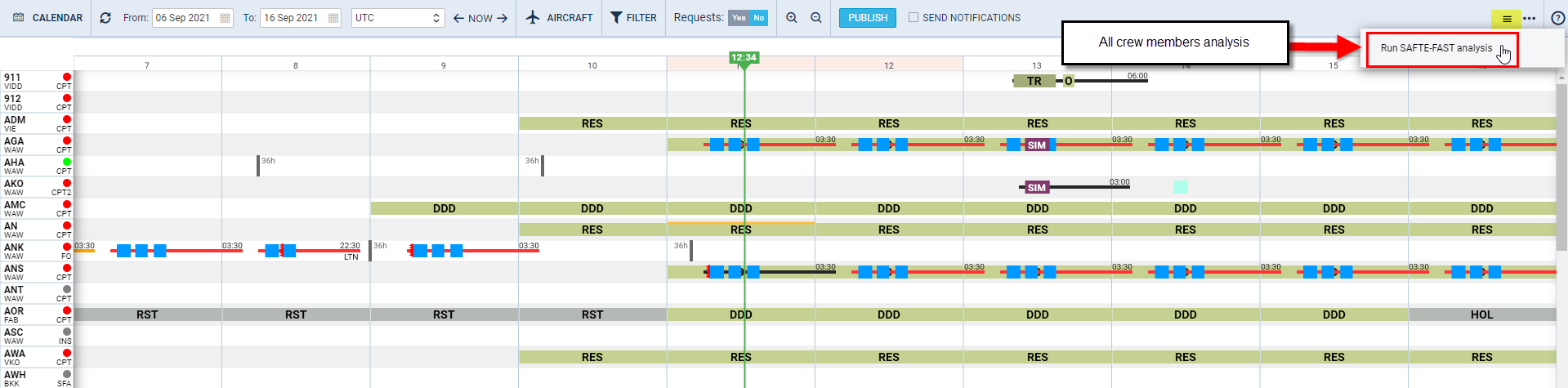
It is also possible to monitor Crew fatigue in the Crew Timeline for all the crew members in a selected period of time.
In the main 'Crew Timeline' view, click on the burger icon

located in the top-right corner of the page and select the 'Run Safte-Fast analysis' option.

Since the July 2026 release (Sprint 221), SAFTE-FAST results are presented differently. SAFTE-FAST violations no longer highlight lines on the Crew Timeline in orange or red. Instead, whenever an SF analysis exists for a flight, a separate SAFTE-FAST indicator is shown next to the flight details, with a green, yellow, or red dot.
Once the analysis has been performed, to show the level of Crew fatigue, Leon shows a separate SAFTE-FAST indicator (a coloured dot) next to the flight details, independent from the FTL bar colour.
The green colour of the dot indicates no violation.
The yellow colour of the dot indicates:
Effectiveness ≤ 77
Reservoir ≤ 75
Percent below criterion › 10
The red colour of the dot indicates:
Effectiveness ≤ 65
Reservoir ≤ 65
Percent below criterion › 20
The SAFTE-FAST analysis result can now be downloaded to a file — a "Download result" link appeared beneath the result table to fetch the ready file.