

Modified Journey Log Closure Functionality
We are improving how the system controls the editing of Flight Watch and Journey Log data after the latter has been closed.
How it works
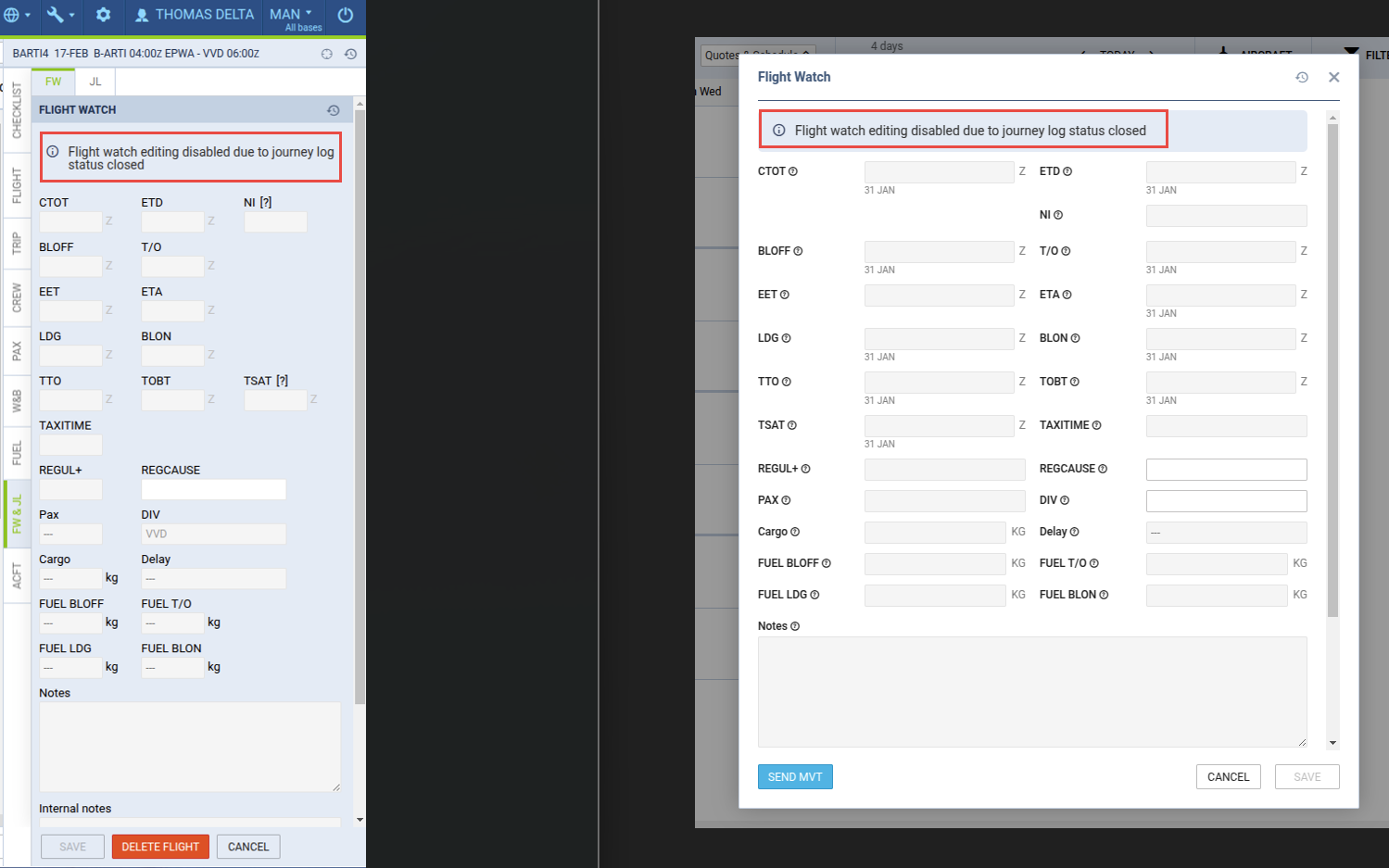
From now on, closing the Journey Log via the Status item will also block the ability to edit flight data in the Flight Watch section, both in the web and mobile applications.
Editing Flight Watch data will also be restricted for related functionalities, such as integration with Eurocontrol and MVT Messages sent via email.
Once the Journey Log is closed, it can only be reopened from the web application, provided the user has the appropriate permission Allow editing of closed Journey Logs.
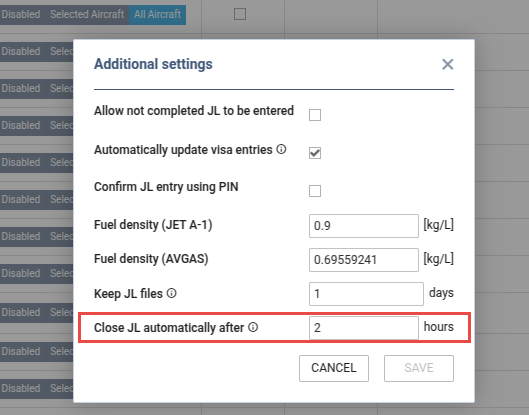
Additionally, the Journey Log configuration will include an option to set an automatic closure time.
Example:
If the Close JL automatically after field is set to 2 hours, the Journey Log (provided all required fields are completed) will be automatically closed 2 hours after the last data modification.
If a user with the necessary permission reopens the Journey Log, they will be able to make changes within a 2-hour time window, after which the system will automatically close the Journey Log again.