

Fleet Documents Setup
Table of Contents
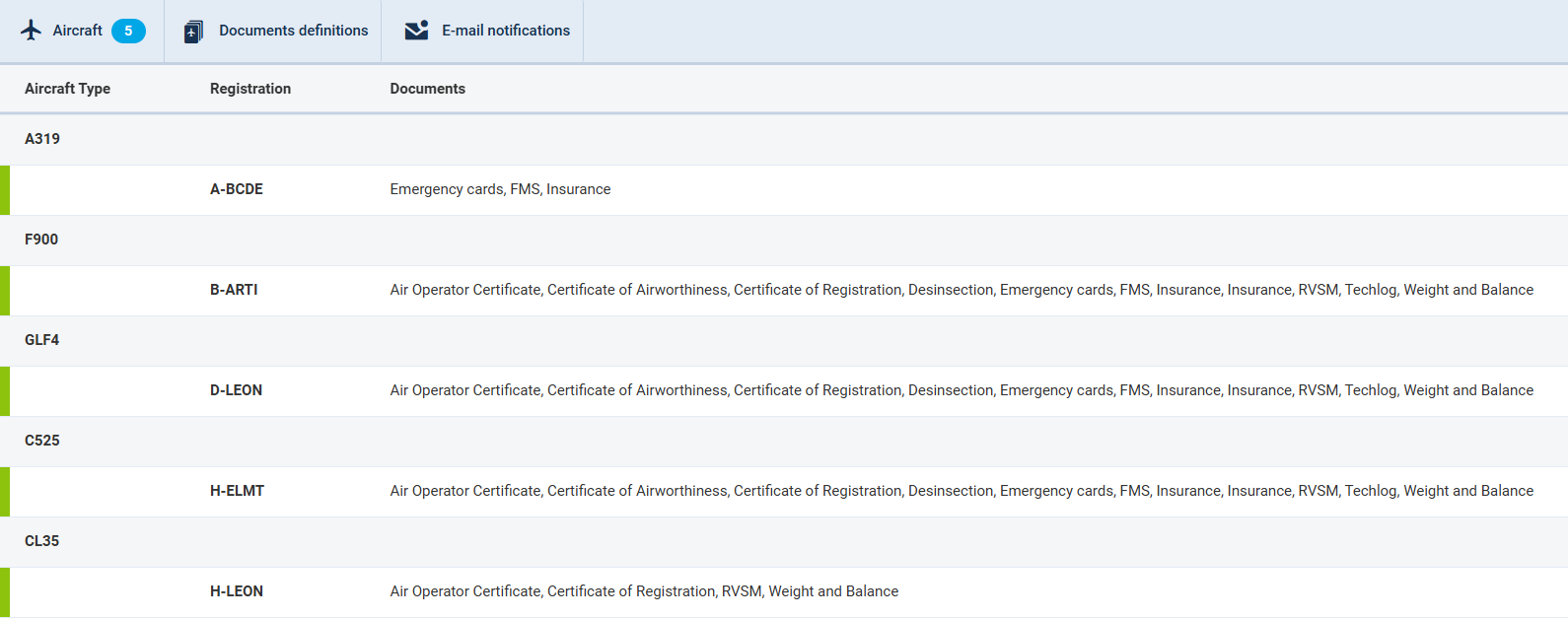
A new Fleet Documents Setup is now available in the Admin panel. The functionality itself works in the same way as before this implementation.
Documents definitions
Before you add any aircraft document to Leon, you need to customise the list of fleet documents you want to use.
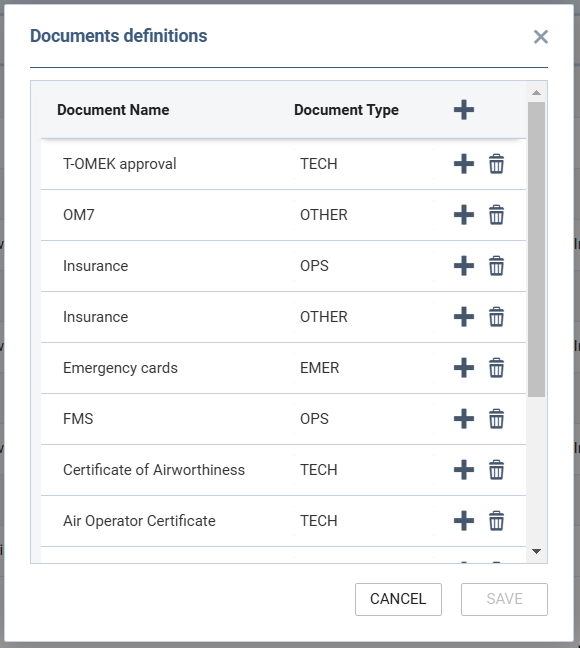
Go to Settings > Fleet Documents Setup and under the icon Documents definitions you will be able to add document name and document type.
By clicking on the icon + icon, you can add a new document. The window also allows you to change positions of documents, depending on their importance, by drag & dropping the document.
Adding a new document to a particular tail
Next step is adding a new document to a particular aircraft, which can be done by clicking on the aircraft.
When a pop-up window shows up, tick particular documents in columns Use and Req (if it’s mandatory for the flight).
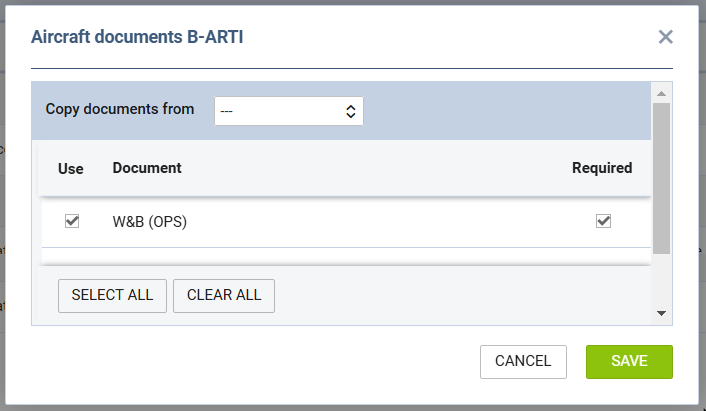
It is possible to copy documents from one tail to another.
E-mail Notifications
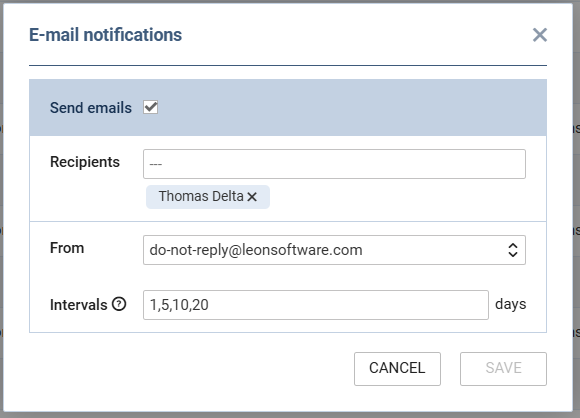
It is a simple feature which allows you to define recipients who should be notified when aircraft document is going to be expired.
In a field Intervals you can add a number of days before a document’s expiry date (as many as necessary - after a comma).
Additionally, it is possible to indicate the From email - emails available in the dropdown are either active e-mails configured in the ‘Mailboxes’ or ‘do-not-reply@leonsoftware.com’.