

Updating the Checklist item statuses
Option to update the Checklist item statuses on the existing Checklist Items will be introduced.
This functionality will be available in the ‘Admin Panel’ > ‘Checklist Configuration’ in the column Status.
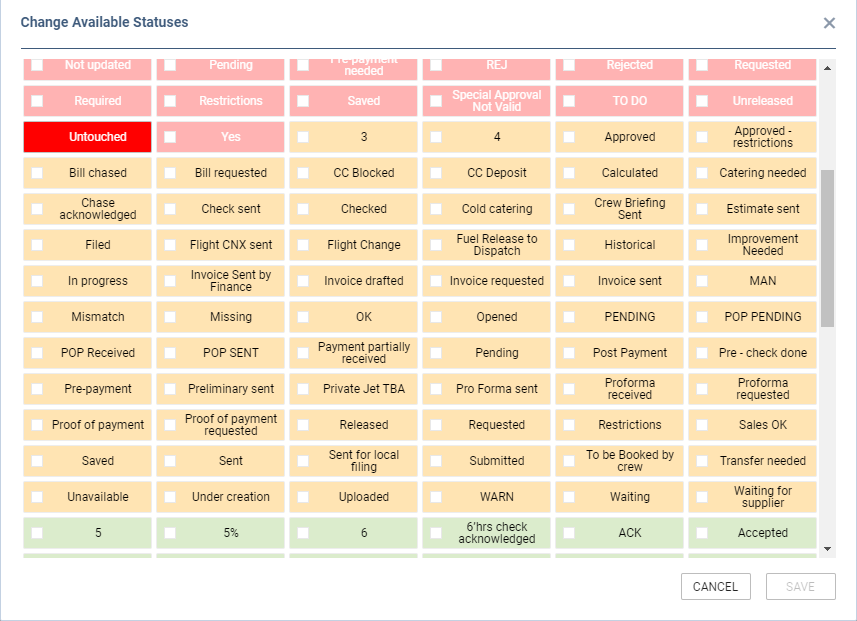
Clicking on the toggle icon in the ‘Status’ column will open a ‘Change Available Statuses’ window.
Here admins can select which statuses should be available for a particular Checklist item. Stuses are separated by colours that affect the Checklist dot:
-
Green
-
Orange
-
Red
-
Grey
The following rules apply:
-
Statuses applied to the item are displayed in full colours
-
Statuses that are not active are displayed in dimmed colours
-
Required statuses do not have the checkbox and will be available on the items at all times