

Overview
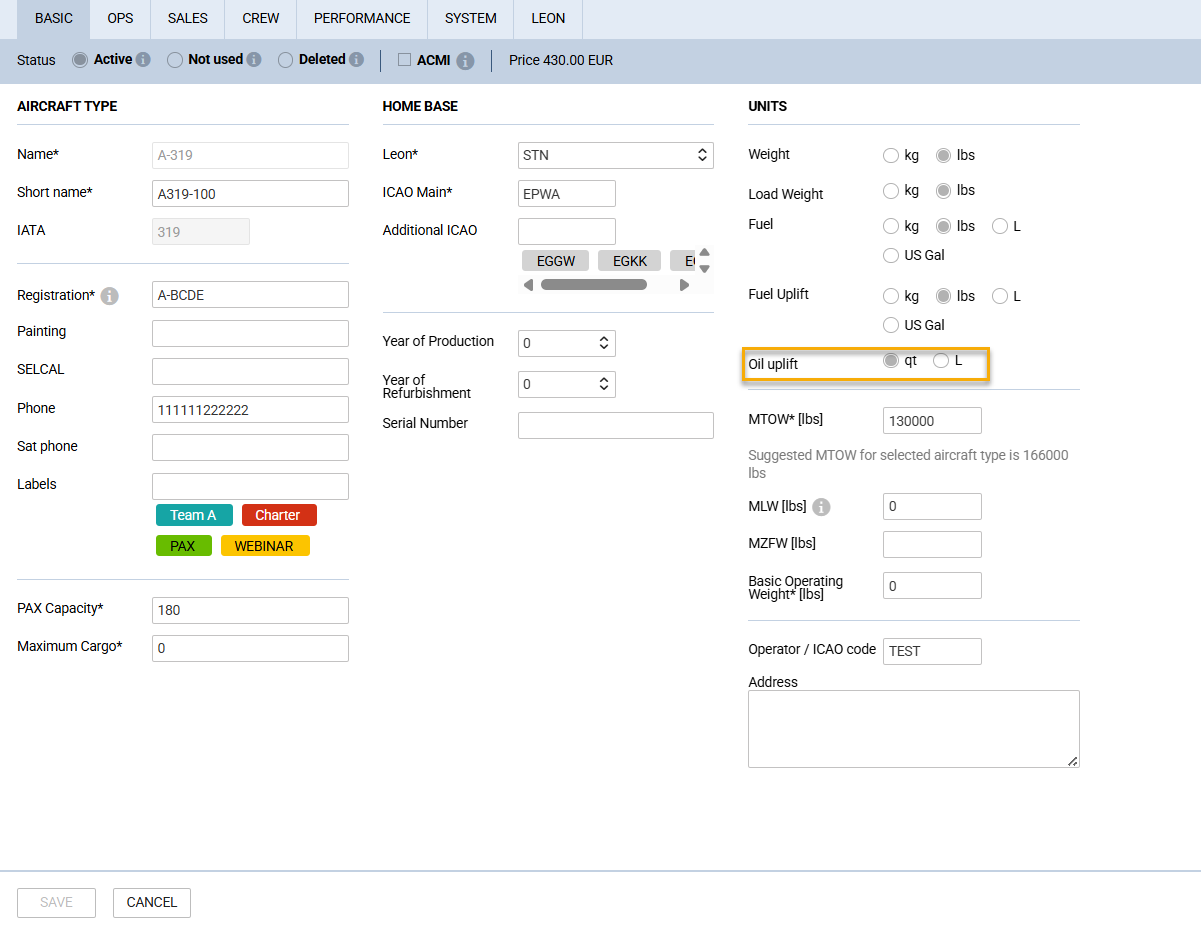
You can now set the oil uplift unit per aircraft (quarts or litres) in the Fleet configuration. Journey Log uses that unit and stores it with each entry; reports show values accordingly.
What’s New
1) Aircraft-Level Unit Configuration
-
Define the preferred oil uplift unit per aircraft: quarts (qt) or litres (L).
-
Quarts remain the default for new aircraft to preserve existing workflows.
-
Copying an aircraft configuration also copies its oil uplift unit setting.
2) Journey Log Uses the Configured Unit
-
Oil uplift in the Journey Log is entered and displayed in the aircraft’s configured unit.
-
The unit is stored with each Journey Log entry to keep historical records accurate even if the aircraft’s configuration changes later.
-
The unit selection is read-only at the Journey Log level and controlled centrally via aircraft settings.
3) Consistent Experience on Mobile
-
Mobile Journey Log adheres to the aircraft’s configured oil uplift unit, eliminating manual conversions for crew in the field.
-
Data entry and display on mobile now mirror the web experience for consistent operations.
4) Reporting Enhancements
-
Reports including oil uplift now offer columns that present values in both litres and quarts.
-
Facilitates cross-comparison and unified analysis across fleets and stakeholders who use different units.
Why It Matters
-
Reduced operational friction: Teams using litres can work directly in their preferred unit without ad hoc conversions.
-
Improved data integrity: The unit at the time of entry is saved with the record, preserving historical consistency.
-
Clearer reporting: Side-by-side litres and quarts simplify audits, analytics, and communication.
How to Enable
-
Open the aircraft’s settings in Leon (Admin Panel → Fleet).
-
Locate the oil uplift unit configuration (Units section of the BASIC tab).
-
Select Litres or keep Quarts if preferred.
-
Save changes. All new Journey Log entries (web and mobile) for that aircraft will follow the selected unit automatically.
Behavior and Compatibility
-
Backward compatibility: Existing data entered in quarts remains intact. Historical entries retain their original unit context.
-
Mixed fleets: Different aircraft can use different units without impacting user workflows or report accuracy.
-
Permissions: Adjusting aircraft configuration follows existing access controls in your organization.