

‘Edit tags’ pop-up window
Table of Contents
Edit tags section is located in the top bar of the ‘Requests/Quotes’ section, right to the ‘FILTER’ option
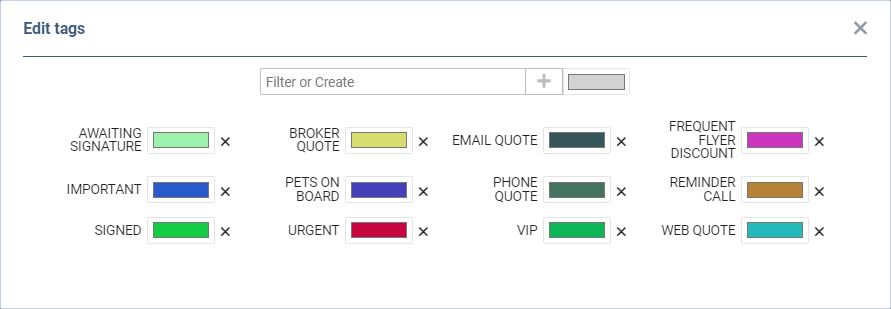

The Edit tags section lists all the created tags and allows:
-
creating new tags
-
filtering the tags
-
deleting the tags
Creating new tag
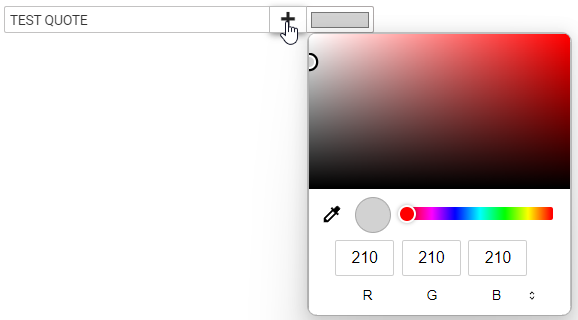
In order to create a new tag, the process is as follows:
-
Open the ‘Edit tags’ pop-up window
-
Enter the new tag name in the ‘Filter or Create’ box
-
Select the tag color
-
Click on + to add and save the new tag
Filtering the tags
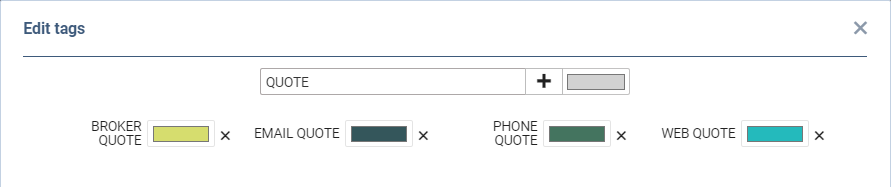
In order to filter, simply insert the required tag name in the ‘Filter or Create’ box.
In the case of newly created tags, the name stays in the ‘Filter or Create’ box. Since this box works as the filter at the same time, in order to preview all the available tags, you need to remove the newly created tag name from the box.
Deleting the tags
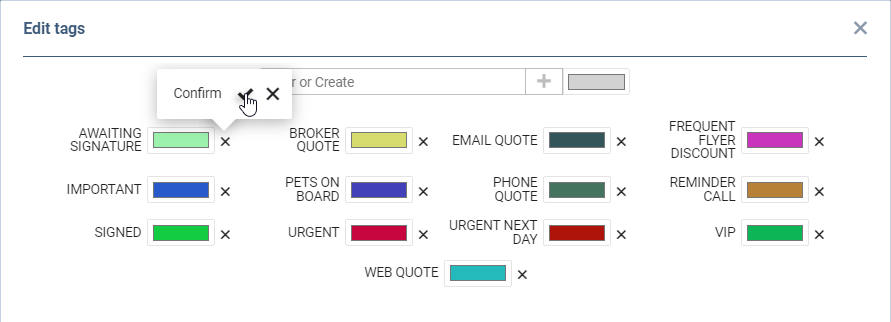
In order to delete existing tags, the process is as follows:
-
Open the ‘Edit tags’ pop-up window
-
Click on the x next to the tag
-
Select ✔ to confirm or x to dismiss
Once the tag is deleted, it is also removed from all the requests it is assigned to.