SSIM
Table of Contents
SSIM (Standard Schedules Information Manual) is the official set of standards, guiding the industry with recommended practices, messaging formats and data processing procedures that are to be used by all IATA member airlines and their business partners for the exchange of airline schedules, communication of airport coordination information and minimum connect time data.
SSIM panel in Leon allows to send ASM (Adhoc Scheduled Message) messages to DCS (Departure Control System) & PSS (Passenger Service System) from a section OPS. Additionally, it is possible to send ASM messages automatically to the Cargo Management System.
CONFIGURATION
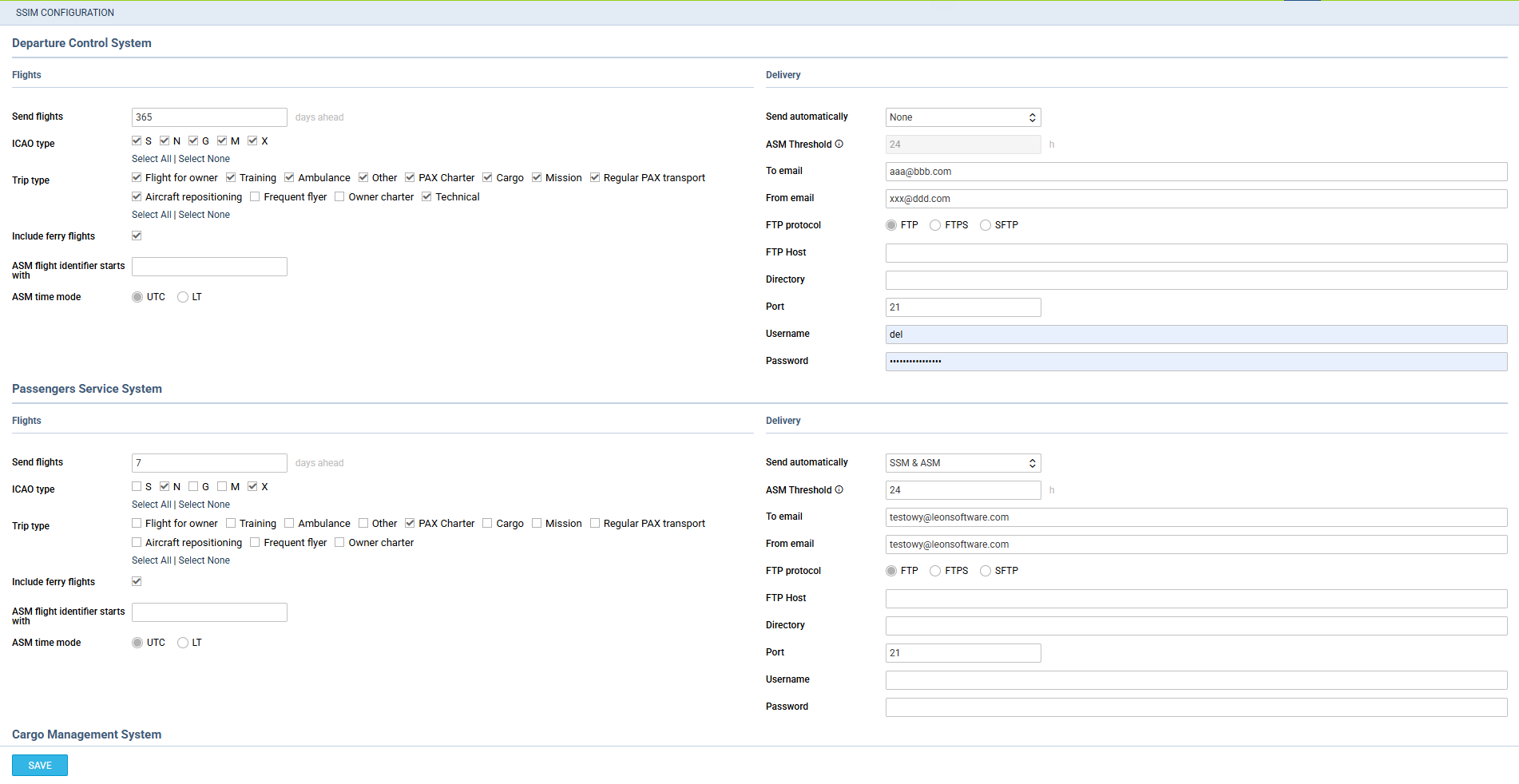
The 1st step to make it work is setting up the main SSIM configuration page (see screenshot on the right).
In a field Send flights add the number of days for which Leon should send messages (i.e. 10, 20 30, etc…).
Below, mark flight ICAO Type and Trip types which should be included in sending ASM/DCS messages.
The right-hand part of the page should be filled in with such details, as:
-
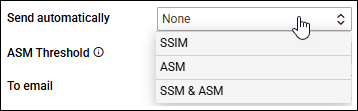
Send SSIM/SSM/ASM automatically - select a scenario from the list. Whichever scenario you choose, Leon decides on its own which message type fits the change made on the flight, see Message types sent automatically below.
-
ASM Threshold - hours limit before the flight for ASM to be sent
-
To email/From email - insert default email addresses.
-
FTP/FTPS - mark appropriate protocol type.
-
Directory - define a path to the folder directory, if the files are to be saved in a specific folder on the drive.
-
FTP Host/Port/Usernam/Passwors - add your FTP server details.
When scenario SSM & ASM is selected Leon will:
-
Send SSM message for a new flight which STD is later than 24h from current time.
-
Send SSM message for flight update.
-
Send ASM message if the STD of the flight is within 24h. Once ASM message has already been sent, Leon will send another ASM message, if any changes have been made to the flight.
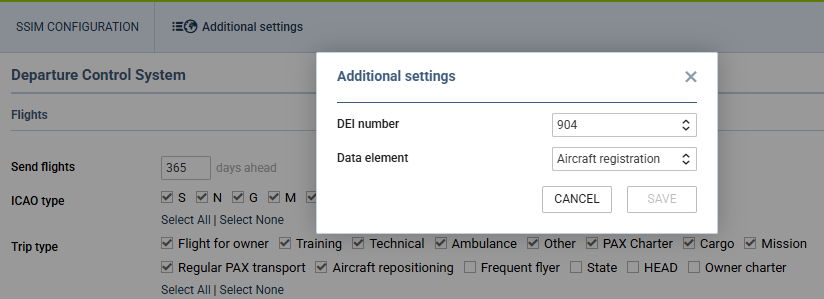
Additional settings
-
DEI number - here you can define the number from 900 to 999. This information can be populated in SSIM / ASM / SSM messages.
-
Data element - type of information visible in the SSIM message that should be connected with the DEI number. Currently, only Aircraft registration is available, but more fields will come in the future.
SENDING MESSAGES
The 2nd step is sending ASM messages to DCS, PSS & CMS systems from the checklist section of the panel OPS.
Each operator has 2 checklist items DCS & PSS available in the Settings > Checklist Configuration section. The items are not marked, so either need to be marked to appear on each single flight, or added from ‘ADD ITEM’ panel of the checklist in OPS section. Once added, they will appear with the SEND button.
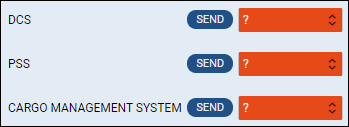
Sending ASM messages to DCS & PSS
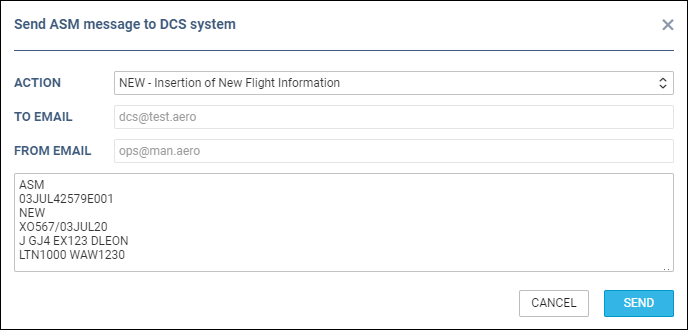
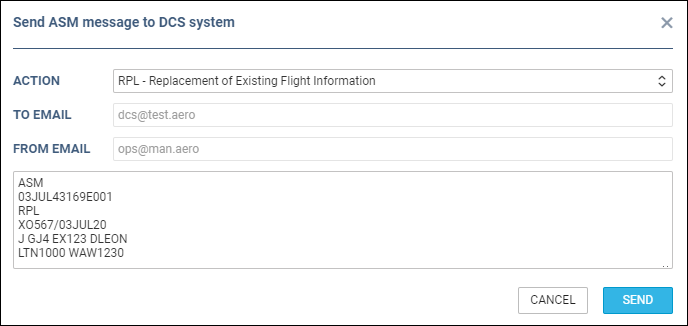
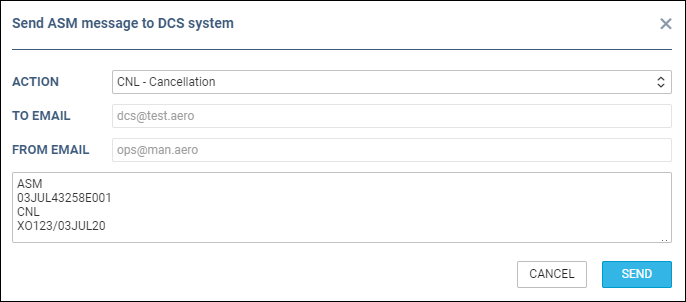
By clicking the SEND button for the DCS or PSS item, Leon shows a new pop-up window with a pre-defined message. When you send an ASM message manually from the checklist, you can choose between 3 message types, in the formats shown on the screenshots below (the formats are the same for DCS and PSS systems). If no default email address has been added in Settings > SSIM, Leon shows a warning: "DCS/PSS or 'From' email is not set”.
1. NEW - Insertion of New Flight Information - displayed when sending ASM message for the new flight.
2. RPL - Replacement of Existing Flight Information - used to re-send the complete, current set of flight data. It replaces everything the recipient holds for that flight on that date.
3. CNL - Cancellation - displayed when a flight has been deleted.
Once ASM message has been sent out, Leon will change the checklist item‘s status automatically to ’Sent’. If the schedule was changed or a flight has been deleted, the DCS or PSS item‘s status will turn to ’?’
Message types sent automatically
When automatic sending is switched on in Settings > SSIM, Leon does not always send the full flight data. It compares the flight with the data it sent last time and picks the message type that matches the change, so the recipient receives exactly the information that is new.
-
NEW - Insertion of New Flight Information - sent when a new flight is added to the schedule, or when Leon has no earlier message recorded for that flight.
-
CNL - Cancellation - sent when a flight is cancelled or deleted.
-
FLT - Change of Flight Identifier - sent when the flight number or the date of the flight changes while the airports, the times and the aircraft stay the same.
-
EQT - Change of Equipment Information - sent when the aircraft changes and the times stay the same.
-
TIM - Change of Time Information - sent when only the STD and the STA change, with the same airports and the same aircraft.
-
RPL - Replacement of Existing Flight Information - sent when the change is not covered by one of the message types above, for example when an airport changes.
Sending the change as TIM rather than as a full replacement matters in practice: many receiving systems act on a time change only when it arrives as TIM, and ignore a replacement message. If your times were not reaching a connected system before, this is the reason.
The same rules apply to SSM messages: when a scenario that includes SSM is selected, Leon picks the matching SSM message type for the change instead of always replacing the whole flight. SSM also has one message type of its own, REV - Change of Frequency Information, which Leon sends when the days on which the flight operates change.
When the aircraft and the times change together
If you change the aircraft and the times on the same flight, Leon sends two separate messages instead of one: first EQT with the aircraft change, carrying the times the recipient already has, and then TIM with the new times. The two never go out at the same time, because the TIM follows on the next run of the automatic sending, which takes place every 10 minutes. Both messages are needed for the recipient to end up with the complete picture, so allow for both to go out before you check the result on the receiving side.
Leon builds the EQT message from the times it sent last time. If those times are not available, for example because the last message for that flight was sent manually from the checklist, Leon cannot build the EQT and sends a single RPL with the full flight data instead.
SSIM files auto-sending
It is possible to set up an auto-sending of SSIM files to DCS,PSS and/or CMS after each schedule change of the published flights, in a panel SCHED.
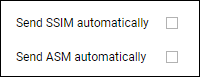
In a section SSIM of Settings panel there are 2 checkboxes: ‘Send SSIM automatically’ & ‘Send ASM automatically’, which need to be marked for auto-sending of files.
There are details which need to be added to Leon to make it work:
-
Operator IATA code - defined in General Settings.
-
Aircraft IATA code - defined by Leon Support Team.
-
Virtual aircraft IATA code - defined by Leon Support Team.
-
Passenger Reservations Booking Designator (PRBD) - defined in an aircraft profile, tab Sales and in Virtual aircraft profile.
If any of the above details are missing, Leon will show a warning:
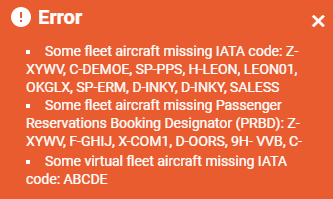
If all is set up correctly and the schedule was changed in a section SCHED (Aircraft, Flight number, STD, STA, ADEP/ADES), Leon will automatically send updated SSIM file to DCS, PSS and/or CMS.
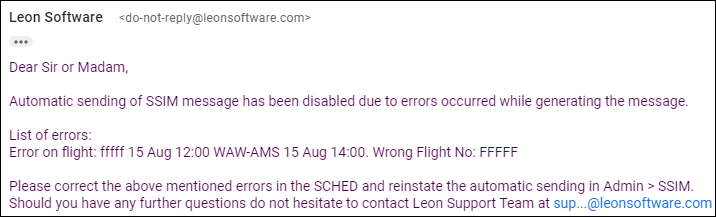
If something has not been configured correctly, Leon will send a warning in SCHED panel and an email defined in SSIM configuration (‘From email’) with the explanation, what exactly needs to be corrected (see example below).