

Documents for flights
Table of Contents
To print or email the documents you need to mark particular leg/legs of the trip, right-click of the mouse and select documents from the list.
Leon allows you to select different flights performed on the same aircraft type - even if they are not on the same day - to the same ‘Flight Order’ or ‘Trip Sheet’. The same applies to ‘General Declaration’ (if you tick i.e. 5 flights - 5 separate documents will get printed), ‘Pax Manifest’ or ‘Pax Information’.
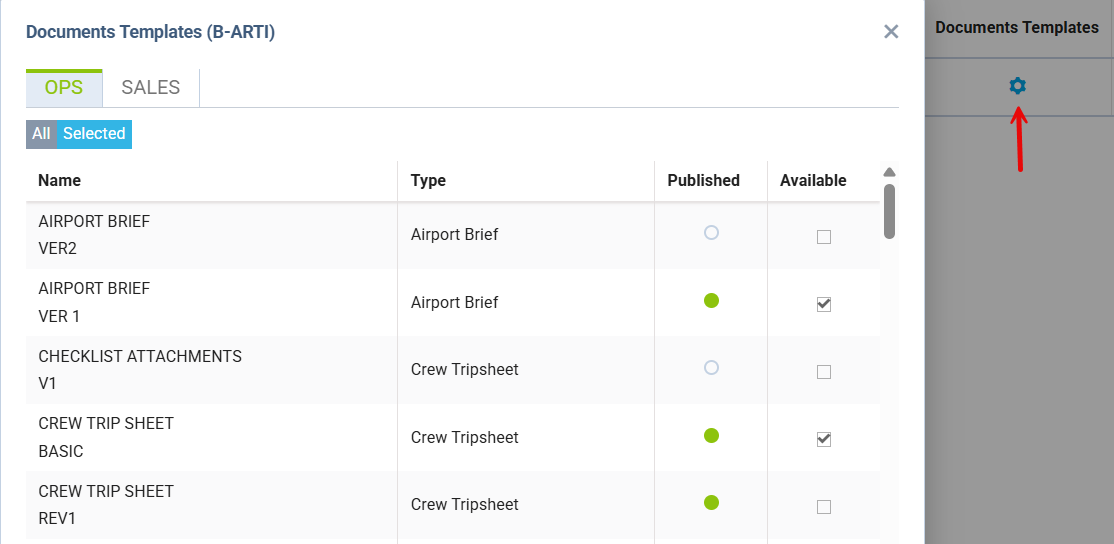
The list of available OPS documents can be set up per a single tail - go to a section Settings > Fleet and in a column Documents Templates mark checkboxes Available for those documents, which should show in OPS.
Flight Order
Flight Order (Journey Log) is an internal document generated for each trip required by CAA. In Leon, the format of this document can be customised in a panel Settings > Documents Manager.
The ‘Flight Order’ layout can be selected in Settings > Documents Manager - click NEW TEMPLATE button, select ‘Type’ > ‘Flight Order’ and choose the ‘Template’.
There are 3 available layouts. Click ‘pdf’ icon to preview each one of them, before deciding which one you want to use.
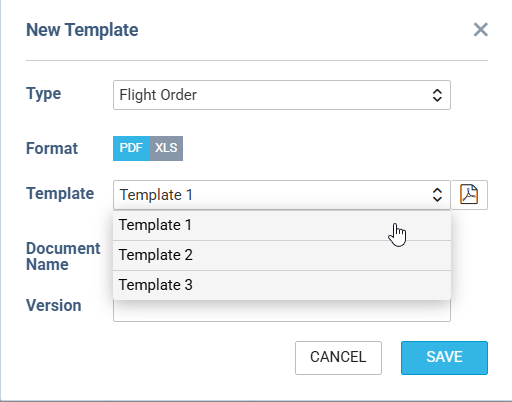
Examples below:
template1.pdftemplate2.pdftemplate3.pdf
General Declaration
This document lists inbound and outbound flight details and crew names. It is being requested by the immigration authorities at some airports of arrival.
The pattern of ‘General Declaration’ layout can be selected in Settings > Documents Manager - click NEW TEMPLATE button, select ‘Type’ > ‘General Declaration’ and choose the ‘Template’.
Examples below:
GDtemplate1.pdfGDtemplate2.pdfGDtemplate3.pdf
Crew Trip Sheet
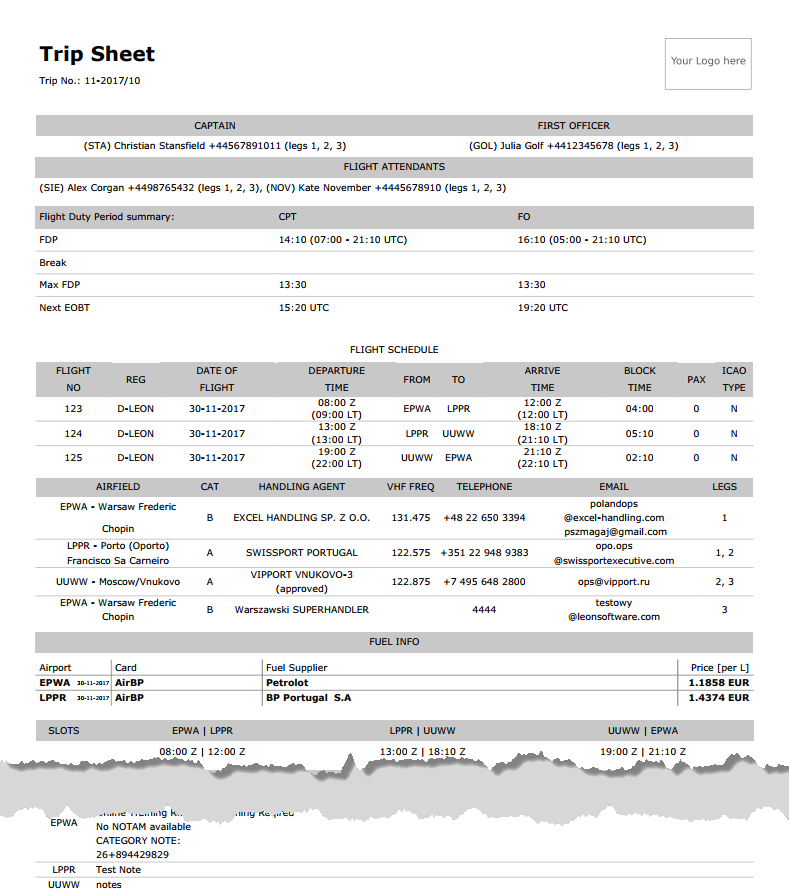
This document includes basic information about the flight, which is important for the crew and must be acknowledged by the crew before the flight.
-
Trip Sheet - information such as: crew names & functions, FDP details, clients, registration marks and call signs of the aircraft, OPS contact data, flight schedule details, handling agents contact details, fuel info and overflight/landing permissions.
-
Flight Service Notices - PAX names, passport numbers & expiry dates, nationality details. Information about PAX catering, transport, special requests, crew HOTAC, crew transport and additional info can also be included.
Pax Manifest
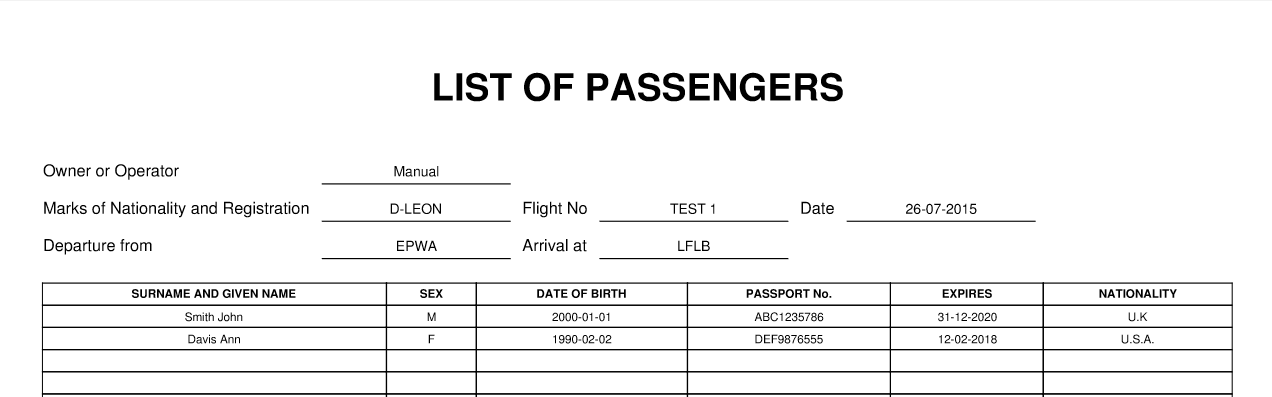
This document shows all PAX information including: name & surname, D.O.B., passport no. & expiry date, nationality. All these details need to be entered in the ‘Pax Database’ in the Phonebook before they can be further used in Leon.

If you add passengers information to Leon manually (which means you don‘t use Pax Database added to Leon in the section ’Phonebook > Pax Database’) it is still possible to view it on ’Pax Manifest document.
If you hover the mouse over the ‘?’ the information will show up: ‘Show pax list in the text mode on Pax Manifest document. Correct data has to be entered in the format: No. gender surname name date-of-birth passport no. passport expiry date nationality. Columns have to be separatedd by comma.’
The below example explains how it works.
-
Add pax details in the ‘Legs Info’ section
1, Surname Name, DoB, Passport No, Date of Expiry, Country of Issue
for example:
1, Mr, Smith John, 01-01-2000, ABC1235786, 31-12-2020, U.K.
The gender will be displayed as:
-
M if inserted as Mr
-
F if inserted as Mrs, Miss or Ms
-
CHD if inserted as Child
-
INF if inserted as Infant
-
Go to Flights List page - mark appropriate flight/flights in the 1st column, right-click of the mouse and select Pax Manifest document to get pax data.
Pax Information
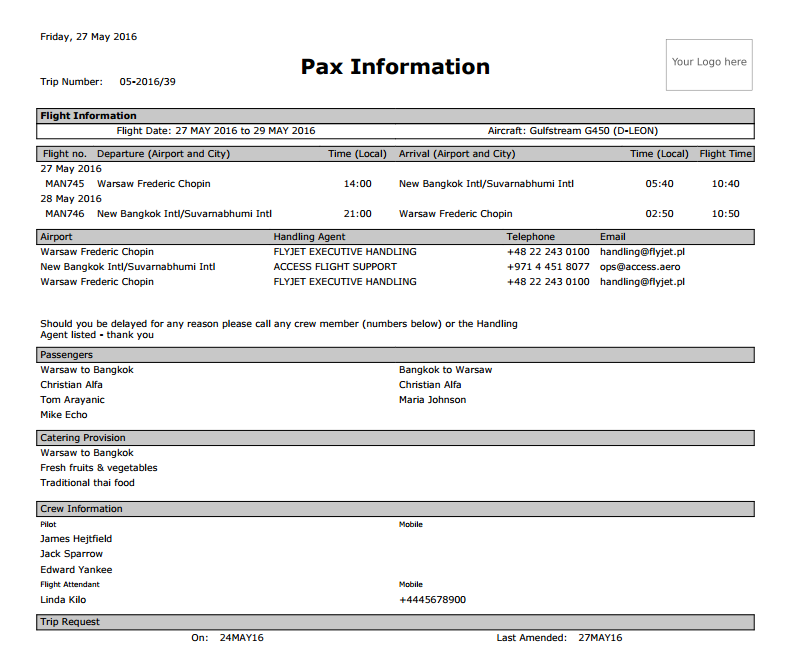
Some operators require an extra document for their passengers with a brief information about the upcoming flight.
The document includes:
-
Trip number
-
Flight information: flight date and aircraft type & registration
-
Airport information & schedule times
-
Airport handling details: agents names & phone numbers
-
Passengers details: for all sectors
-
Catering provision
-
Crew information: names, functions & contact phone numbers