

Leon now includes a Log Out From All Devices option, giving users and administrators greater control over account security by instantly invalidating all active sessions.
How it works
There are two ways to use this feature:
-
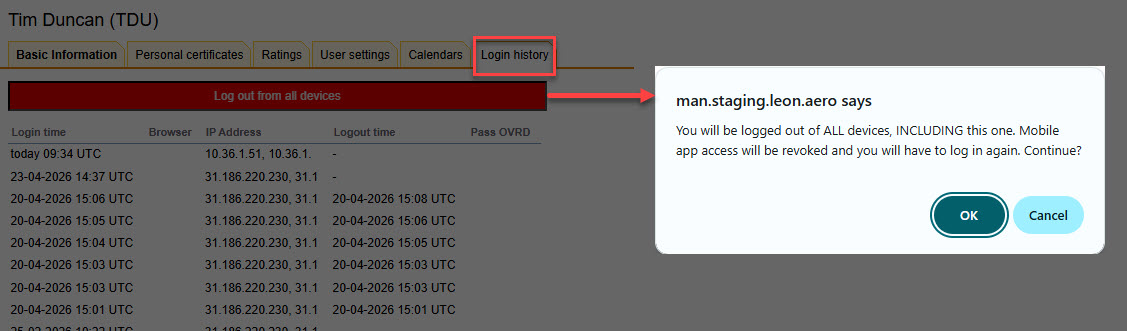
Self log-out — any user can log themselves out from all devices at once in the Own Profile > Login history tab. This immediately invalidates all active sessions, including mobile app sessions and any refresh tokens, ensuring no other device remains signed in.
-
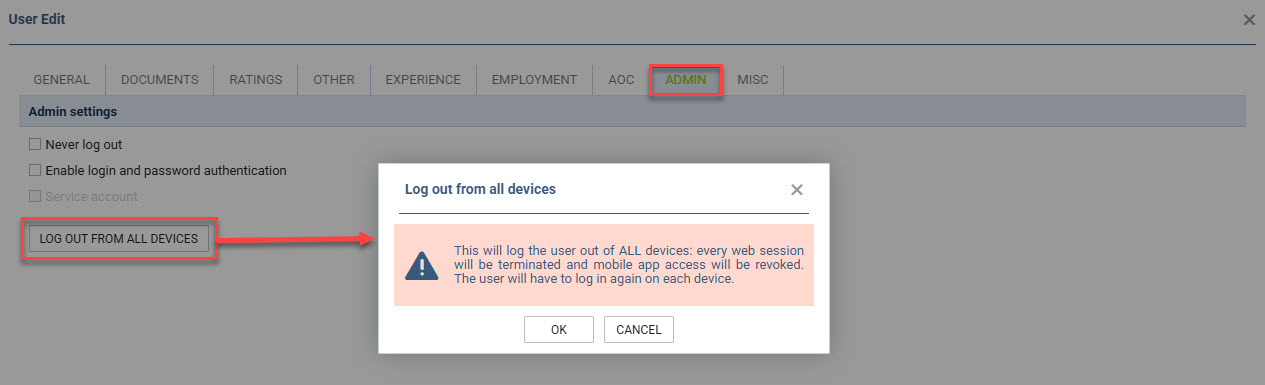
Admin log-out — administrators can remotely log out any other user in the system, terminating all of their active sessions instantly.
Why it matters
This feature follows industry security standards, including OWASP ASVS (requirement 3.3.3) and NIST SP 800-63B, which recommend that applications provide users with the ability to view and terminate all active sessions. It is particularly useful in situations where a device is lost or stolen, or when a user suspects unauthorised access to their account — a single action is enough to secure the account across all platforms.