

How it works
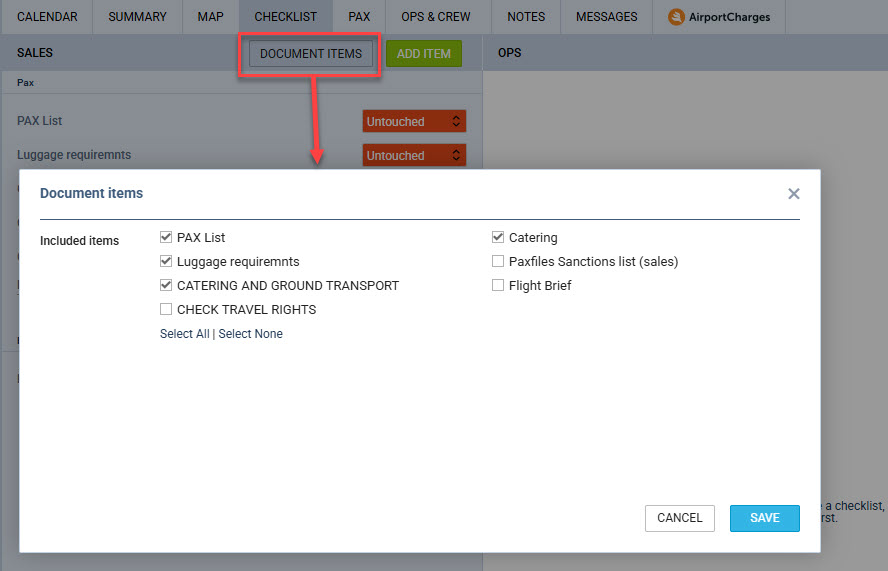
In the RFQ edit view, the Checklist tab contains a DOCUMENT ITEMS button. Clicking it opens a popup listing all available checklist elements — both Sales and OPS items. Each item has a checkbox allowing you to include or exclude it from document output.
-
By default, all items are selected (included in documents).
-
Unchecking an item removes it from the document data — it will not appear when the document is generated.
-
The selection is saved per checklist item per quotation, meaning each quote can have its own document item configuration.
Enabling the feature
The feature is disabled by default and must be activated in the Sales module settings.

When enabling it, a short description explains its purpose and notes that its behaviour depends on the document template being properly configured to support checklist filtering.
When the setting is inactive, all checklist data remains available in documents — there is no change to existing behaviour.
Historical documents
For historical quotations, Leon always evaluates the document item selection stored per quote, rather than the current operator-level setting. This ensures that previously generated documents continue to print exactly as they did before, regardless of any configuration changes made later.