

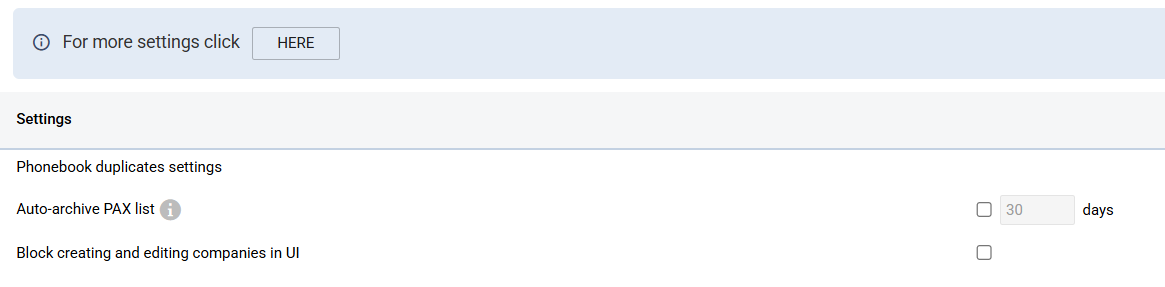
In this section, System Administrators can:
-
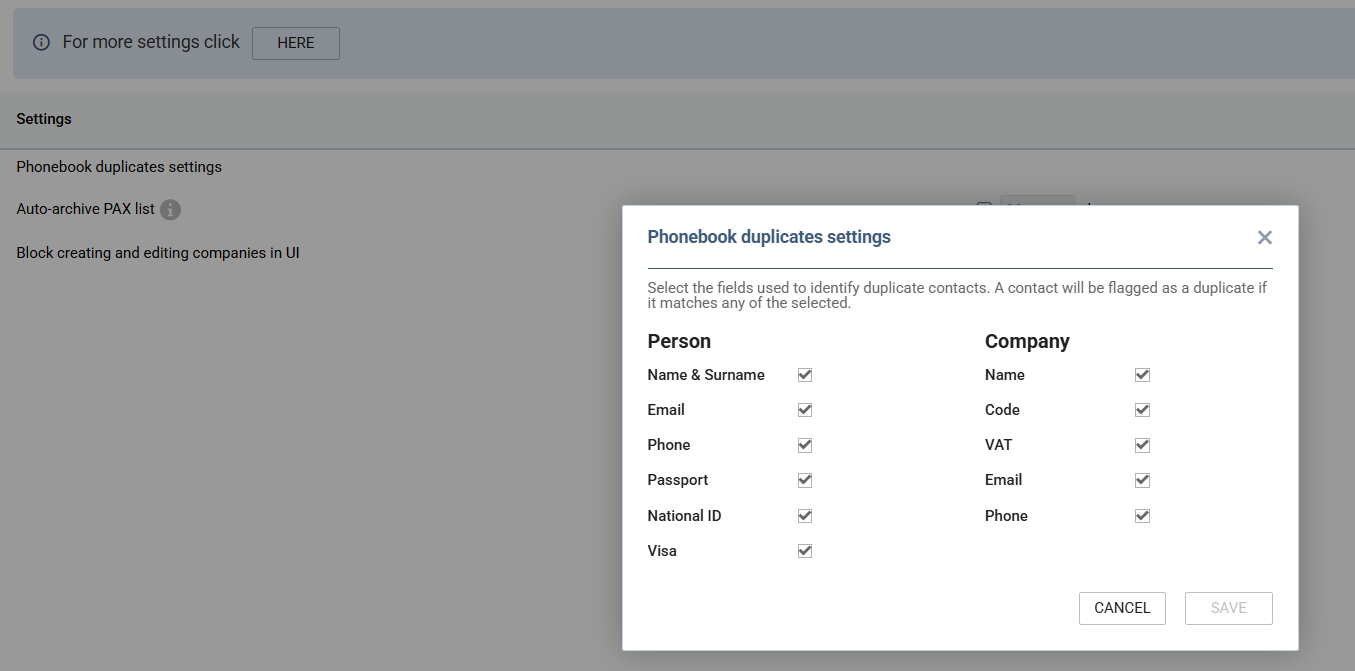
define the criteria based on which Leon should find duplicates of entries in the Phonebook for both Persons and Companies. Selection can be made by selecting checkboxes:
-
configure auto-archive PAX list:
-
Automatically archives passenger lists from flights older than the configured number of days (minimum 30).
-
Archived lists are retained and can be manually restored by users with the Pax restore permission.
-
Note: enabling this feature may affect external integrations such as MVT notifications and third-party systems that reference past flight data. Verify that your integrations can operate with archived data before enabling.
-
Please keep in mind that archived passenger data will also no longer be available to the Report Wizard. Reports that use detailed passenger information for older flights may be affected, though the passenger number remains accessible.
-
-
enable block creating and editing companies in UI:
-
When enabled, company profiles are managed only through external integrations, helping keep company data consistent between Leon and connected systems.
-
Users cannot create new Company contacts directly in Leon or Wingman.
-
For existing Company contacts, users cannot edit data in the Basic and Details tabs.
-
Company creation and updates through API integrations remain allowed.
-
This restriction applies only to Company contacts and does not affect Person contacts.
-
By clicking HERE in the upper-left corner of the view, the user will be transferred to General Settings → Phonebook.