

Eurocontrol is an international organization working to achieve safe and seamless air traffic management across Europe. Eurocontrol works with national authorities, air navigation service providers, civil and military airspace users, airports, and other organizations. Its activities involve all gate-to-gate air navigation service operations: strategic and tactical flow management, controller training, regional control of airspace, safety-proofed technologies and procedures, and collection of air navigation charges. For more information, please visit Eurocontrol website.
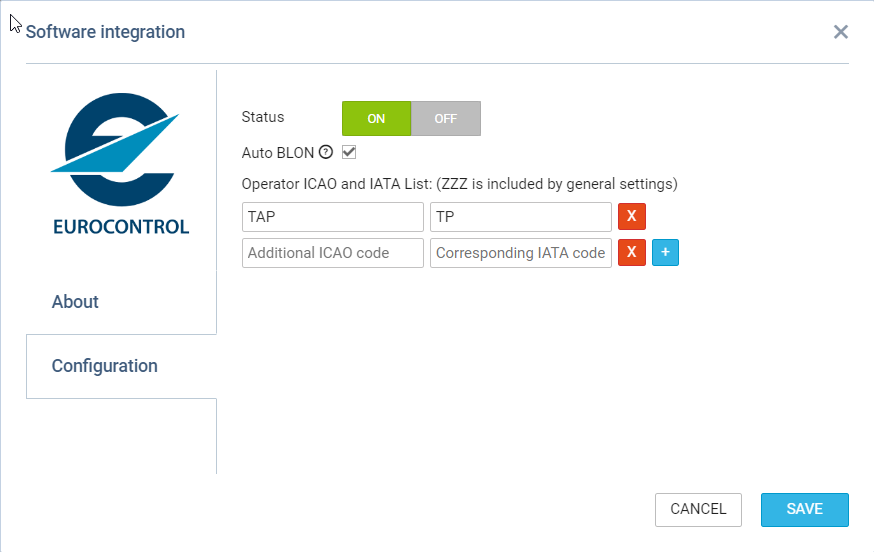
In order to integrate with Eurocontrol, you have to switch the Status to ON and save changes. If the Operator ICAO code in the ‘Settings > General Settings’ section is the same as registered with Eurocontrol, the integration will be completed upon saving changes. If the ICAO code in Leon doesn’t match the one registered with Eurocontrol, you will see an error message saying “Operator ICAO not recognized by Eurocontrol”.
Operator’s ICAO designator must be included in the flight plan’s item 7 (Aircraft Identifier), or item 18 (Other Information), sub-field OPR/. In the second case, no other remarks should be added in the OPR/ sub-field, besides the ICAO designator.
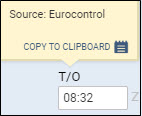
When the integration is completed, Flight Watch in Leon will start receiving flight times from Eurocontrol servers. You will recognize them by opening a Flight Watch and hovering the mouse over the time value, as shown in the screenshot above. Eurocontrol will only send CTOT, ATD, EET, ETA and ATA times plus the PAX number.
In the configuration of Eurocontrol it is possible to enter multiple operator ICAO and corresponding IATA codes by clicking on 
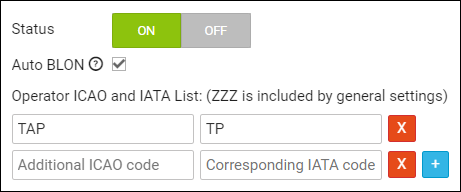
This will enable connecting operators performing the flights on behalf of another operator to the Eurocontrol movement tracing by comparing both codes. For example, if Operator MAN services the flights starting with TP for Operator TAP, inserting TAP/TP in relevant fields in the settings will allow tracing MVTs for the third party Operator.
It is also possible to use that integration with aircraft operated privately, without the operator declared in the FPL. In such case, go to the fleet settings, and tick the checkbox “Enable Eurocontrol tracking (private flights)” - if enabled and if Eurocontrol integration is activated, then flights of this aircraft will be tracked by Eurocontrol integration, regardless of whether the flight is identified by the flight number including the operator’s ICAO designator, or by the aircraft registration. Moreover, if you use IATA codes in your flight numbers, ensure the IATA code field in the General Settings is filled.