

In this section, you can set up an integration with PPS. PPS is a pc-based Flight Planning software for private and commercial business aircraft operators, regional/charter/cargo/national airlines as well as military/utility operators.
The PPS Flight Planning system gives a dynamic data feed of schedule changes, aircraft changes, load data etc.
Leon sends the following data to PPS:
-
Aircraft registration,
-
Flight number,
-
ICAO flight type (S/N/G/M/X),
-
ADEP,
-
ADES,
-
ALTN,
-
ALTN2,
-
STD,
-
STA,
-
PAX number,
-
Male (number),
-
Female (number),
-
Child (number),
-
Infant (number),
-
Cargo (mass of cargo),
-
Ref Number (a reference number that the scheduling software can use as its internal key to the flight).
Crew positions which are sent from Leon to PPS are (Leon position = PPS position):
-
PIC by default CPT = PIC
-
SIC by default FO = FO
-
FA1 = CA1
-
FA2 = CA2
-
FA3 = CA3
-
FA4 = CA4
-
FA5 = CA5
-
FA6 = CA6
PIC and SIC are determined based on the crew position, and PIC selection in the crew list on the flight. By default, the CPT is the PIC. However, if someone with a lower position is assigned as PIC, the CPT will be considered to be the SIC, thus transferred to PPS as FO.
All other crew positions in Leon can not be sent to PPS due to PPS’s API being unable to recognize them on their side.
Integration between PPS and Leon comes down to feeding schedules as well as some basic data such as cargo, number of PAX, and Sex of PAX (if filled in in Phonebook) from Leon to PPS. The advantage of being integrated is that you do not have to re-enter the schedule in PPS.
Two details are transferred back to Leon:
-
FPL status in AMEXSY will be shown OPS checklist, item ‘PPS CFMU’
-
CB status from PPS will be shown in the OPS checklist, item ‘PPS Crew Briefing’. The status can be ‘None’ or ‘Uploaded’
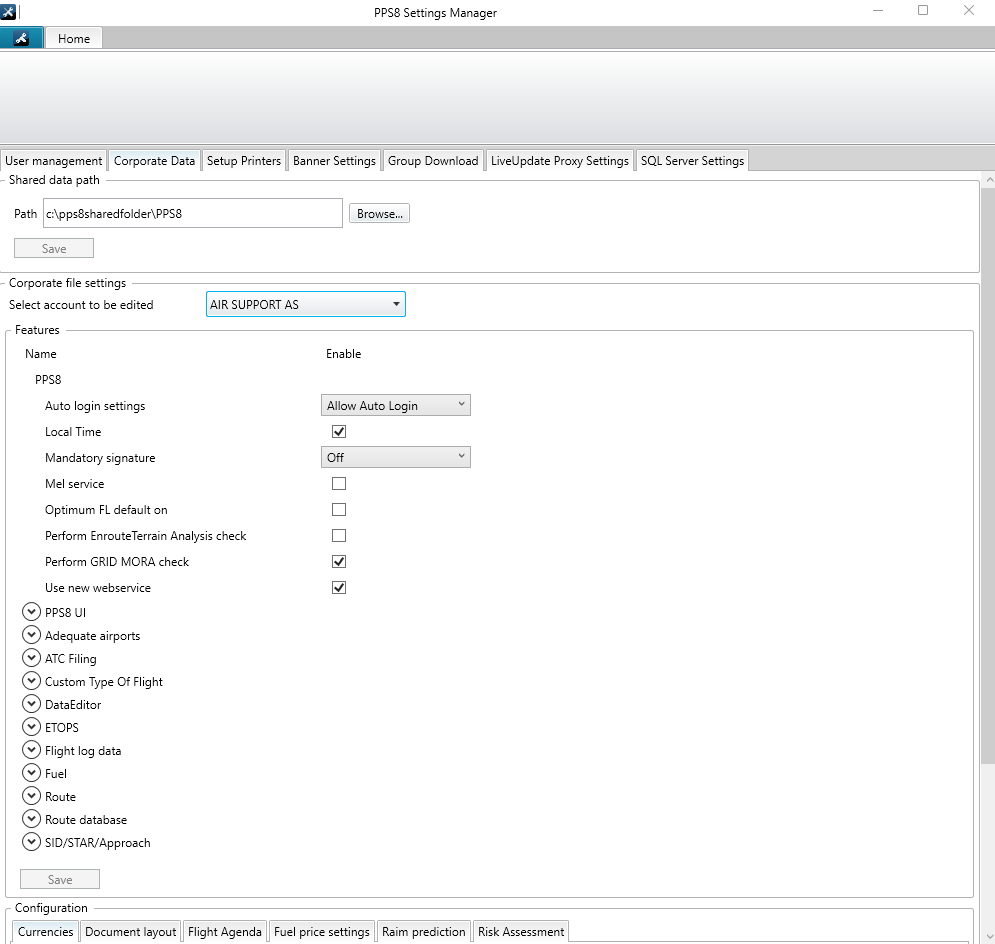
Before enabling this option you need to contact support@airsupport.dk and request a special login, password and PPS name for integration with Leon, which then needs to be inserted into Leon. Please make sure that in PPS8 Settings Manager, in the tab ‘Corporate Data’, the checkbox Use new web service is enabled.
If your organization is dispatched by another operator using PPS and Leon, you need to make sure that the dispatcher also has Use new web service enabled. Otherwise information like fuel values might not be sent properly to Leon.
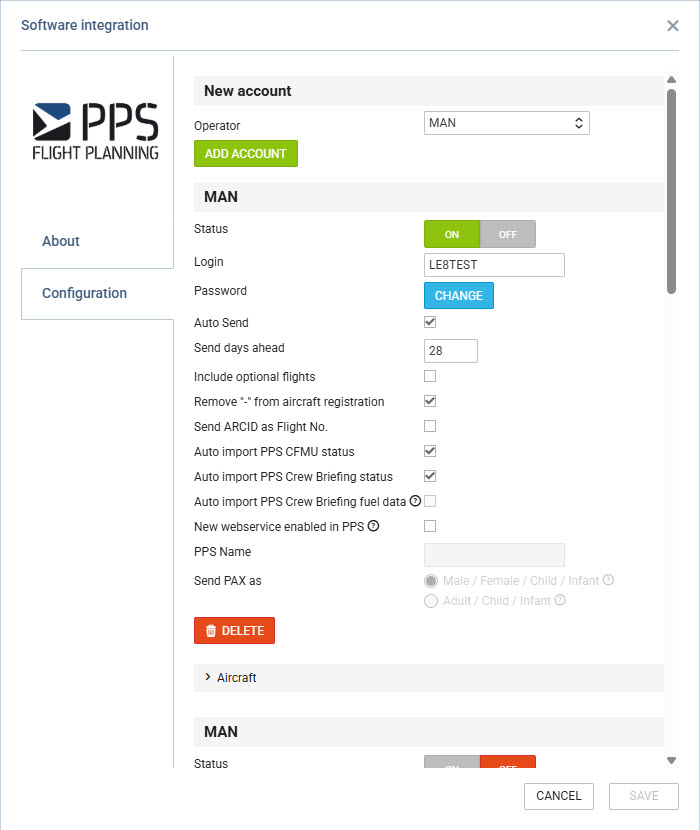
Click an icon ENABLE and once a pop-up window shows up click your operator code. Insert previously received login & password (CHANGE button) and save. If you don‘t want flights to be sent out automatically to PPS unmark a checkbox ’Auto Send’. Otherwise, Leon will forward the flights to PPS every 5 minutes.
You can decide if you want all aircraft to be sent to PPS or only some particular ones - open a section ‘Aircraft’ and unmark tails which should not be sent to PPS.
Sending documents to CrewBriefing in PPS option is also available in Leon - you can read about it in THIS chapter of Leon manual.
If you have exported a flight from Leon to PPS again (after having made changes to it) - that flight will overwrite the previously sent one.