

PnrGo is a one-stop software solution that automates the data compliance process for:
-
API (including interactive API)
-
PNR
-
international sanctions screening
-
various travel authorization programs (such as TSA Secure Flight, Canadian iAPI/AirExit/PPP, UK UPT, or EES and ETIAS)
-
PNL (charter operators).
How it works
Once activated, PnrGo continuously monitors your flight schedules and movements in Leon Software. All required flight, pax and crew data is pulled directly from your Leon account and processed automatically to ensure compliance with the applicable regulations. This may involve e.g. a data transfer to a relevant authority, or sanctions screening of your passengers, crew, and aircraft. Every change to flight, crew, or passenger data – including movements – is automatically propagated to PnrGo in real time.
The status updates from PnrGo are visible within your Leon account, and you can find them through additional “items” on the OPS checklist panel – each item will appear automatically once the data is synchronized. Additionally, email notifications are sent to ensure you won’t miss any important information.
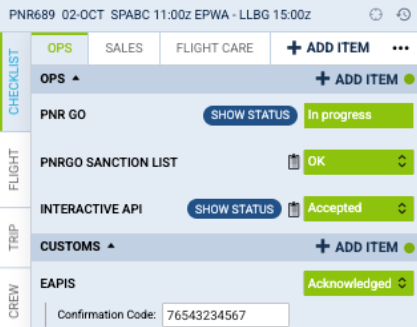
The following items in the Leon checklist are automatically updated based on PnrGo statuses:
-
“PNR GO” – displays the current status of each planned submission, allowing users to track whether PNR or API messages have been successfully sent and processed.
-
“PNRGO SANCTION LIST” – shows the result of the vetting process for each passenger and crew member, indicating whether any individuals appear on international sanction lists.
-
“INTERACTIVE API” – reflects the outcome of Travel Authorization checks for countries that require pre-approval prior to departure or arrival. This ensures compliance with entry and exit requirements specific to each destination.
-
“EAPIS” – confirms the submission of Electronic Advance Passenger Information (eAPI) and provides the corresponding confirmation code received from the border authorities.
How to integrate
To activate any PnrGo services, you must first be a PnrGo customer. Please contact the PnrGo team to begin the onboarding process.
You will receive an email with an activation link to connect your PnrGo account to Leon Software. This link will take you to your Leon account, where you need to consent to PnrGo accessing specific data within Leon Software. Your consent is required to generate the API Key. To grant consent, you need to log in to the account with the administrator's credentials [Admin - system].
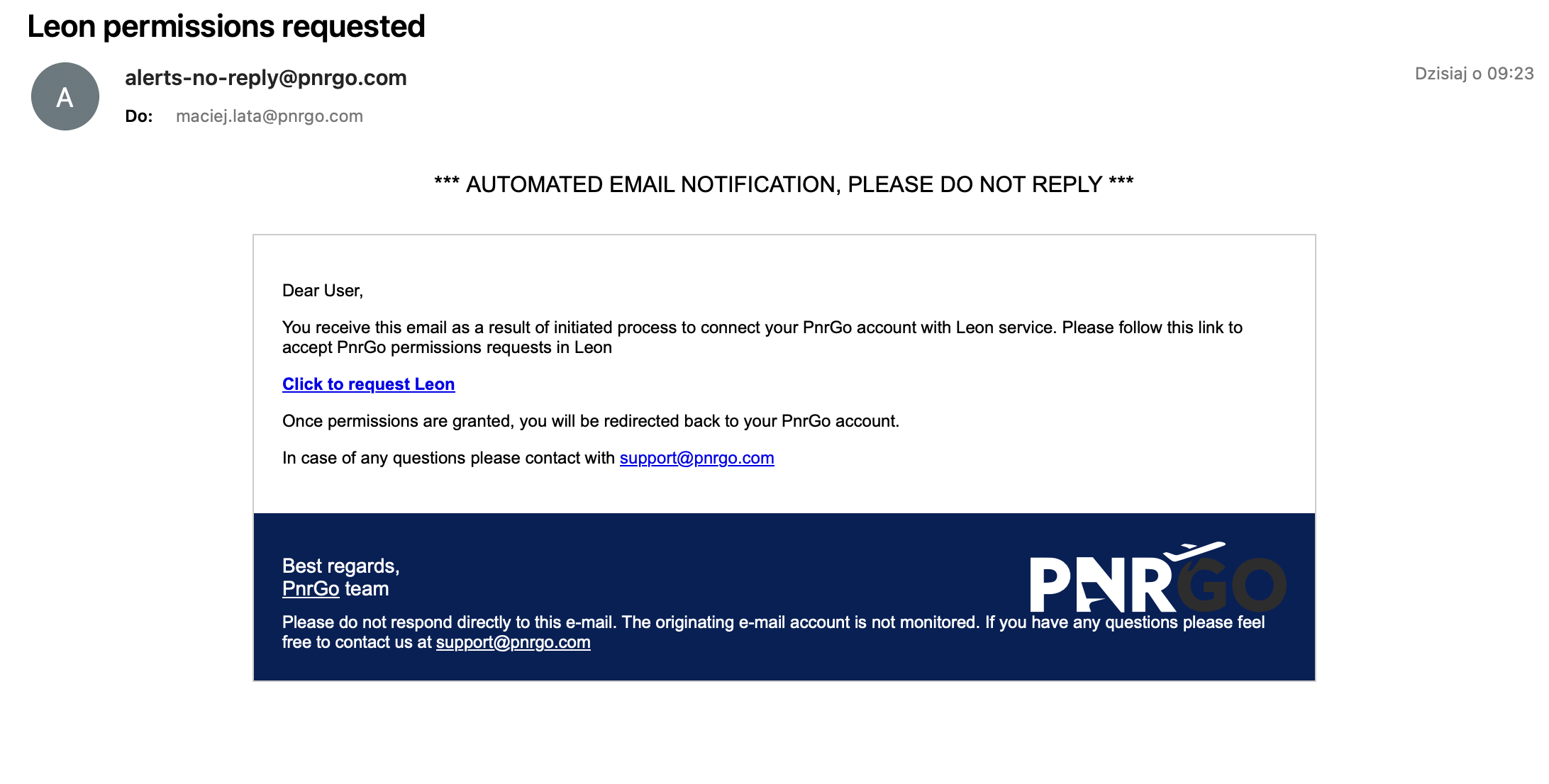
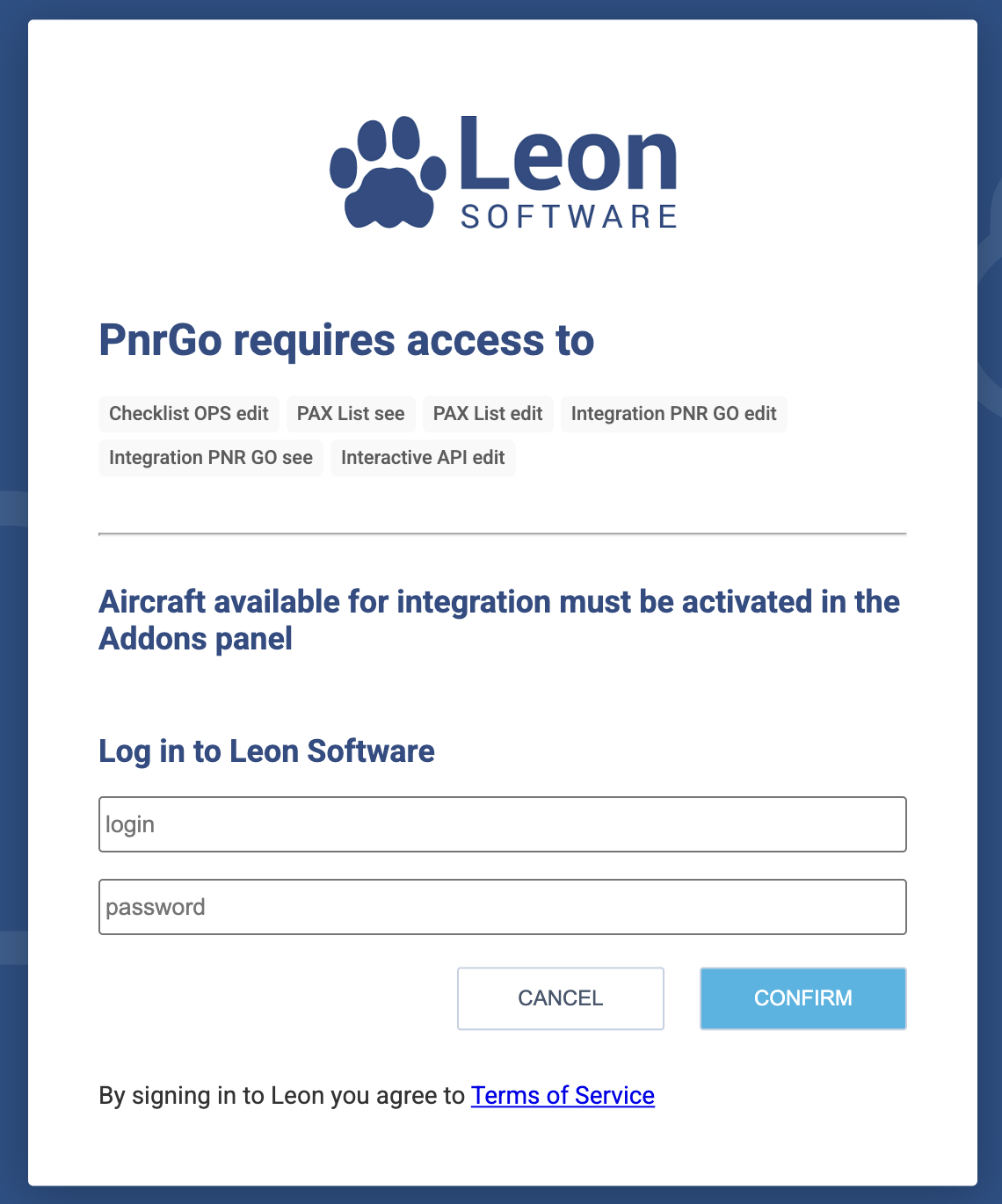
After completing the task, the integration is established. From now on, your Leon Software account is integrated with your PnrGo account.
More information
During the onboarding process, your team will receive a training session and a Quick Guide document. These will outline the key rules governing the integration between PnrGo and Leon, ensuring that the PnrGo system functions automatically in the background of your operations.
For further details, please visit the PnrGo website, or arrange a meeting with their team.