

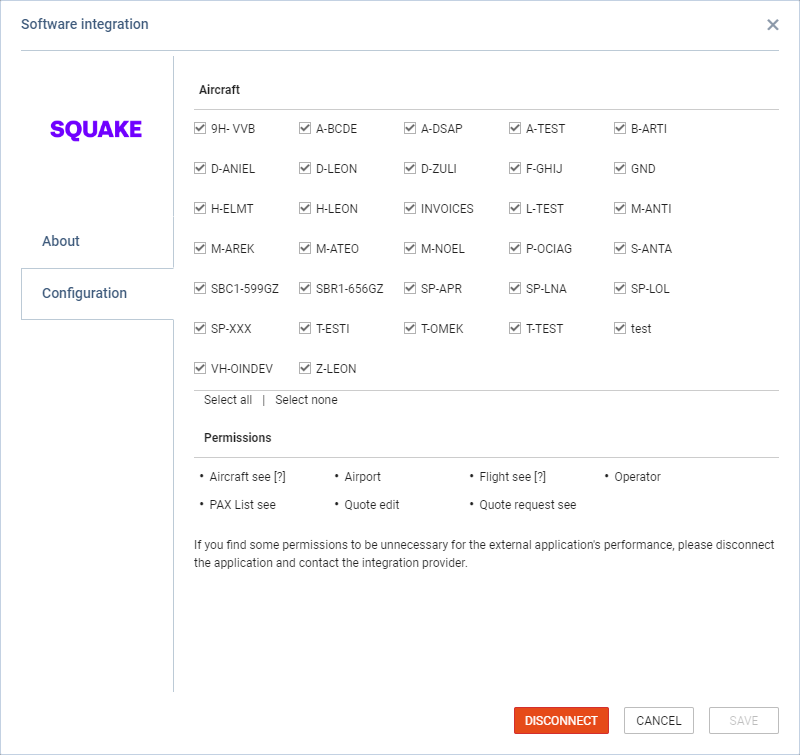
There are also integrations created by third-party providers.
These types of integrations are programmed and activated by third-party integrators.
The type of data provided to the third-party integrator is listed in the Permissions subsection of the ‘Configuration’ tab.
If some of the permissions are unnecessary for the external application’s performance, the Operator can disconnect the application and contact the integration provider.
How Does the Integration Work?
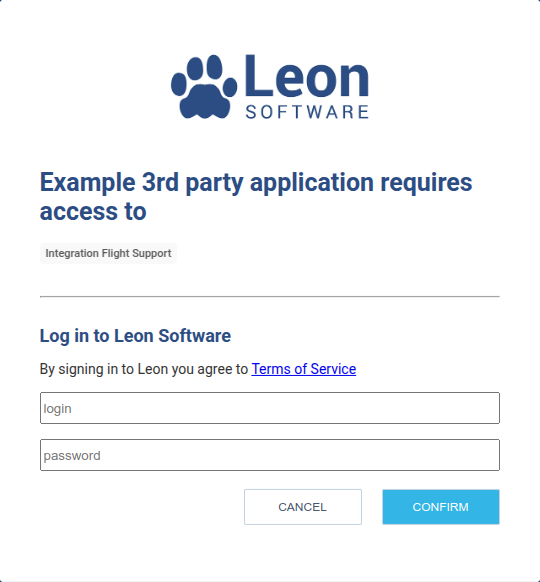
Third-party providers can create integrations with Leon using the OAuth 2.0 Authorization Code Grant flow. From a Leon user’s perspective, the process looks like this:
-
Request the Connection
-
The operator initiates the process by contacting the third-party provider and requesting a connection to Leon.
-
Ideally, the third-party application should offer a button or setting within its user or admin interface to start the integration process.
-
-
Authorization Request
-
The third-party provider supplies a special URL. When the operator’s admin clicks this link, they are redirected to Leon’s login page. This page displays:
-
Name of the third-party application requesting access
-
List of Leon resources the app wants to access
-
-
-
Review & Confirm
-
Carefully review the application name and requested resources.
-
If you’re unsure about the access scope or purpose, contact the third-party provider for clarification.
-
For additional support, please contact us via the Customer Portal.
-
-
Authenticate & Authorize
-
If everything looks correct, enter your Leon credentials and click Confirm.
-
Important: In most cases, only users with System Admin privileges in Leon can authorize third-party apps (except for personal apps like logbooks).
-
-
Integration Complete
-
After confirmation, you will be redirected back to the third-party application.
-
The app should now be successfully connected to Leon.
-
As the integration is developed and maintained by the third-party provider, they should be your first point of contact for any issues or troubleshooting related to the connection.