

CREW PANEL
We have introduced further developments to the Crew Panel section.
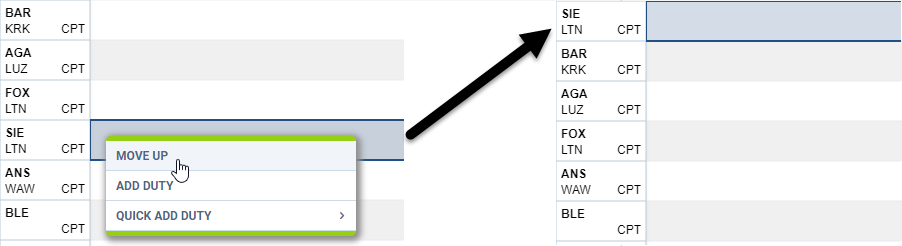
‘Move up’ function
This functionality allows you to move a selected Crew member to the top of the Crew List.
To use this function you need to click on the calendar tile and select ‘MOVE UP’ option, as per screenshot.
It is possible to move up a number of crew members, one at a time. The Crew members will then display by the selection order in which they were moved.
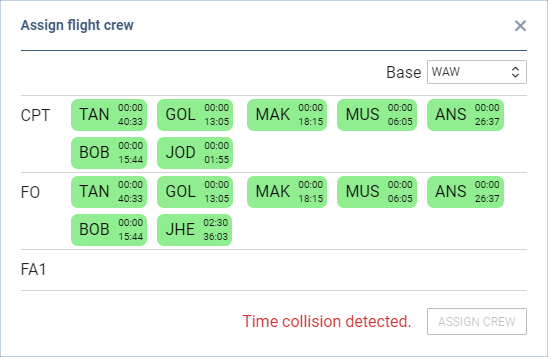
‘Discontinuity’ and ‘Time collision’ warnings
Leon will now display 2 types of warnings in the assign crew pop-up window:
-
Discontinuity detected - if you try to assign a crew member to 2 flights with the airport discontinuity between the sectors. This is to suggest that the positioning needs to be added
-
Time collision detected - if you try to assign a Crew member to 2 flights that are overlapping each other
Improvements to the Crew Tiles
When assigning crew to the flights, Leon recalculates the FTLS’s.
Leon also will suggest FTL calculations by highlighting the crew tile with the following colours:


Leon displays block times within the crew tile, the top figure being monthly block time and the bottom figure being the yearly block time.