

Wizard Report new options
Table of Contents
We have added a few new options into the Wizard Report: creating & saving personal reports and disabling the access to them to other users, creating positioning reports separately as well as new columns & new filters.
Personal reports
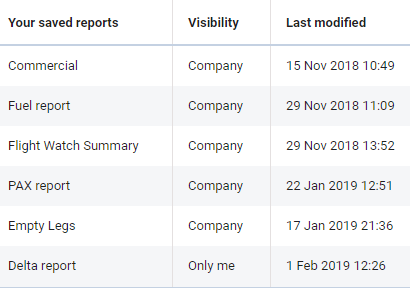
Each Leon user who has the access to the Wizard Report is now able to create and save a report to which no other user will have access.
After creating the report, right next to the field where the report can be named/renamed there is a checkbox 
If the checkbox is unmarked all users will see the report and will be able to view it BUT will not be able to make changes to it (SAVE button will be inactive).
On the main Wizard Report page, in a column Visibility each user can check which reports have been enabled to all users (indication ‘Company’) and which ones are blocked (indication ‘Only me’).
Positioning reports
When adding a new report, Leon will show a pop-up window where you will need to select a Scope: either ‘Flight’ or ‘Positioning’.
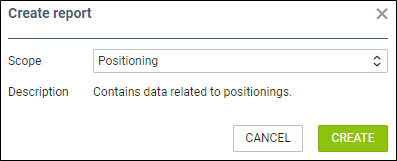
By selecting a scope ‘Posiotioning’ you will get date related to positionings ONLY, so both: columns & filters options will be narrowed down.
New columns & filters
Columns
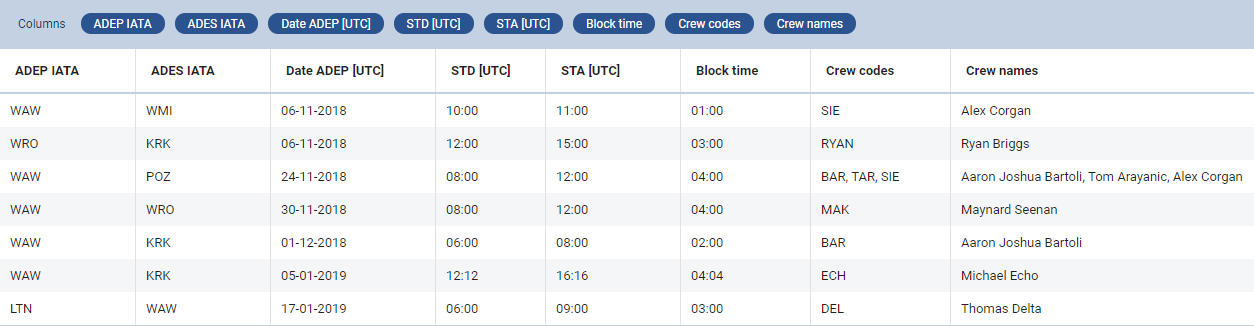
We have added new columns into the left filter of the Wizard Report:
-
CO2 Emission
-
Payload/Distance
-
Crew codes
-
Crew names
-
PAX names
-
Flight Log
-
Landing No.
-
STD (UTC & LT)
-
STA (UTC & LT)
-
Positioning crew
Filters
Click the filter icon 
-
Airport - select one or more airports to get all flight from/to selected airports.
-
**ADEP/ADES Country [Plan or JL] - select ADEP and/or ADES country to get all flights from/to selected countries (either by Plan or JL).
-
Crew members - insert crew name or a code to view all flights performed by the crew (you can filter by more than one crew).