VISAS
It is now possible to add visas to PAX & CREW profiles. Details of visas can get displayed on documents, such as: Trip Sheet or GenDec.
Adding visas to PAX & CREW profiles works in the same way - they must be inserted to previously added passports. You can add multiple visas to one passport.
First step is editing PAX or CREW profile and clicking a button 
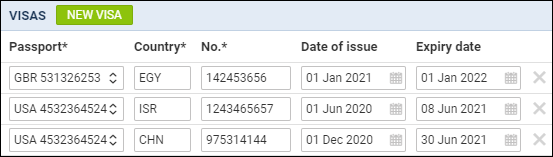
Second step is adding details, as displayed on the screenshot:
-
Passport - select a passport to which a new visa should be added.
-
Country - select a country which concerns the visa.
-
No. - insert visa’s number.
-
Date of issue - insert visa’s date of issue.
-
Expiry date - add visa’s expiry date.
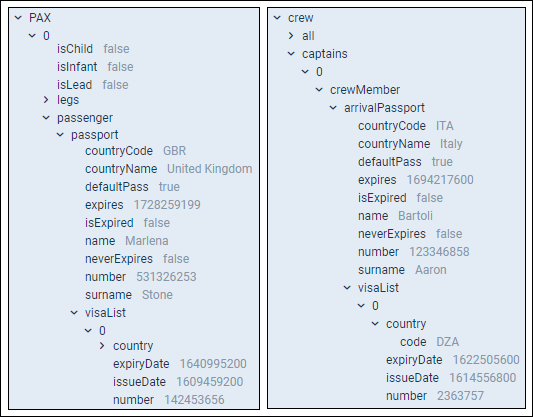
Adding details of visas to OPS documents (Trip Sheet and Gendec), can be obtained from Documents Manager panel, by using items under visaList.