

Multiple Positioning sectors

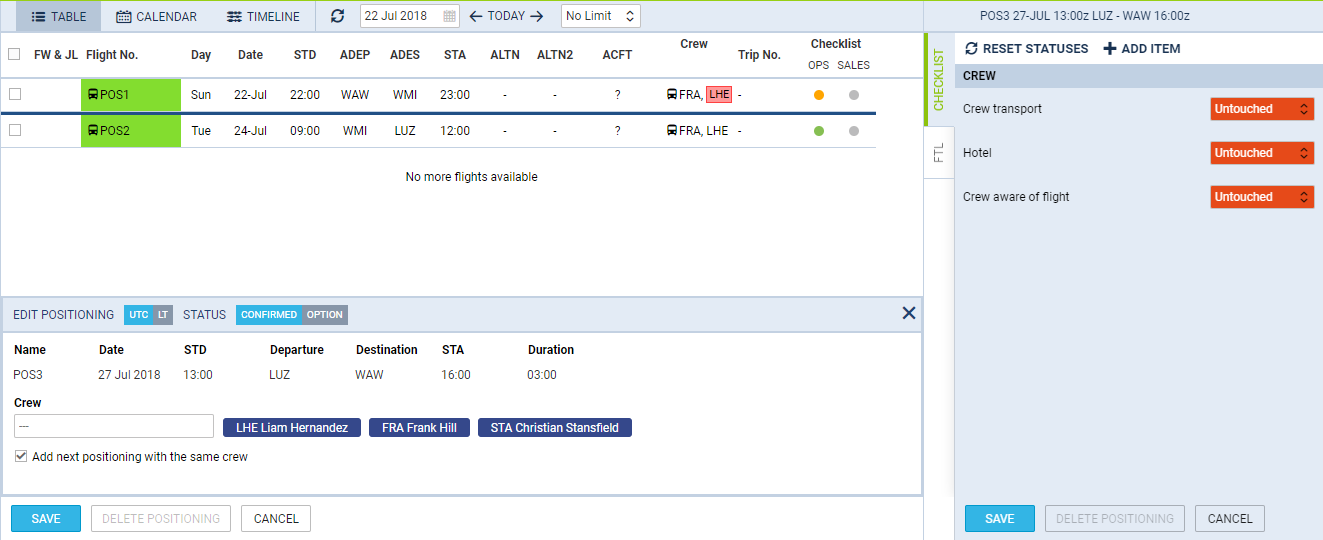
To add multiple Positioning sectors you have to:
-
Click on ‘NEW POSITIONING’ button and start inserting the details of the positioning as you normally would, including the crew.
-
Make sure that

-
Click ‘SAVE’ to finish the process of adding the first Positioning sector. Leon will save the first sector and automatically populate the ‘NEW POSITIONING’ entry for the following sector with the existing Crew assigned. You can add or remove Crew at any time. The checklist on each new Positioning will reset to

In order to save the last Positioning, untick the checkbox and click on ‘SAVE’. If the last Positioning has already been added and the “NEW POSITIONING’ window populated, just click on ‘CANCEL’.
It is not possible to add extra positionings to the ones that are already saved. In such case you need to add new positioning and follow the process.