

Planned Flights
Table of Contents
We have updated squares colours in Planned Flights view in Leon.
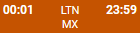
The most notable change is the colour of Maintenance:
-
-

-

IMPORTANT INFORMATION !
** In the future releases of Leon, striped background will be implemented to all kinds of Options including Flight Option, Reservation Option.**
With regards to other rectangles, the colour codes are as per below:
-

-

-

-

-

Calendar view in SCHEDULE
We have also made some changes to Calendar view in Leon.
Change of colours
Similar philosophy to Planned Flights view applies to Calendar view in Schedule section of Leon.
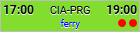
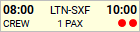
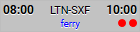
The colour coding is as follows:
-
-
-
-
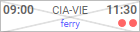
-
-

-
-
-
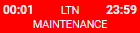
Possibility to select numerous legs of the same trip
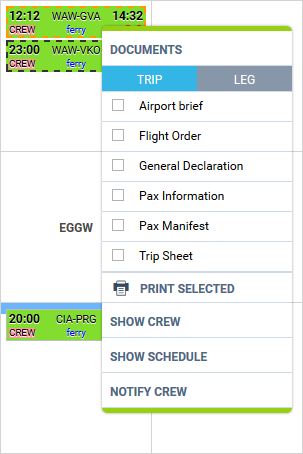
It is possible now to mark number of legs of the same trip in Calendar view. It will allow you to print flight documents, and use additional options such as Show crew and Schedule as well as Notify Crew, for these particular selected legs.
In order to select multiple legs you have to hold the Ctrl button and click on the flights of your choice. As you can see in the screenshot all the selected legs will display with the dotted line.
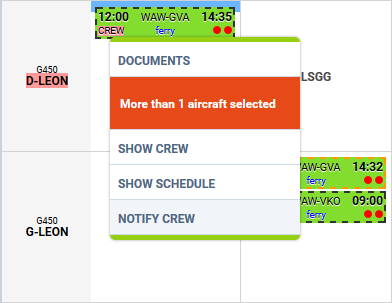
If you try to print documents for the flights assigned to 2 different aircraft, Leon will display error message:
Other minor changes
-
Apart from scrolling Calendar view by using the side and bottom scroll bars, now you can also “drag & drop” the screen.
-
We have also changed the number of lines in the squares from 3 to 2: