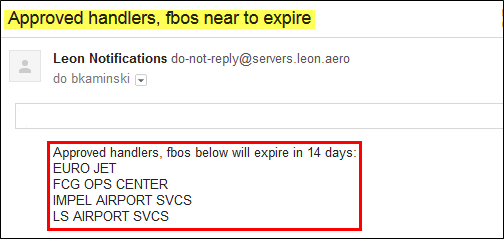
It is possible now to set the approval date of the handling agents or FBOs in Leon. Leon will send an email notification at 00:00 every day to the inserted email address, if the expiry date has passed.
Go to the section $$Admin$$ > $$Operator Settings$$ > $$General$$ and at the bottom insert & update 1 or more email address (see below).

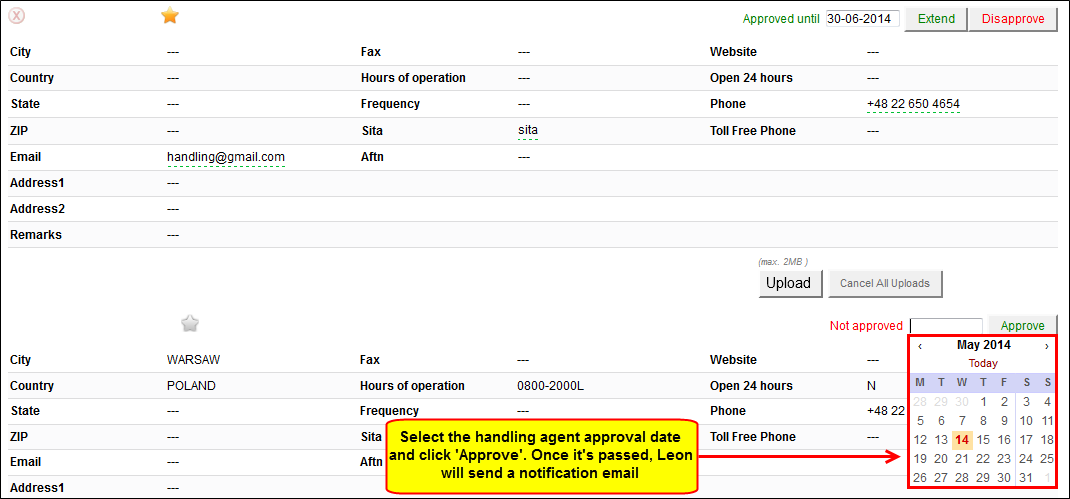
Now go to $$OPS$$ > $$Airport Directory$$, enter the airport code and edit it. In the section FBO or Handling click in the field next to ‘Not approved’ - a calendar will show up where you need to set the approval date and click ‘Approve’.
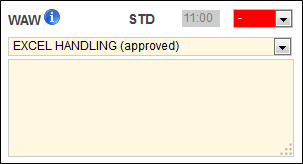
When you add a new flight to a particular ADEP/ADES and the selected handler (either by default if marked as favourite, or manually) has the approval expiry date set, in ’Legs Info > Handling section you can see (approved) next to the handling agent’s name.
Leon will send the 1st email 14 days before the approval expiry date at 00:00 UTC, then each day at the same time until you extend that date in $$OPS$$ > $$Airport Directory$$ section.
Below you can see the example of the notification email.