SCHED new functionalities
Table of Contents
Aircraft selection
Once the schedule has been added in SCHED panel, you can select whether it should be published with the initially assigned virtual aircraft, or with the existing one.
Select flights (use Shift or Ctrl to mark multiple legs) and click the icon 
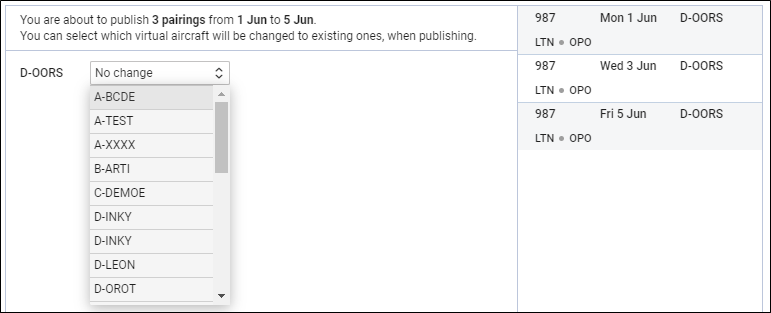
Once the schedule has been published with an existing aircraft, you will find it in OPS panel.

UTC/Base Time
Another useful option we have added to SCHED panel is switching between UTC and Base Time.
In ‘General Settings’ panel you can define Bases (and then assign aircraft and crew to particular Base).
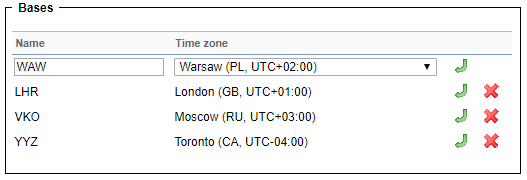
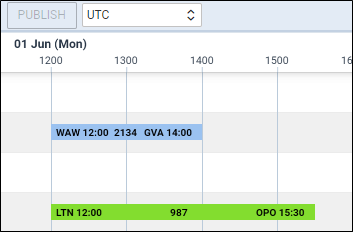
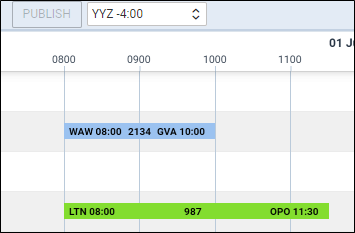
In SCHED main page, right next to the button ‘Publish’, you can find a drop-down box with the list of predefined Bases, as well as UTC (which shows by default).
When switching between Bases, Leon will show appropriate ADEP & ADES times on the flight-belt (see example below).
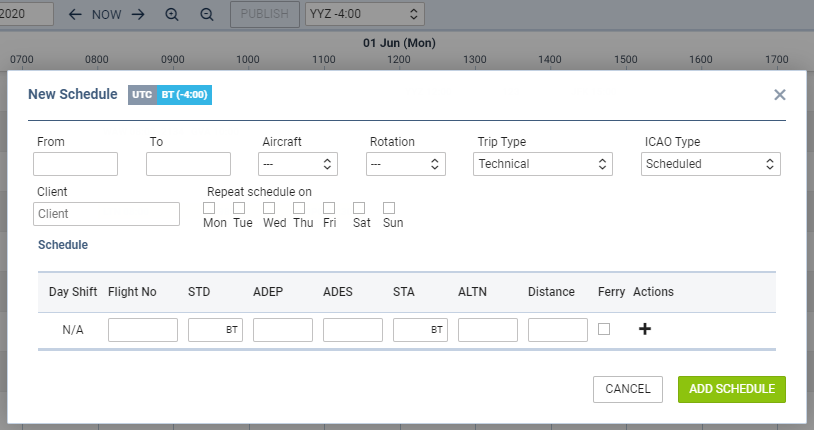
An option to select between UTC & chosen BT also appears when creating a 
A screenshot on the right shows an example, where a Base YYT -4:00 has been selected - when adding a new schedule Leon shows a possibility to choose between UTC & BT -4:00.
The same shows when you