In the section SCHEDULE you can add permits details to each leg.
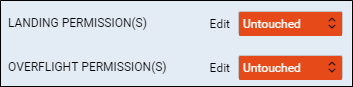
Open tab CHECKLIST (right-hand filter) and click ‘Edit’ in landing or overflight permission item.
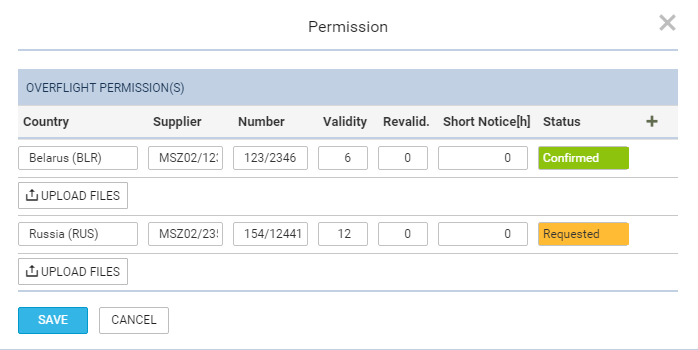
A new pop-up window will open where you can add permit/permits details, such as:
-
Country - click in the field to get the list of countries and select.
-
Supplier - type supplier details.
-
Validity - add how long permit is valid.
-
Revalid. - add if permit can be revalidated.
-
Short Notice - add if permit is valid for a short period of time.
-
Status - change the status accordingly.
You can add more than 1 permit by clicking +. To delete details click trash bin icon.
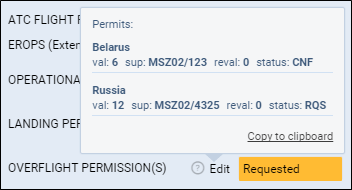
Once the permits details are added you can hover the mouse over the ‘?’ to view details.