

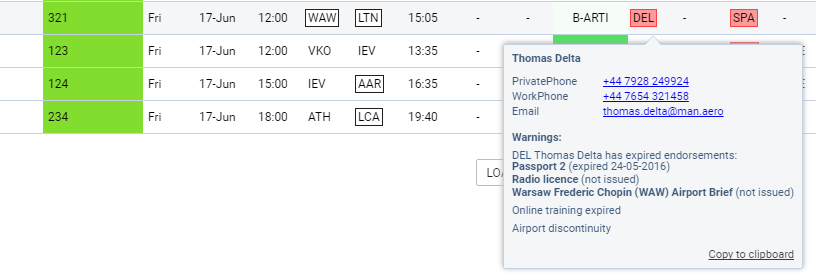
In a section SCHEDULE you can define in the left-hand filter (tab SHOW) what sort of warnings, cautions or notices should apply and displayed in the flights list.
Right now, when you hover the mouse over the crew code, Leon shows all details regarding all warnings/cautions or notices marked in the filter.
Leon still shows this information if you hover the mouse over the crew code even if checkboxes in the left-hand filter are unmarked.