

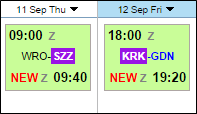
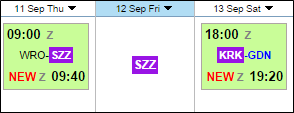
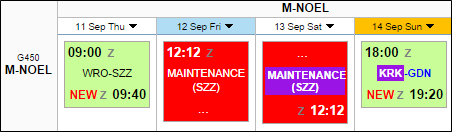
If there is discontinuity between STA & STD airports, Leon highlights codes of such airports in $$Planned Flights$$ section. The only requirement is you need to tick the checkbox ‘Show discontinuity’ in the filter.
-
Example 1 - Discontinuity between the arrival airport and the next day departure airport.
-
Example 2 - Discontinuity between airports, where there is base-airport (no duty day) also highlighted.
-
Example 3 - Discontinuity between airport of scheduled Maintenance and the departure airport.
IMPORTANT INFORMATION !
Flights or Scheduled Maintenance with the status ‘Option’ are not being taken into consideration when it comes to displaying airport discontinuity