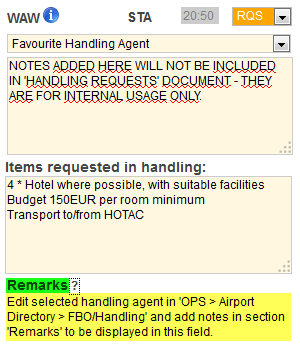
A field ‘Notes’ in $$Legs Info$$, tab FBO/Handling has been activated for the usage.
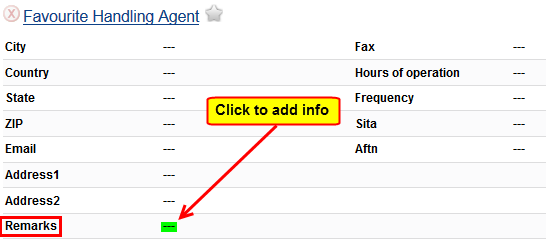
Edit selected handling agent in ‘$$OPS$$ > $$Airport Directory$$ > tab FBO/Handling’ and add notes in section ‘Remarks’ to be displayed in ‘Legs Info - Handling’, once you have selected that particular handling agent (see screenshots below).
-
Edit airport in ‘Airport Directory’, select handling agent in section ‘Handling’ or ‘FBO’ and add notes, that should appear in ‘Legs Info - Handling’
-
Go to ‘Legs Info - Handling’ - when a handling agent with previously added information in the field ‘Remarks’ is selected, that information will automatically appear in the field ‘Remarks’.