

History of uploaded files
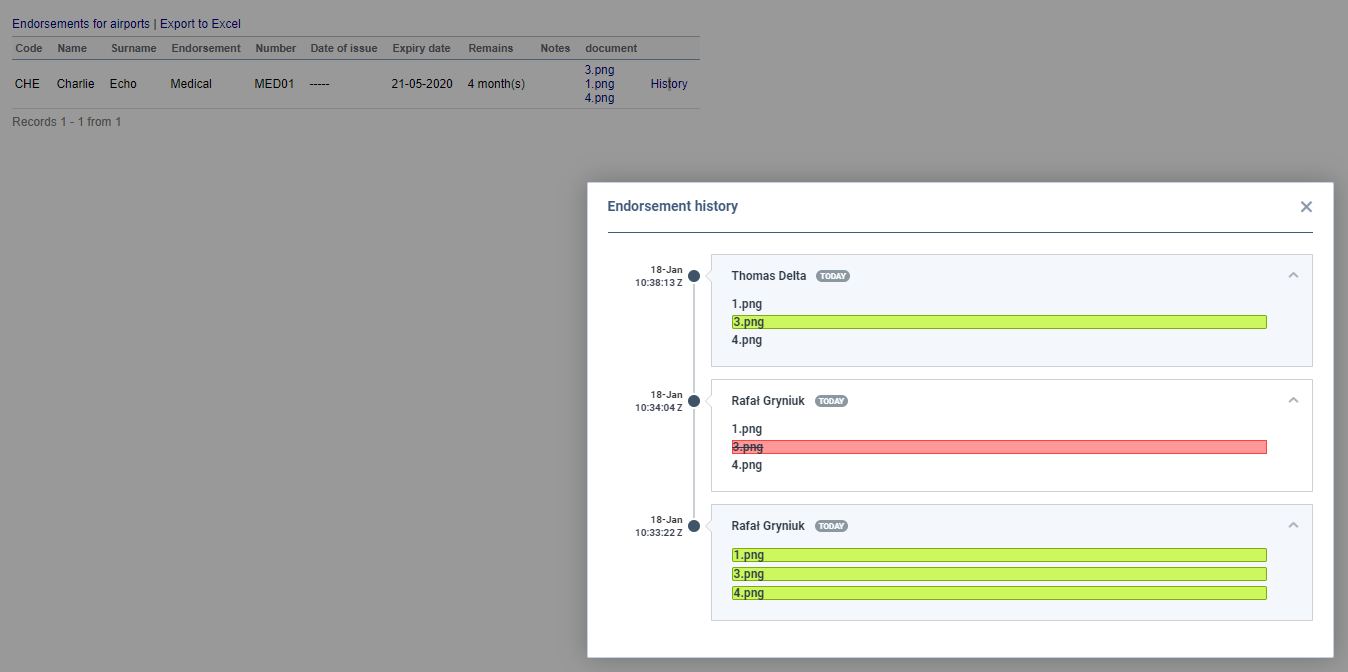
You can now access the history of uploaded files by clicking on the History link.
A pop-up window will open with the historical details of uploaded files containing the following information:
-
Person that made the changes
-
Time and date when the changes were made (in UTC)
-
Status of changes made to the file:
-

-

-

-
Clicking on the file name within the status (e.g.
If you enabled the opening of attachments in a separate tab of your browser, please make sure that you enabled pop-up windows.
IMPORTANT!!! The history of files applies as off ‘NOW’. It doesn‘t apply to the files uploaded in the past. The history of uploaded files is available both in ’Endorsements’ and ‘Endorsements for Airports’ sections.