

New in Requests/Quotes
Table of Contents
We added the following new features to the ‘Requests/Quotes’ section:
-
Editing the requester/representative in quote editing section
-
Default VAT rate per request
Editing requester/representative
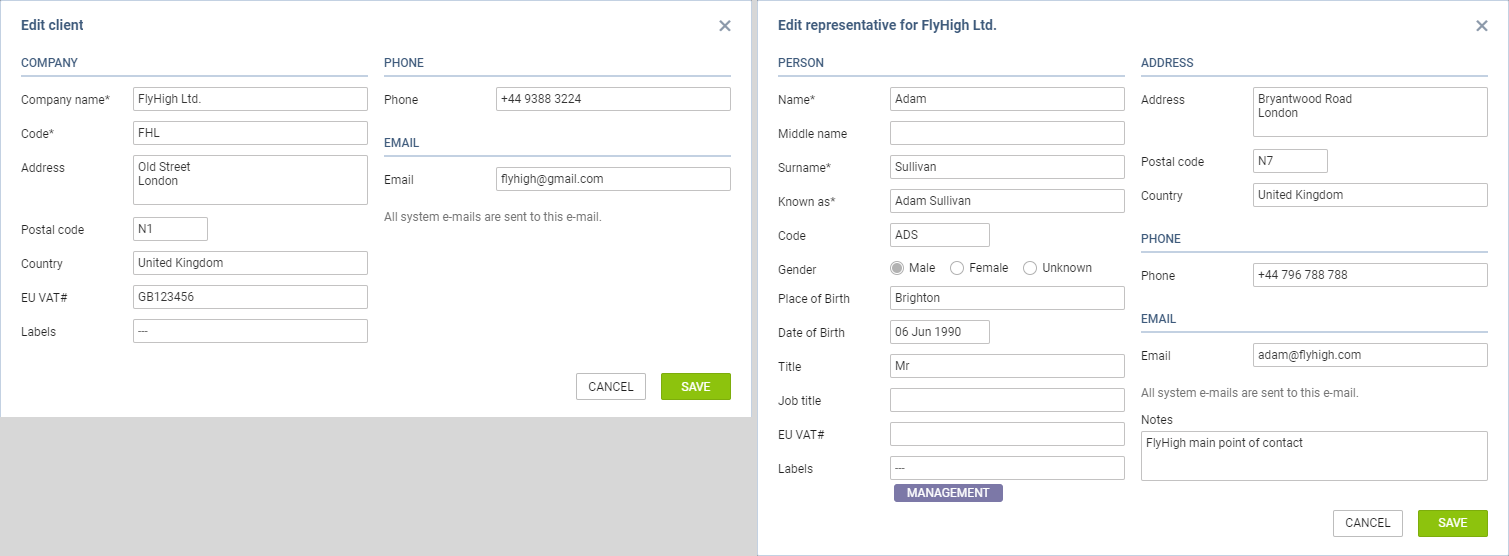
It is now possible to edit a requester/representative by clicking on 

Clicking on this icon opens editing pop-up window presented in the screen on the right-hand side.
The changes applied in ‘Edit requester/representative’ pop-up window will apply instantaneously.
Default VAT rate
It is possible to set up a default VAT rate in the main Quotation view in the ‘VAT’ box:

This rate will automatically apply to the default items in the Invoice section, including PAX taxes (UK, German, Swedish or Italian) and will increase the total amount by this rate.

It is possible to exclude the VAT rate from the calculations in the Invoice by simply deleting it.

The VAT rate, gross amount, as well as taxes amounts, are included in the available data for Sales documents (including Suncharter) in ‘Documents Manager’.