

Deleting Journey Log
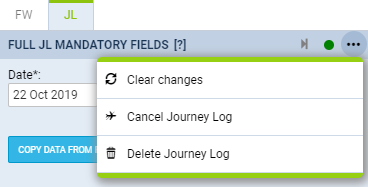
We have introduced the option to delete incorrectly inserted Journey Log.
To delete JL you need to click on 
-
Clear changes - clears data inserted in JL before it is saved. Useful when incorrect data is inserted in the JL and has to be cleared. Rather than clearing it from each individual field
-
Cancel Journey Log - cancels saved Journey Log. Cancelling the JL will clear the data as well as display the flight in CALENDAR view as cancelled
-
Delete Journey Log - allows deleting JL. Useful when the JL is inserted by mistake, for example, on the future flight. Deleting JL clears mistakenly inserted data as well as keeps the flight active