

SIMULATORS in OPS
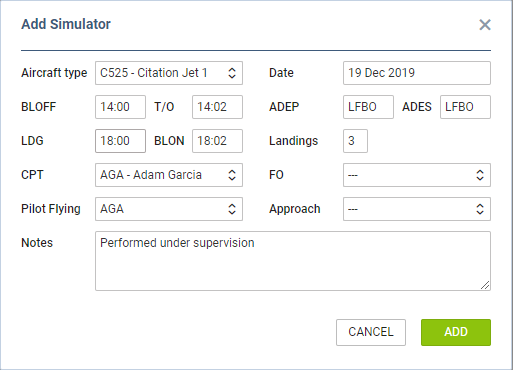
We have implemented a new way of adding Simulators in a section OPS. It works in a similar way to the one in a section ‘CREW PANEL’.
It is no longer required to add Simulator as a flight type ‘Simulator’ (in a tab TRIP) and then - once it’s done - to add Journey Log.
To add a new Simulator as the plan, click on 

Once the SIM duty is done you can add other details. such as: T/O, LDG, Landings, Pilot Flying, Approach and Notes and Leon will show SIM duty in OPS with the grey colour indication and green dot.

In order to edit the Simulator, you need to click on it and the pop-up ‘Edit Simulator’ window will appear. There, you can update the relevant details and save the changes.