

CTOT
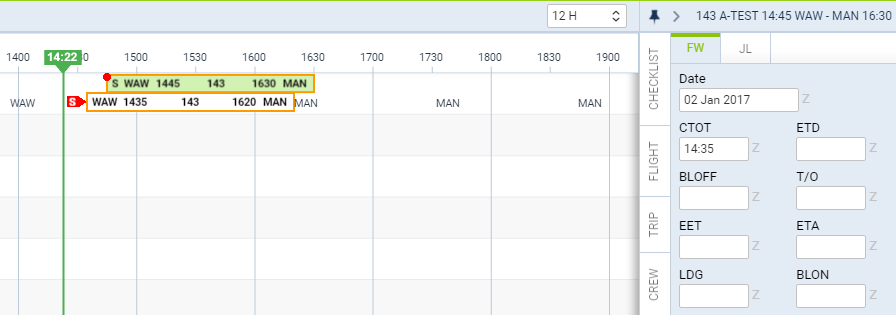
When adding CTOT value to the Flight Watch, in a section TIMELINE Leon shows an indication of the red ‘S’ (see the screenshot on the right).
On the flight-times belt you can see inserted CTOT - Leon moves the belt accordingly, depending on the CTOT value.
Once ETD or BLOFF is added, the red CTOT indication disappears.