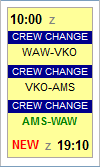
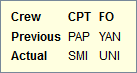
When viewing $$Planned Flights$$ section, Leon will inform you if there has been any crew change done on the flight. Moreover, when you hover the mouse over the 
The only requirement from you is to have a checkbox ‘Show crew change’ ticked in the filter.
Below you can see examples of how this feature works:
-
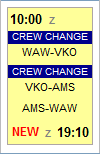
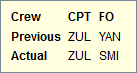
A new flight added - a ‘crew change’ belt - when hovering the mouse over it - will show the information about the previous crew (from the last flight on that particular aircraft) and actual crew (just added).
-
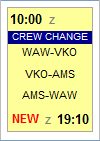
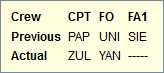
Crew changed on the 1st leg - an information will appear before the 2nd leg, showing the information about the initial (previous) crew and the changed crew.
-
Crew changed on the last leg - an information will appear before the last leg of the trip about the previous crew on that leg and the changed crew.