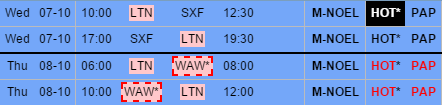
Before this change, you could edit FTL data and check duty followed by rest of … - which was the rest between the edited duty and the followed one.
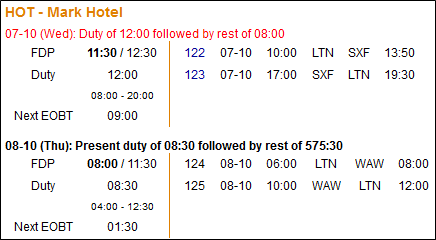
The problem was cases when the rest was too short between 2 trips, in the Flights List both trips were highlighted in red. On the example below, when you clicked alerted crew code on 08-10 there was no details - they were displayed on the flight on 07-10 (see screenshot above), which sometimes might have been confusing.
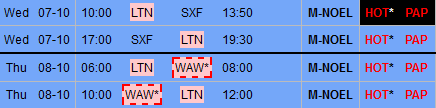
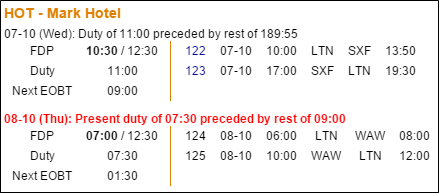
After the update Leon will show show duty preceded by rest of … - the rest between the edited duty and the previous one.
Also, in cases where the rest was too short between 2 trips, Leon will highlight crew only on the trip affected by too short preceded rest.