

REPORT WIZARD
The following features have been introduced:
-
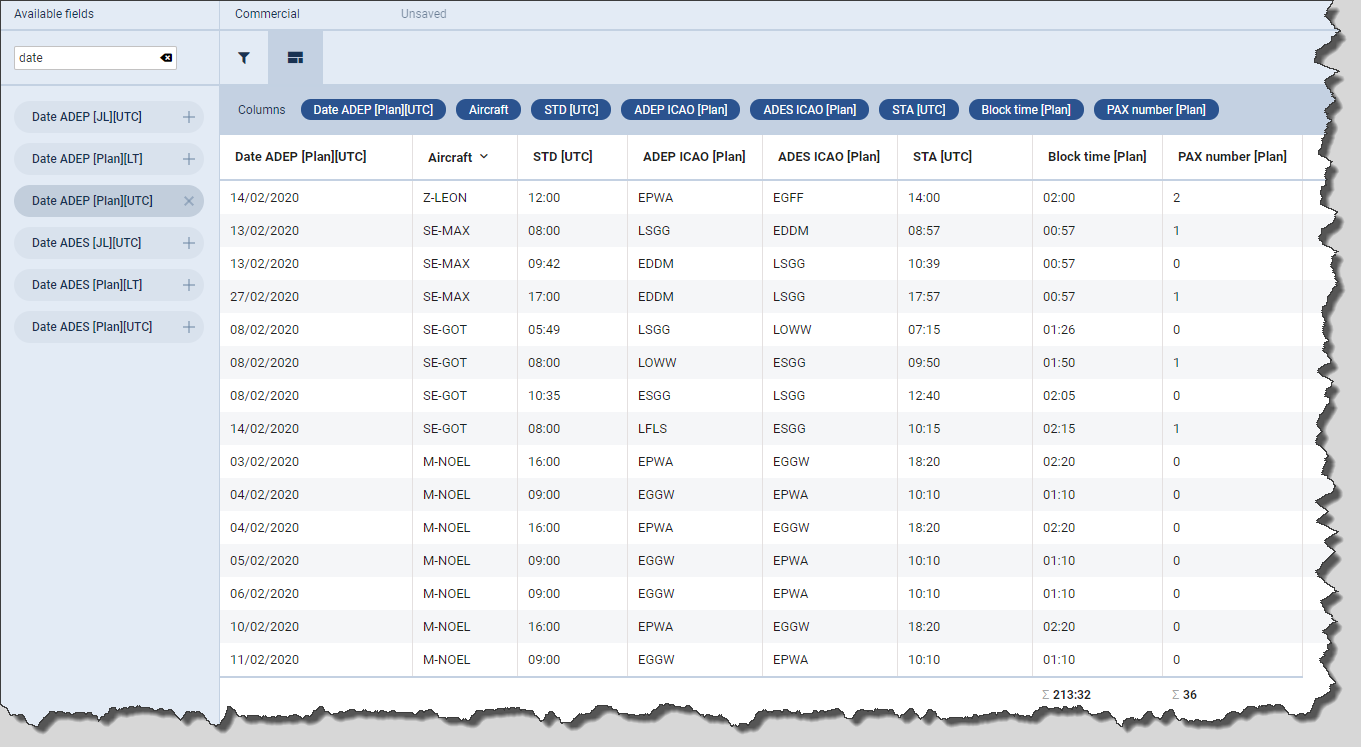
Scope ‘Flight’ - sorting by aircraft
-
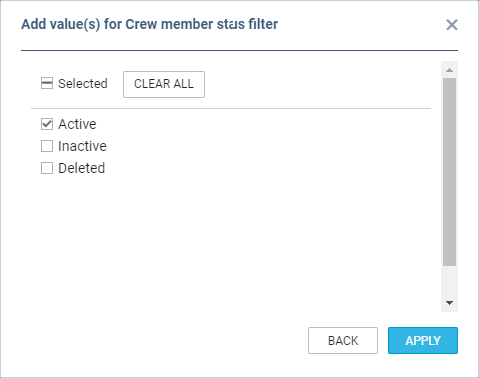
Scope ‘FTL Duty’ - filtering by Crew member status
-
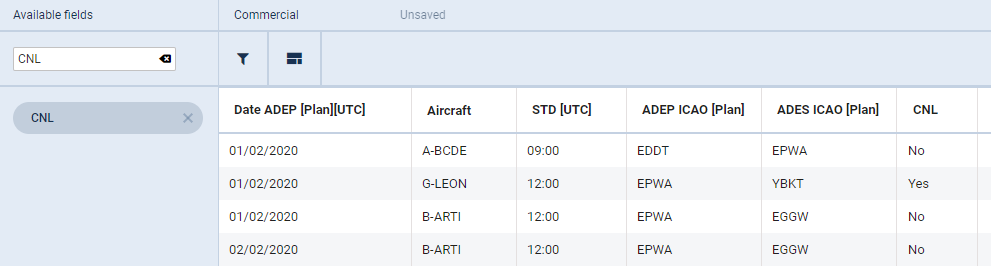
‘CNL’ - additional column indicating canceled flight in scope ‘Flight’
-
Additional columns in scope ‘FTL Duty’
Sorting by aircraft
It is now possible to sort the flights by aircraft registration in scope ‘Flights’.
Hover the mouse over the ‘Aircraft’ column and there will be one of the following 2 options available:
-

-

Sorting by aircraft registration will firstly group them by registration and then by date within each registration.
Filtering by Crew member status
We have added an option to filter by ‘Crew member status’ in the ‘FTL Duty’ scope.
There are 3 options available to filter Crew members:
-
Active
-
Inactive - applies to Crew with ‘Can log into Leon’ checkbox unticked in the User profile
-
Deleted - applies to Crew with ‘Active’ checkbox unticked in the User profile
All the elements of the filter work on ‘either/or’ basis. If you filter by Crew members with statuses ‘Active’ and ‘Deleted’ the report will display data for Crew who are active or deleted.
New ‘CNL’ column
We have added ‘CNL’ column.
The column indicates whether the flight is cancelled (‘Yes’) or not cancelled (‘No’).
Additional columns in scope ‘FTL Duty’
The following columns have been added to the scope ‘FTL Duty’:
-
Planned duty start time - both in [UTC] and [LT]
-
Planned duty end time - both in [UTC] and [LT]
-
[LT] in all FDP and Duty start and end times
-
Rest required before
-
Rest required after
-
WOCL - ‘YES’ for WOCL encroached, ‘No’ for not encroached
In case of rest required being longer than 2 weeks Leon will display ‘> 2 weeks’ label instead of hourly value.